

We call this multi-assignment method: several methods coexisting in the same flow, one for each transfer block you add.
Priority and fallback method
This is the most important part to understand: the block’s configuration takes priority over the company configuration. The company configuration (in the main platform) becomes the fallback method. That way, if the method you chose can’t assign the conversation —for example, the specific agent is disconnected, or your API doesn’t respond— the conversation isn’t left in limbo: Treble applies the fallback method and someone attends to it.Configure the fallback method
The fallback method is defined once in Configuration > Assignment of the agent platform.
Step by step
1
Add the block to your conversation
In the conversation editor, click the button and look for the Transfer to Human section. Select Transfer Methods.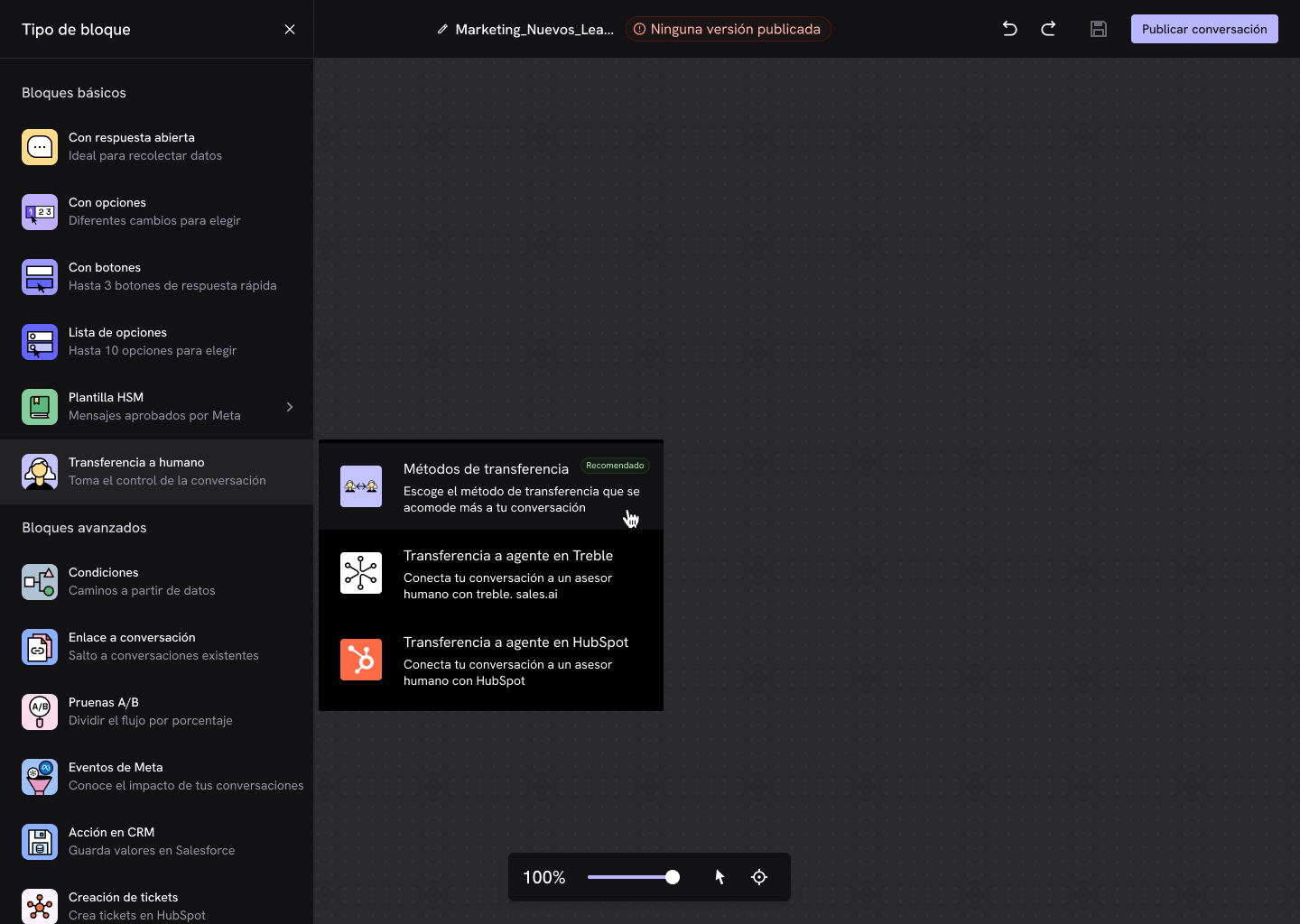
2
Open the block configuration
Connect the block to the point in your flow where you want the transfer to happen and click Configuration.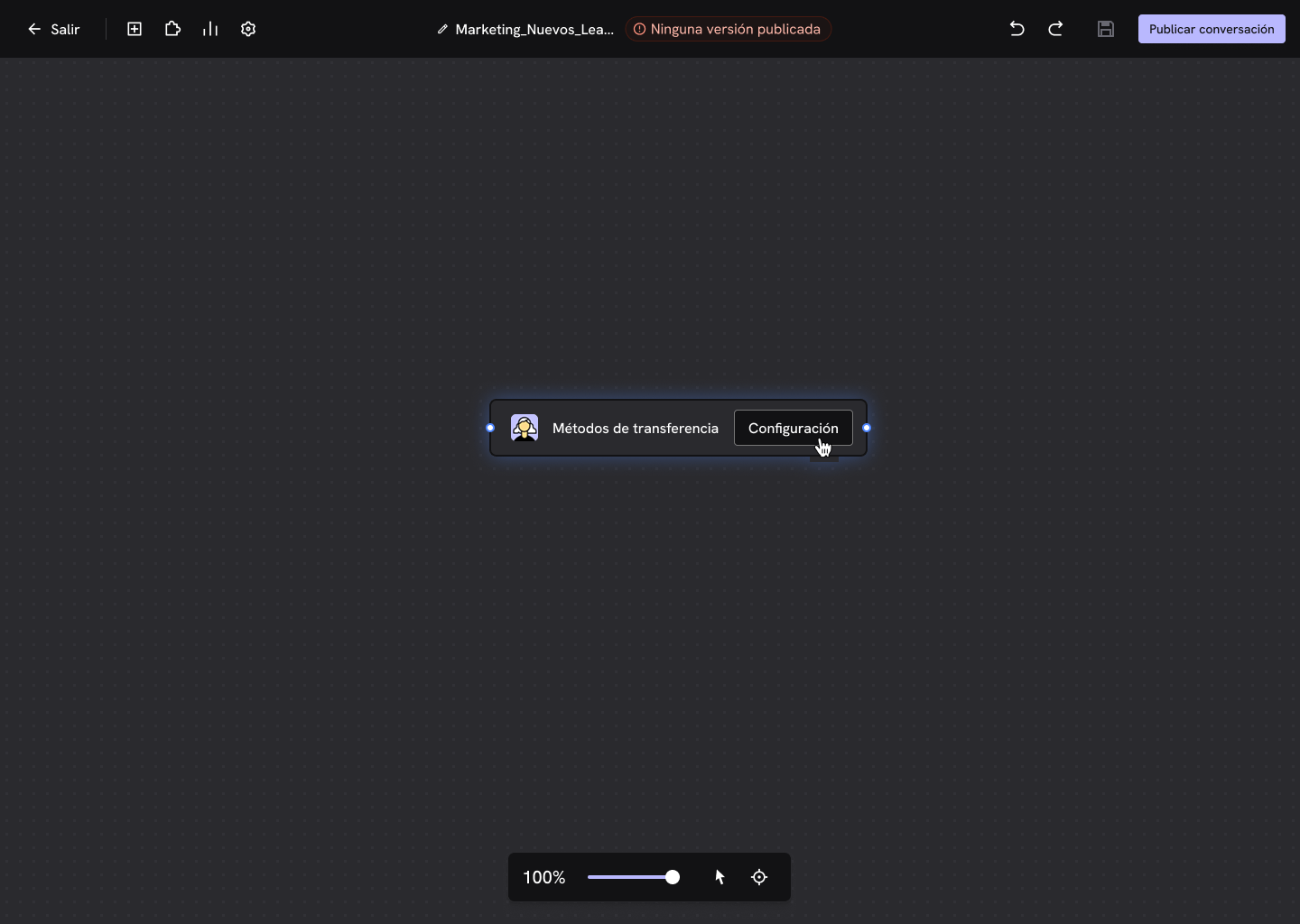
3
Choose the transfer destination
Select where you want to send the conversation and click Next.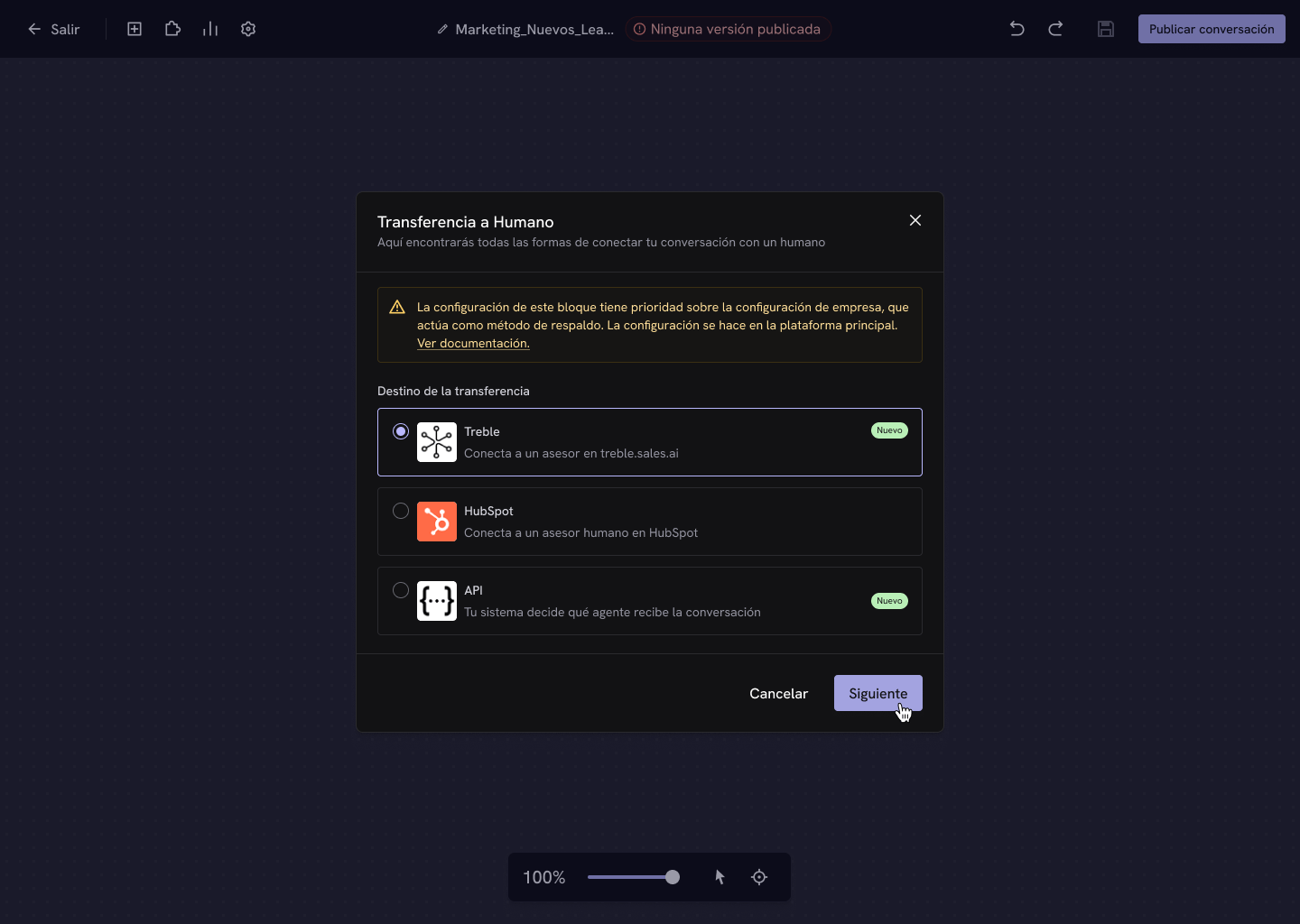
4
Configure the method and save
Each destination has its own methods. Configure it and click Save changes.
Done! Publish the conversation so the transfer becomes active.
The three destinations
Treble
Assign to an agent on your team in treble.sales.ai.
HubSpot
Assign to the contact’s owner or to a HubSpot team.
API
Your own system decides which agent receives the chat.
Which method should I choose?
Common fields
No matter which destination you choose, at the end of the configuration you’ll find these fields:- Fallback method — shown for reference only. It’s the method configured in the main platform and it applies if the block’s method fails. Use View configuration to change it.
- Tags (sales.treble.ai teams) — required. The team the conversation belongs to.
- Labels (sales.treble.ai labels) — optional. Labels applied to the conversation when it’s transferred, useful for filtering and reporting later.
When no agent is found within the selected team, the system will look within the company’s Default team.
Frequently asked questions
Can I use several transfer blocks in the same flow?
Can I use several transfer blocks in the same flow?
Yes, and that’s exactly the purpose of the block. You can add one block for each path of your conversation, each with its own method.
What happens to my current transfer blocks?
What happens to my current transfer blocks?
They keep working the same. The Transfer to Agent block and the Transfer to Agent in HubSpot block don’t change, but we recommend using Transfer Methods in new flows because it brings all the methods together in a single block.
Where do I see transferred conversations?
Where do I see transferred conversations?
In the agent platform. Conversations assigned with the HubSpot destination are answered from the HubSpot inbox.
Does the block replace my company's assignment configuration?
Does the block replace my company's assignment configuration?
Only for the conversations that go through that block. The company configuration still applies as the fallback method and for conversations that are assigned outside the block.