

This feature is enabled by default. It’s turned on automatically as soon as you complete the HubSpot integration installation, no additional configuration needed.
Chat History in HubSpot as Notes
Conversations started with your customers can now create a unique Note for them on their HubSpot contact. This gives your sales and support teams the full chat history right inside HubSpot, without switching tools.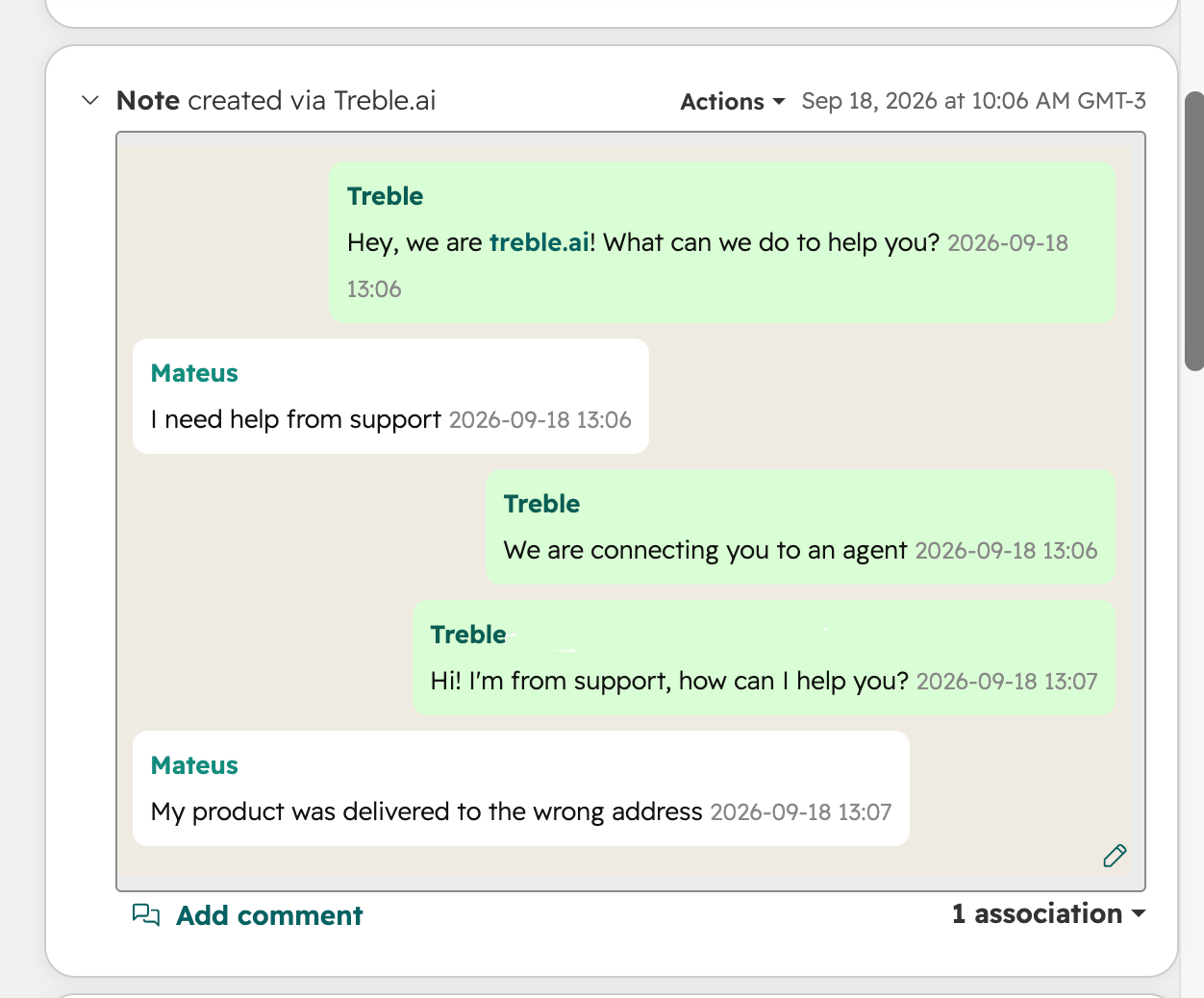
How it works
- When a new conversation starts, whether from a campaign or from the agent, one Note is created for that ongoing conversation.
- The Note is updated as the conversation continues, on both the customer’s side and the agent’s or AI’s side.
- If the customer already has an open ongoing conversation, a new Note is not created. The existing Note keeps being updated instead.
This applies to any conversation that has a matching HubSpot contact, regardless of whether it started from a campaign, an inbound message, or the AI agent.
Frequently asked questions
Does every message create a new Note?
Does every message create a new Note?
No. All the messages of the same ongoing conversation are recorded in a single Note, which keeps getting updated as the conversation moves forward.
What happens when the conversation closes and a new one starts?
What happens when the conversation closes and a new one starts?
Once the ongoing conversation ends, the next conversation with that customer creates a new Note.
Do I need to configure anything to enable this?
Do I need to configure anything to enable this?
No. This works automatically for any account with the HubSpot integration connected.