

here
. Let’s create your first flow within the platform. In this guide, we’ll create a conversation in Treble and send it.1
Create your conversation with an action
On the 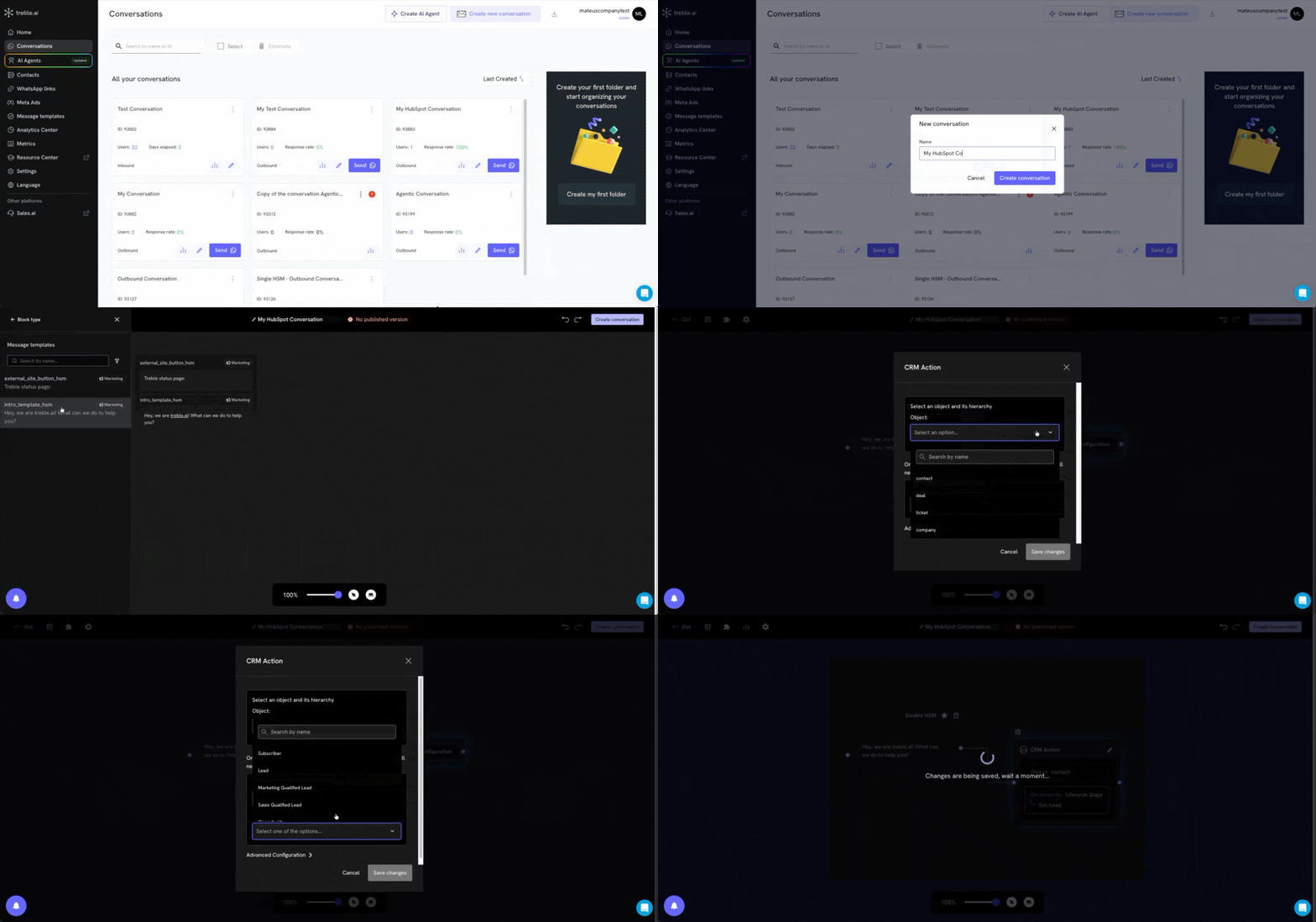
conversations page
, click to create a new conversation.Once inside the screen, select the HSM block you want to send, and then select the “CRM Action” block.Click the “CRM Action” block and configure it to update the contact; we’ll update the “Stage” field of the Contact in HubSpot. Choose the stage you want to update and click “Publish”.2
Verify the update in HubSpot
Once the conversation is sent and the HSM is replied to, the contact’s stage field will be updated in HubSpot:
Features
Discover everything you can do with the integration.
Blocks
Use HubSpot blocks within your Treble conversations.
HubSpot + AI
Connect HubSpot with Treble’s AI agents.