

1
Open the HubSpot integration modal in Treble
In Treble, go to Settings → Integrations → HubSpot
2
Download extension
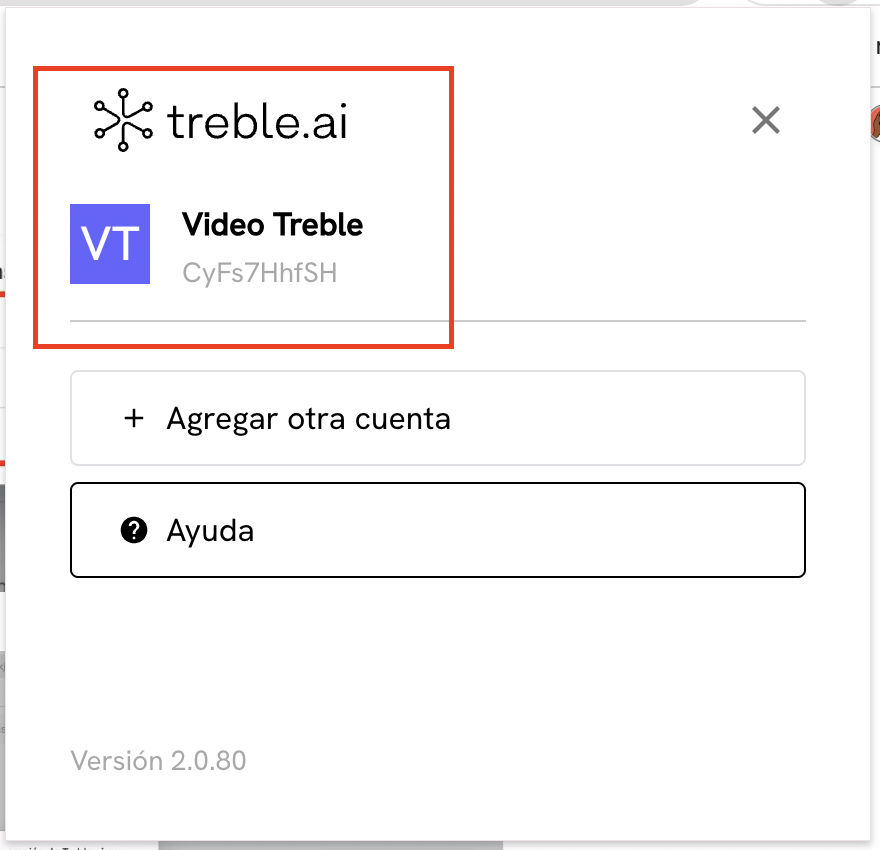
In this modal, you will find important information. You must copy the code and click where it says “Chrome extension”. The code is unique for each company and is the same for all people who want to download the extension.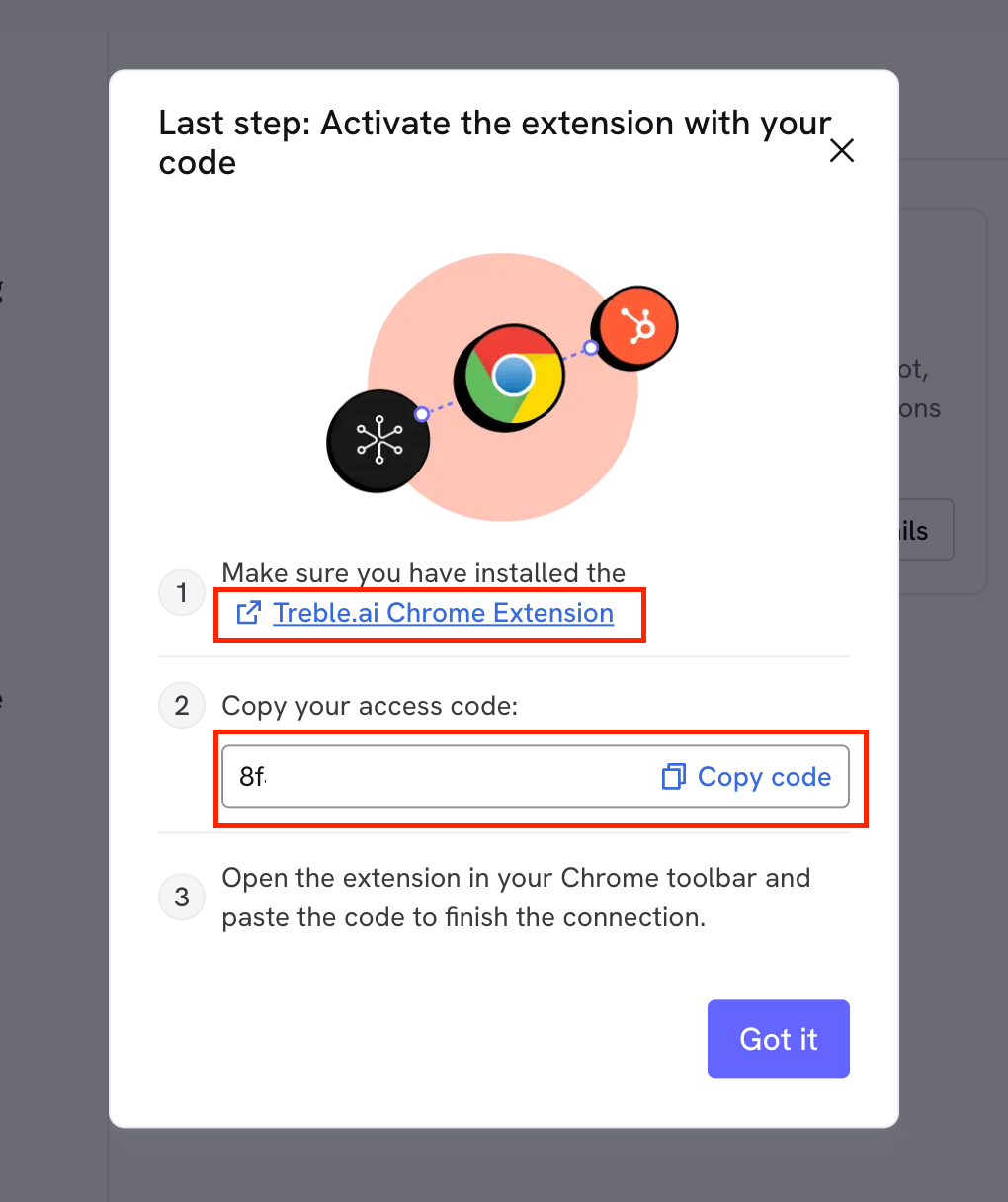
3
WhatsApp and Treble inside HubSpot
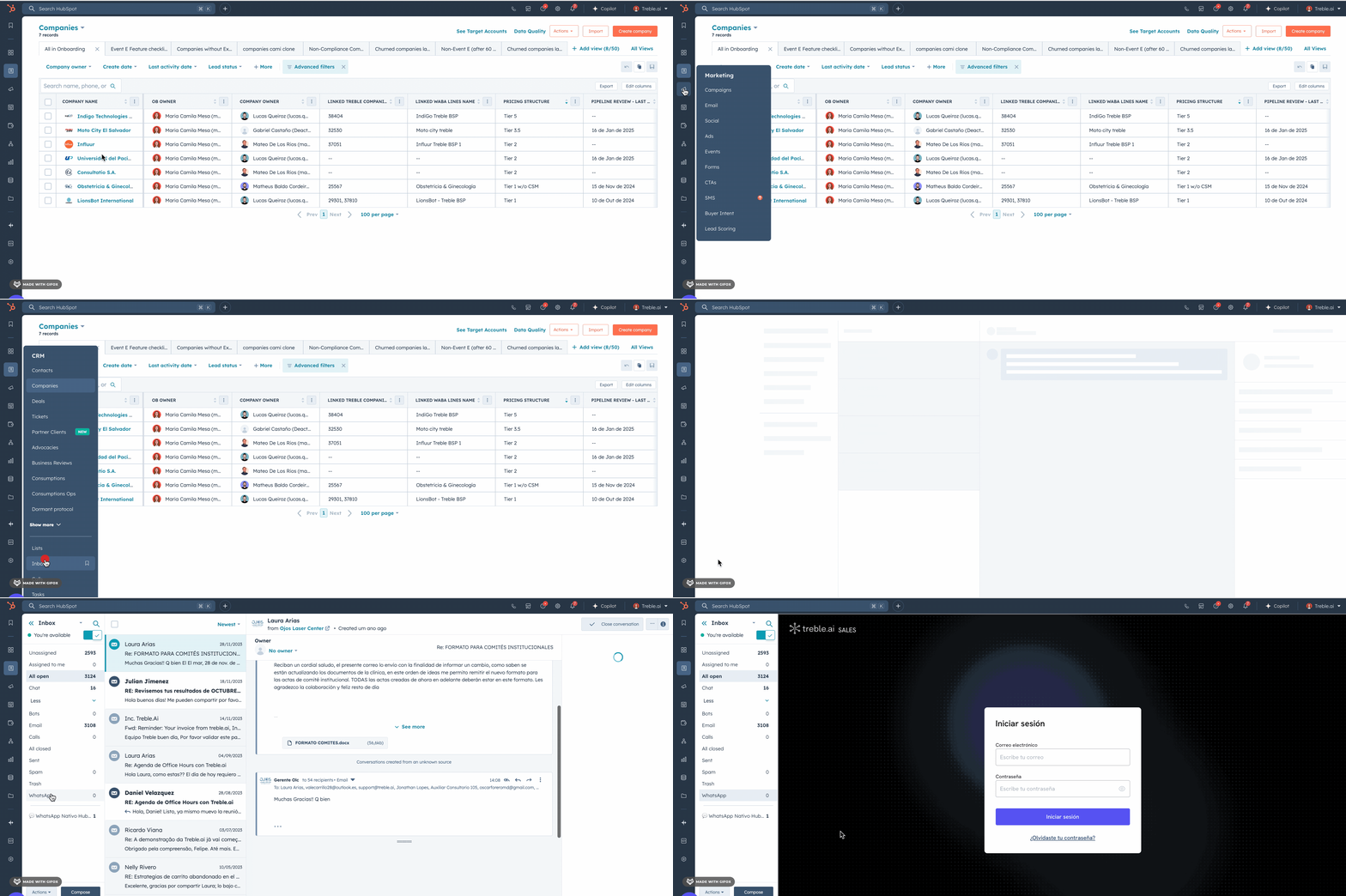
Right after connecting the extension, go to HubSpot, select “Inbox” and look for “WhatsApp” in the left sidebar.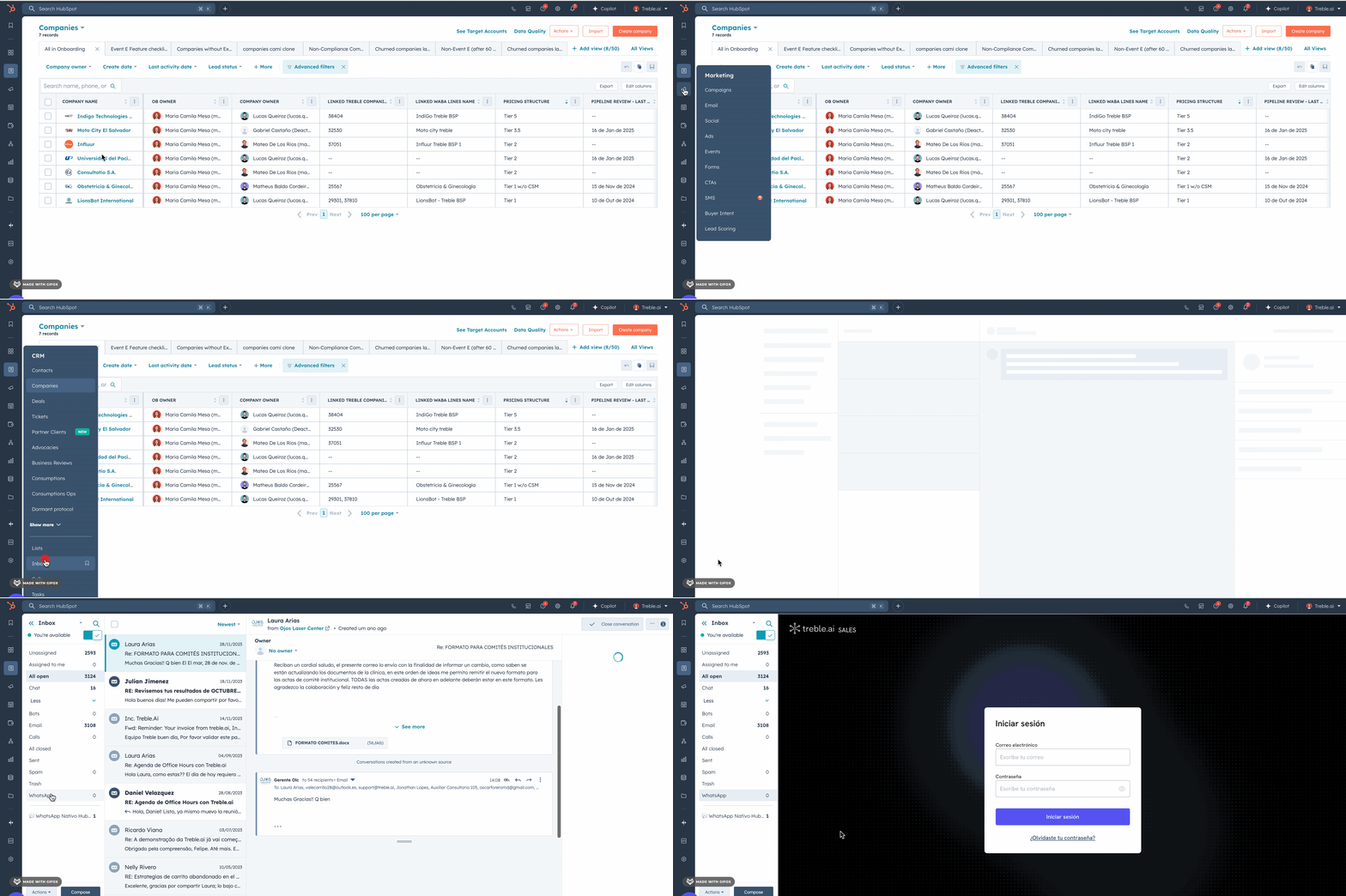
CONGRATULATIONS! You have now completed the HubSpot integration with your company.
Remember that your agents only need to download the extension using the same code and link provided to be able to see WhatsApp within HubSpot.