

This feature is enabled by default. It’s turned on automatically as soon as you complete the HubSpot integration installation, no additional configuration needed.
HubSpot Activities
When you connect Treble with HubSpot, your WhatsApp conversations generate automatic activities in the timeline of your HubSpot contacts (and tickets). Additionally, Treble creates a Call object in HubSpot when the conversation included a call.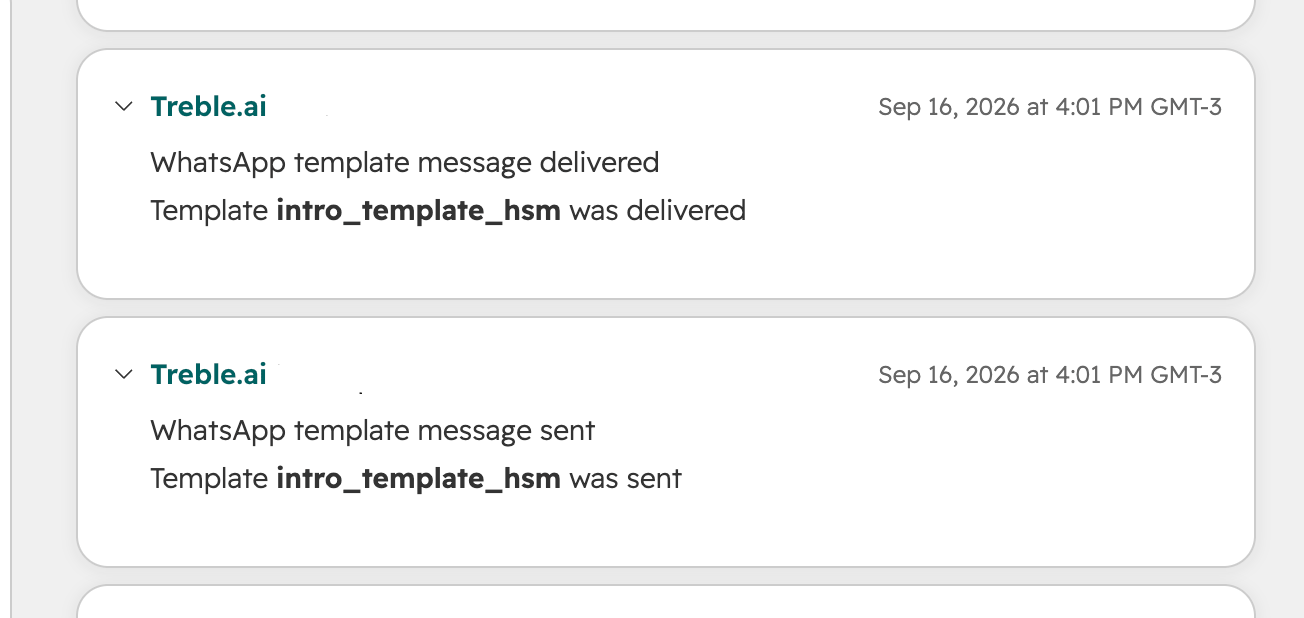
Timeline activities
“Conversation closed” and “Ticket conversation closed” show the same text in HubSpot. The difference is the object they’re attached to: one to the Contact and the other to the Ticket.
Call object
In addition to the timeline activities, Treble automatically creates a Call object in HubSpot associated with the contact when the conversation included a call.FAQ
Does this also apply to session messages, or only to HSMs?
Does this also apply to session messages, or only to HSMs?
The “Conversation opened”, “Conversation closed”, and “Transferred to agents” activities are logged for any conversation. The “HSM sent/delivered/failed” activities only apply to HSMs; session messages don’t generate their own activity.
What happens if the customer doesn't have a HubSpot contact yet?
What happens if the customer doesn't have a HubSpot contact yet?
No timeline activity is created. The customer needs to have an associated HubSpot contact for these activities to be logged.
Do I need to configure anything to enable this?
Do I need to configure anything to enable this?
No. This works automatically for any account with the HubSpot integration connected.