

Before you start
1. Install the package
With your Salesforce session open, go to this link:04taj000000A3B7AAK) is the package version Id. When a new version is published, that Id changes.If the link doesn’t open, asks you for an installation password, or installs something that doesn’t match what you see here, you’re probably using an old link: ask your Customer Success Manager for the current one.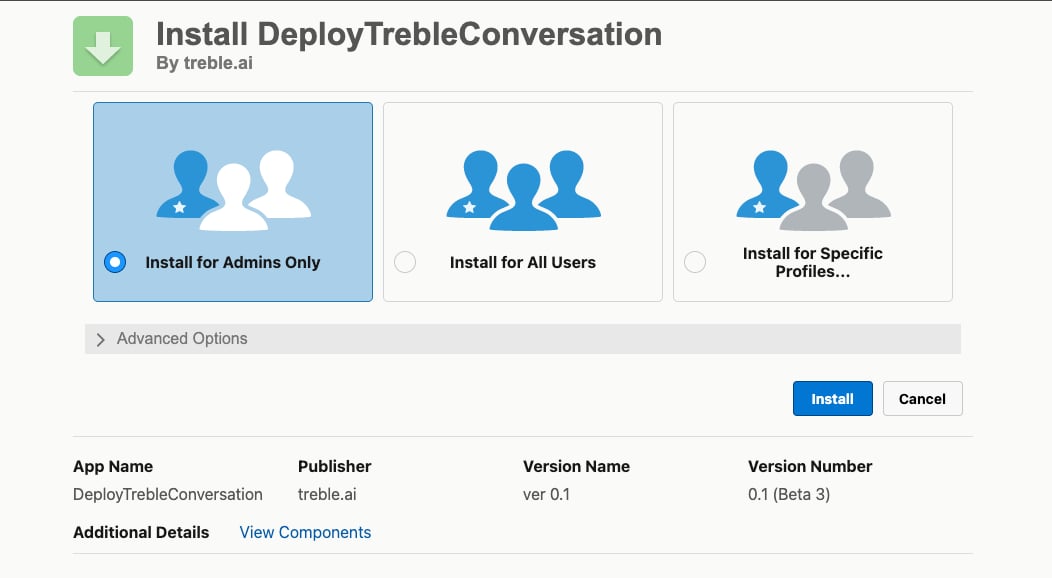
2. Configure the credential
The package installs an external credential and a named credential, which are what allow Salesforce to call the Treble API.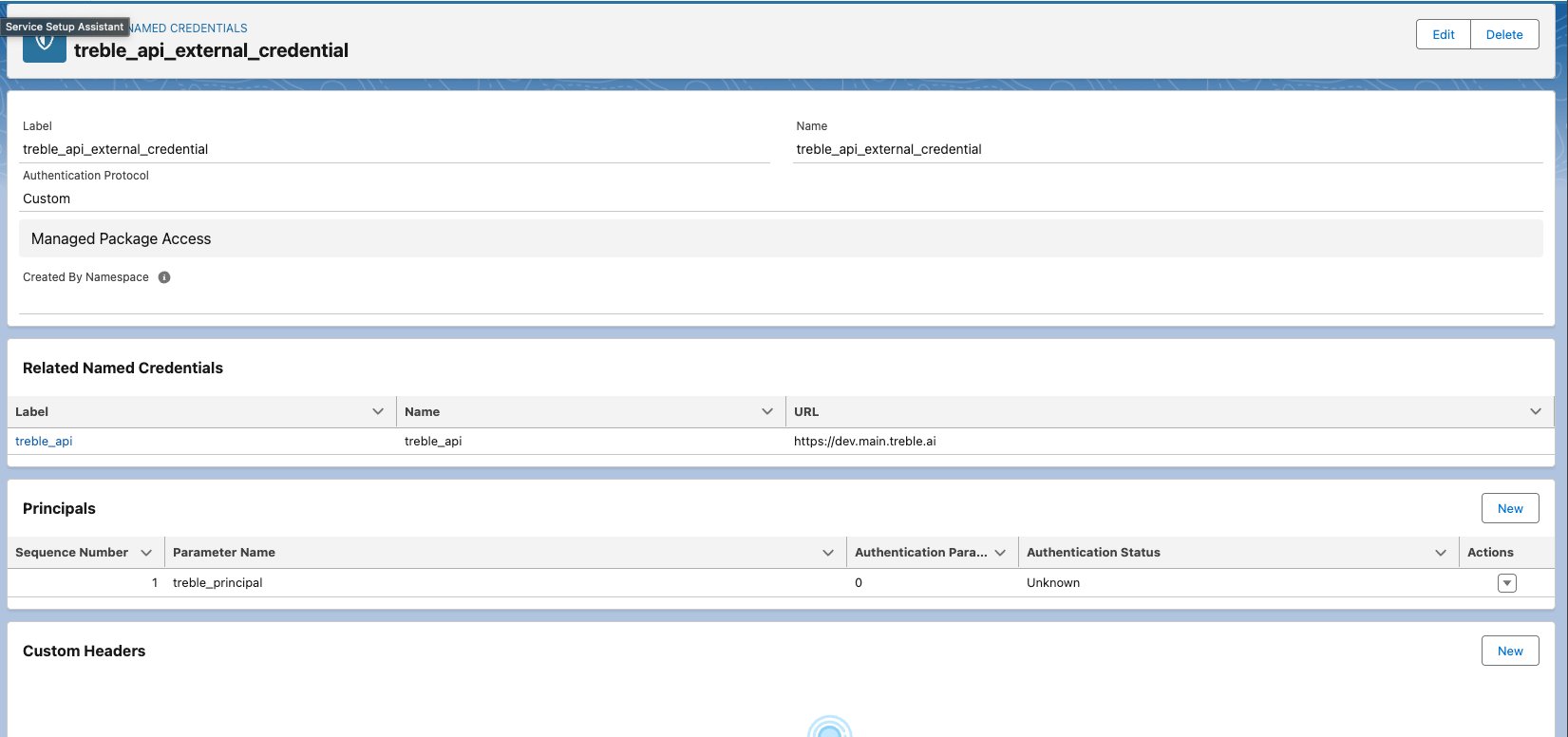
Open Setup → Named Credentials
treble_api_external_credential and, related to it, the named credential treble_api.Confirm the URL (usually you don't need to touch it)
https://main.treble.ai. You don’t have to configure it: just verify that it’s set that way.Add the authorization header
3. Give users permissions
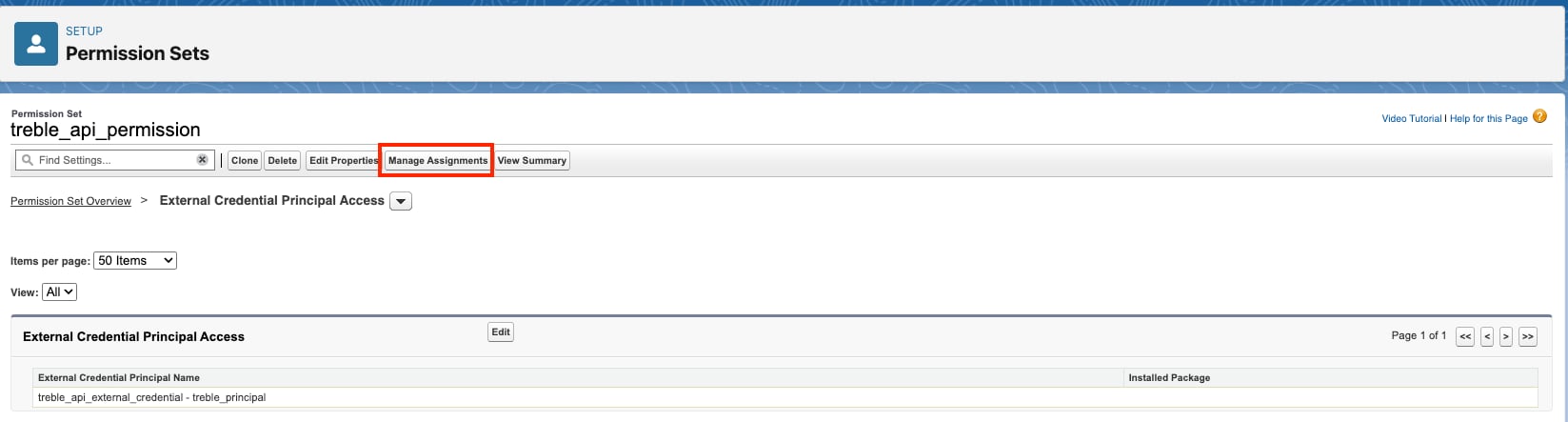
Salesforce doesn’t allow using an external credential without an explicit permission. The package comes with a ready-made permission set.Open Setup → Permission Sets
treble_api_permission permission set.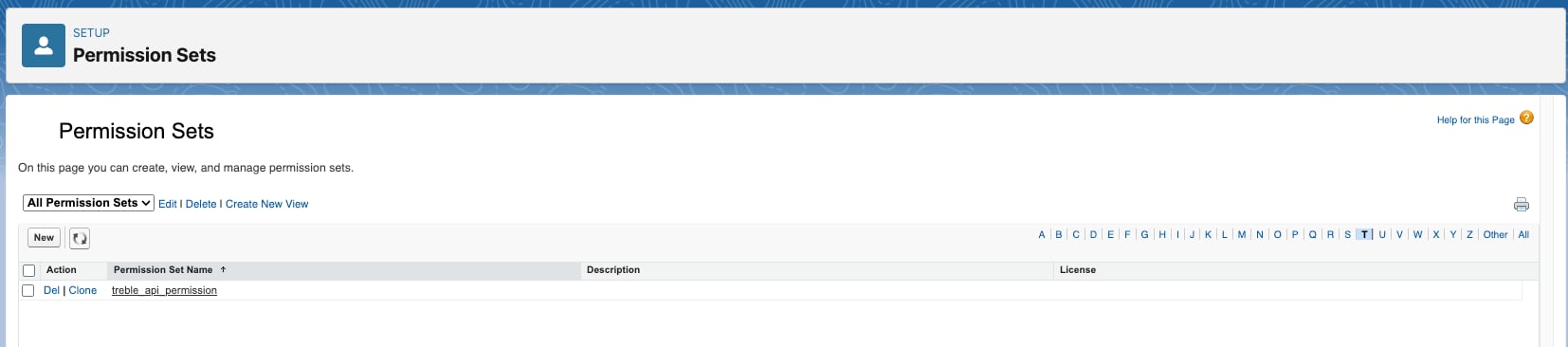
Confirm access to the credential
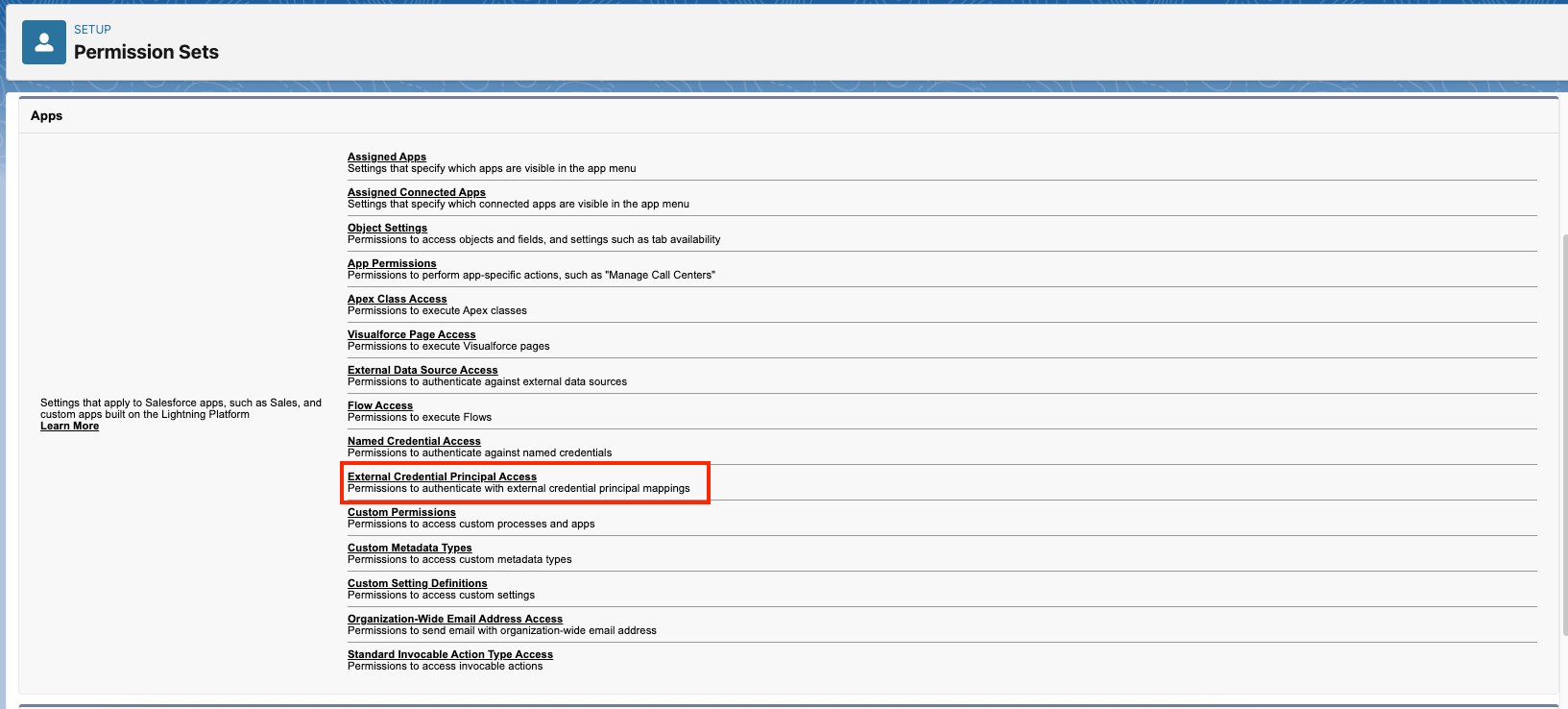
Assign the set to users
4. Create the flow that launches the conversation
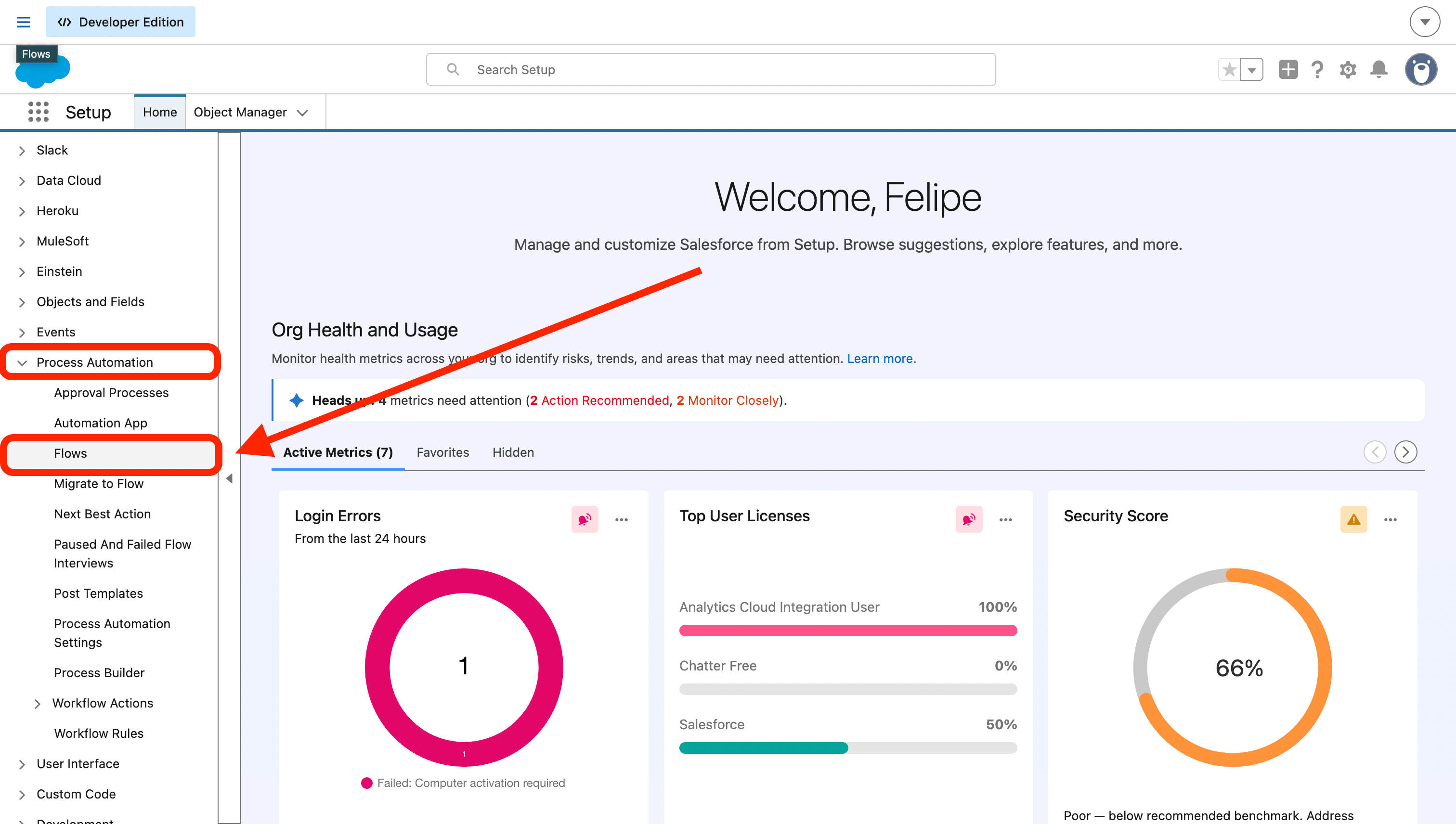
With the package installed and the permissions assigned, the Treble action is now available in the Salesforce Flow Builder. The following example launches a WhatsApp conversation every time an account is created. The same structure works for any other trigger.Go to Flows
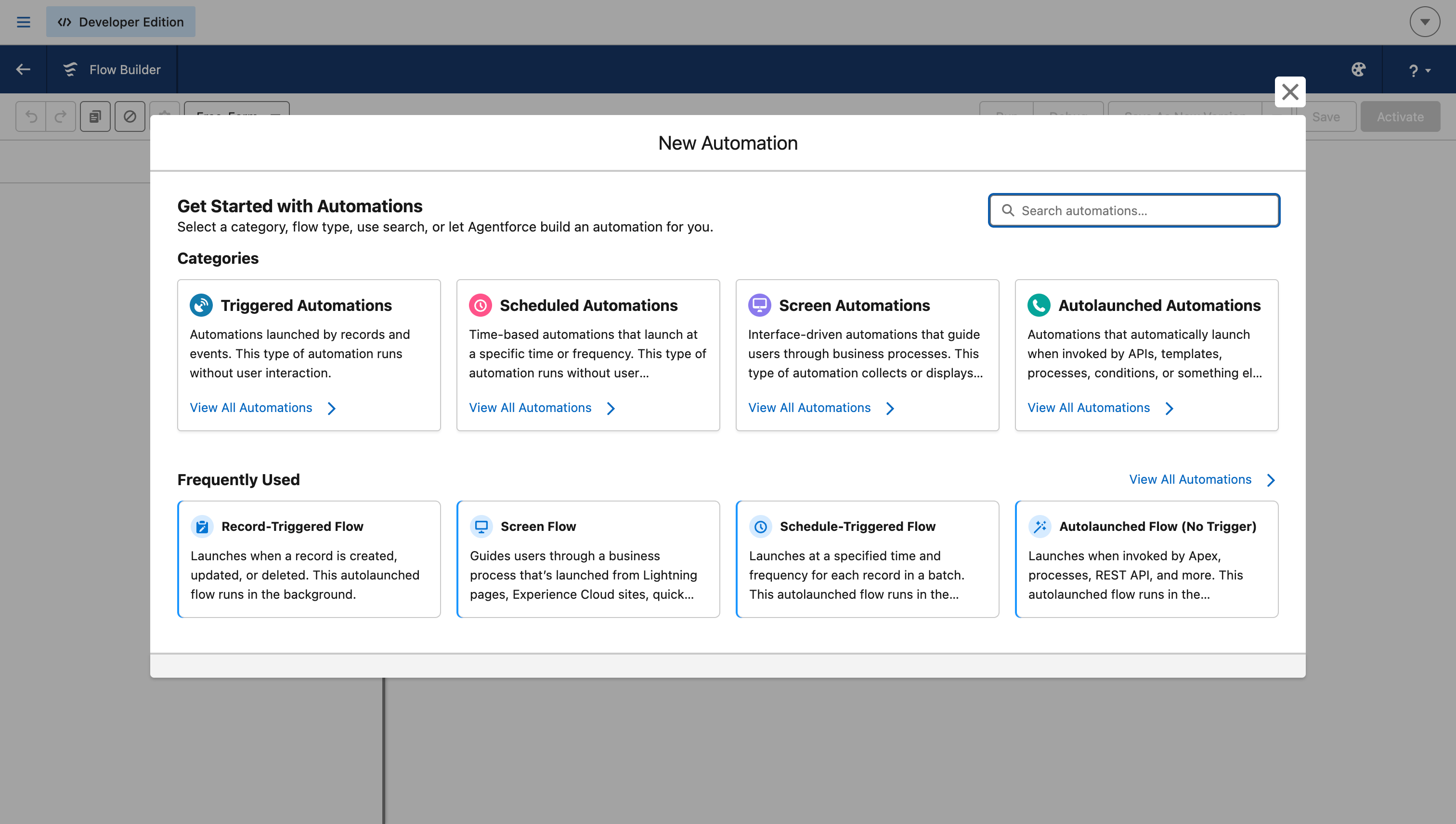
Choose the flow type
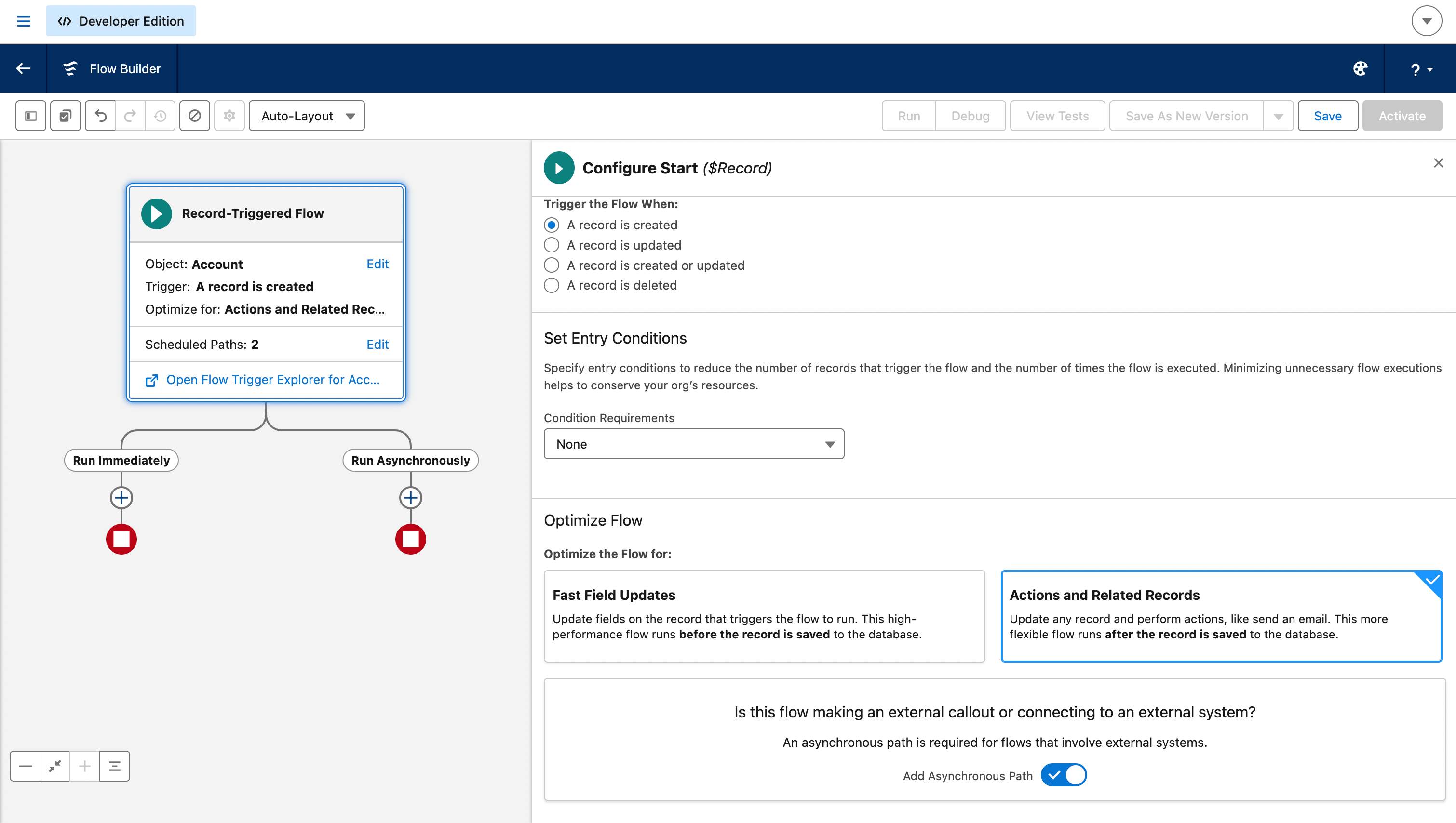
Configure the trigger and enable the asynchronous path
Account), when it triggers (A record is created), and in Optimize the Flow for choose Actions and Related Records.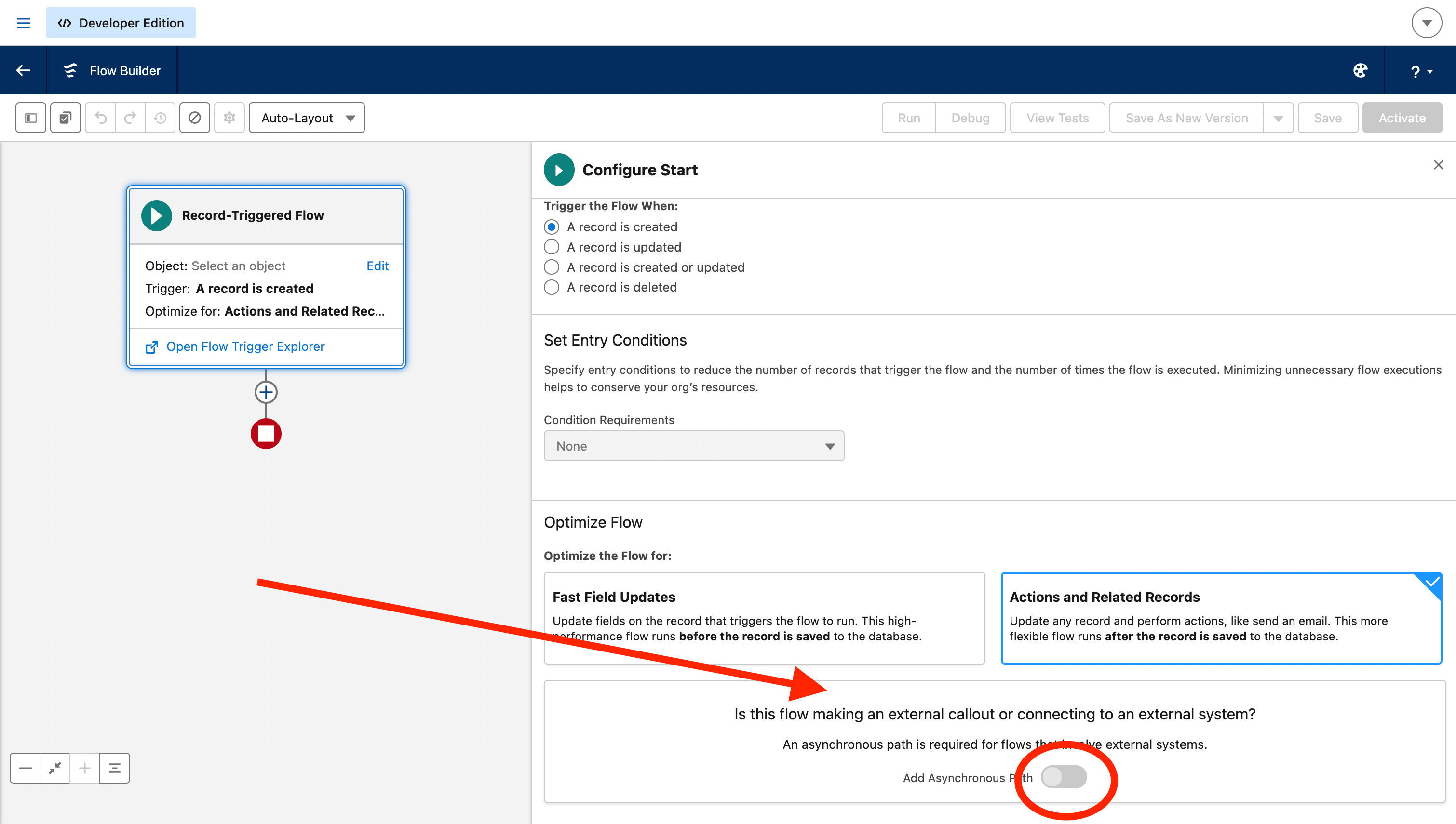
Optional: store the data you need in variables
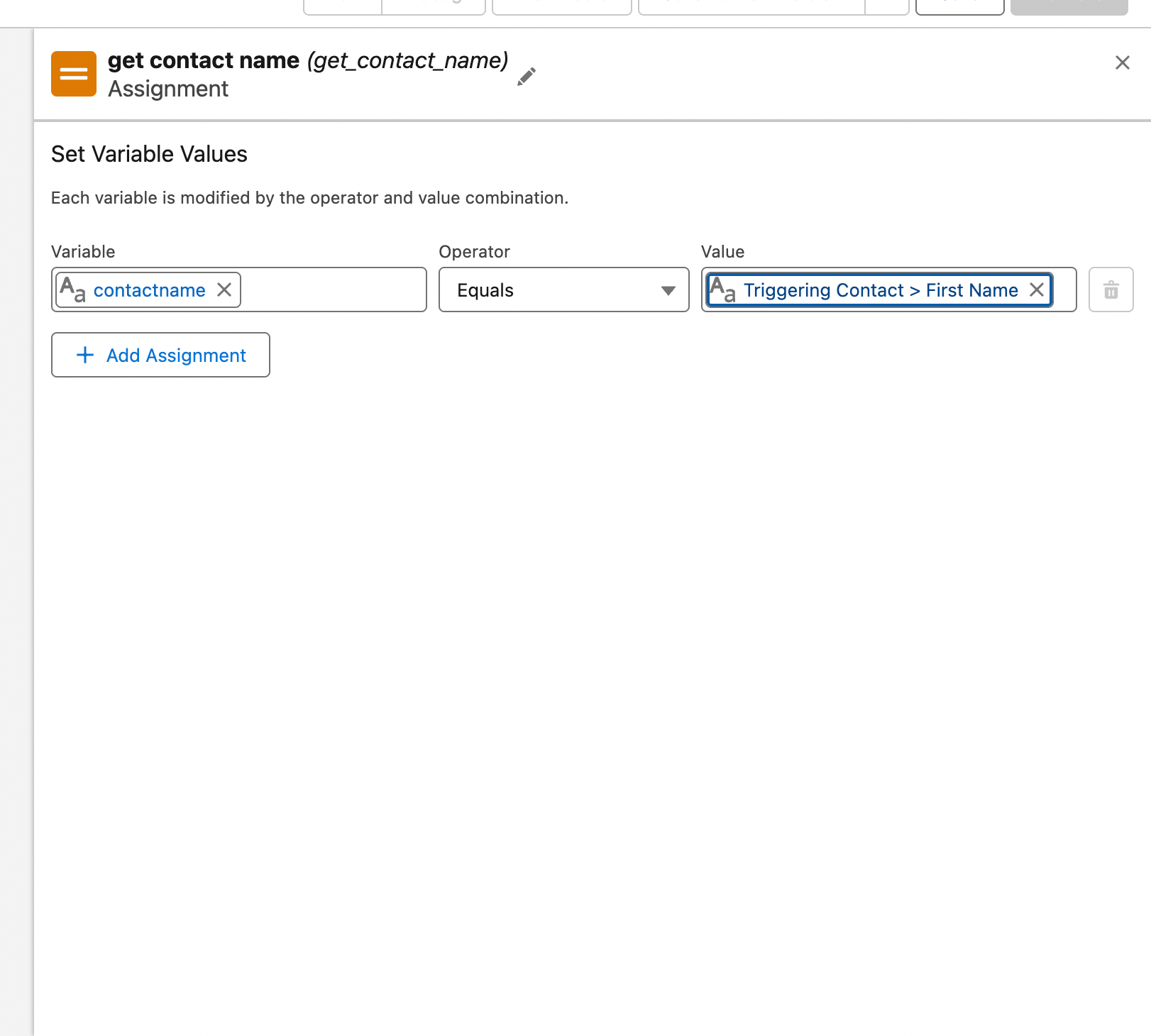
contactname variable. The same is done with the phone, which is the data the Treble action does need.Add the Treble action
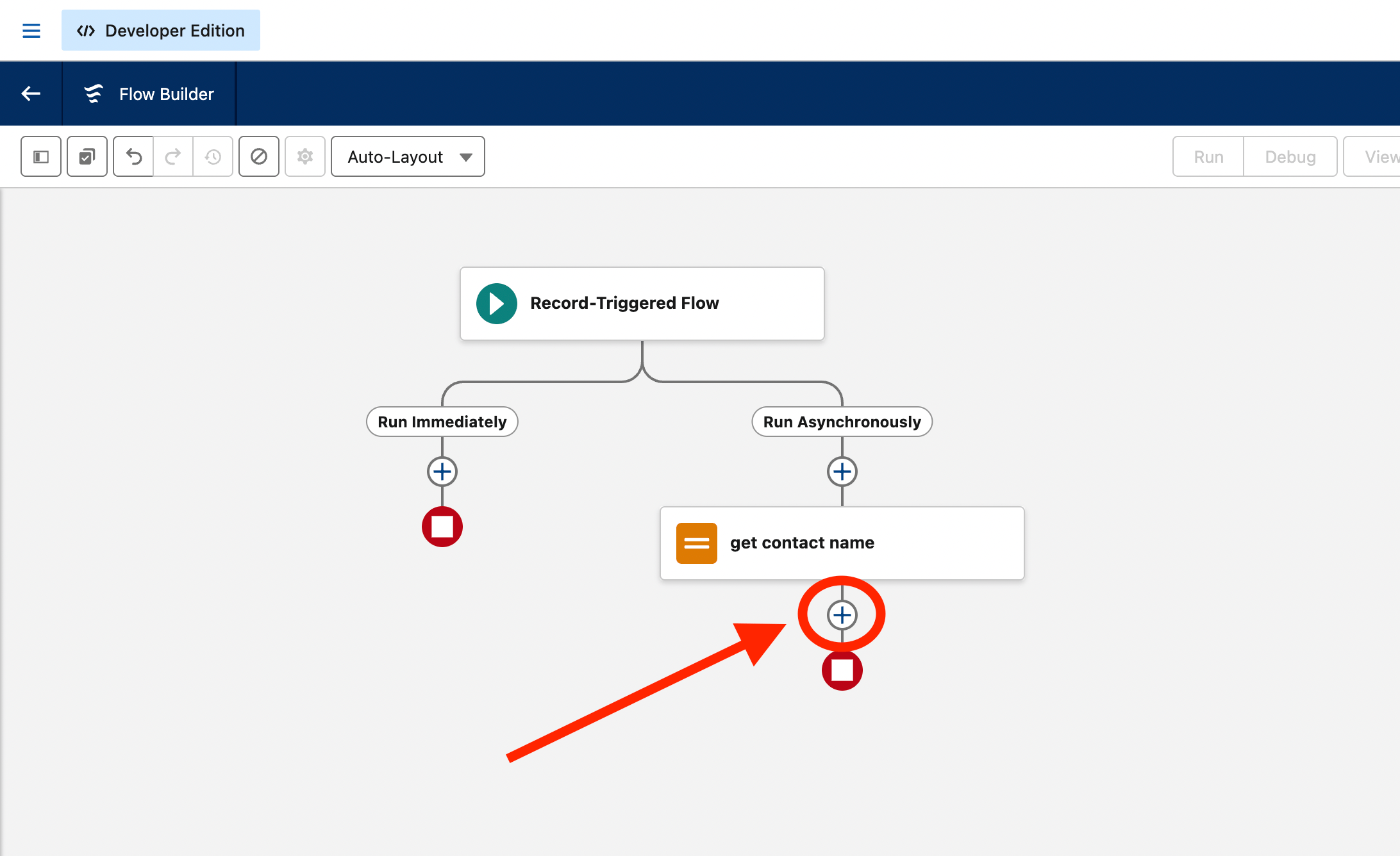
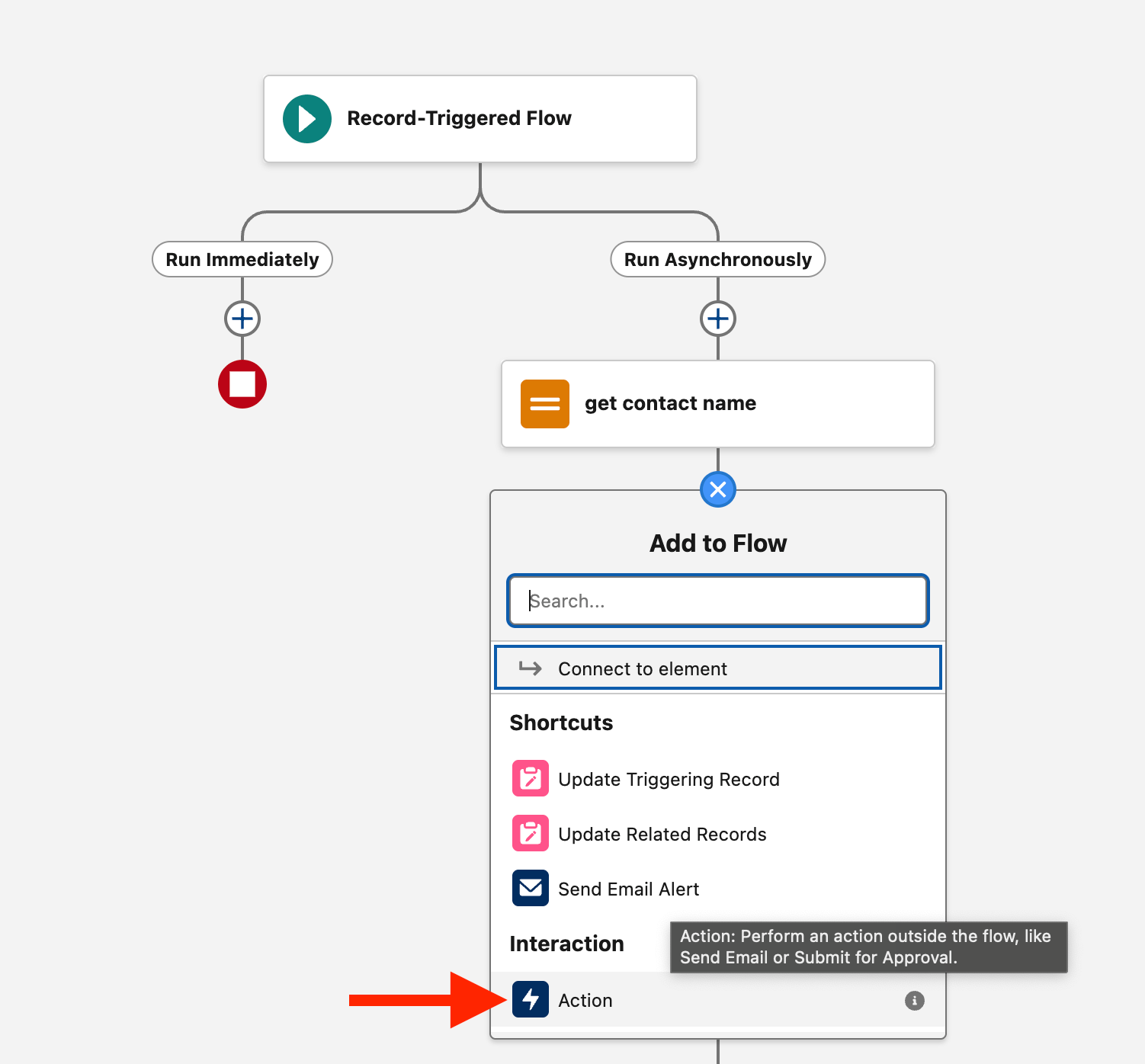
treble and select Deploy Treble Conversation.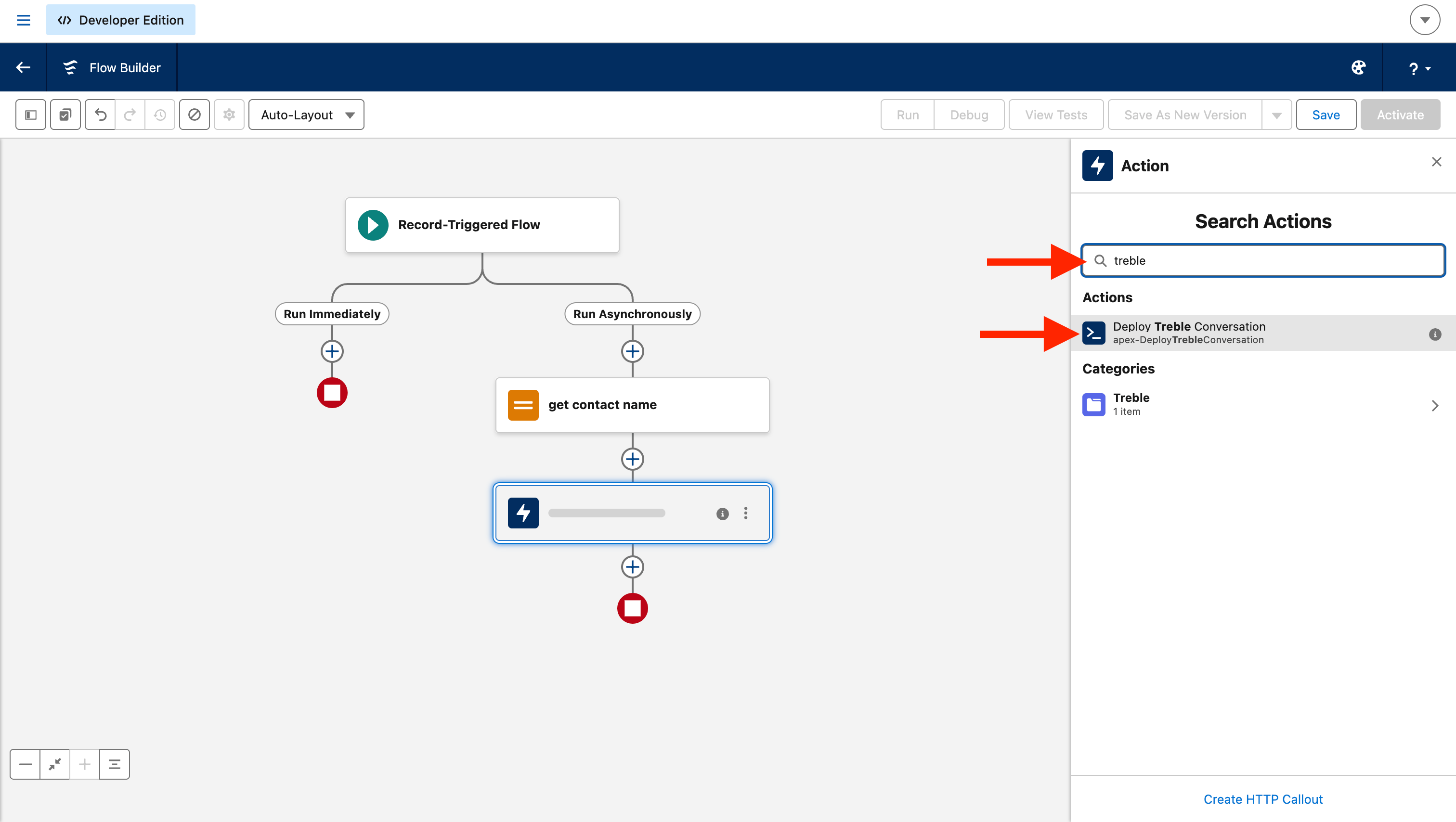
Fill in the parameters
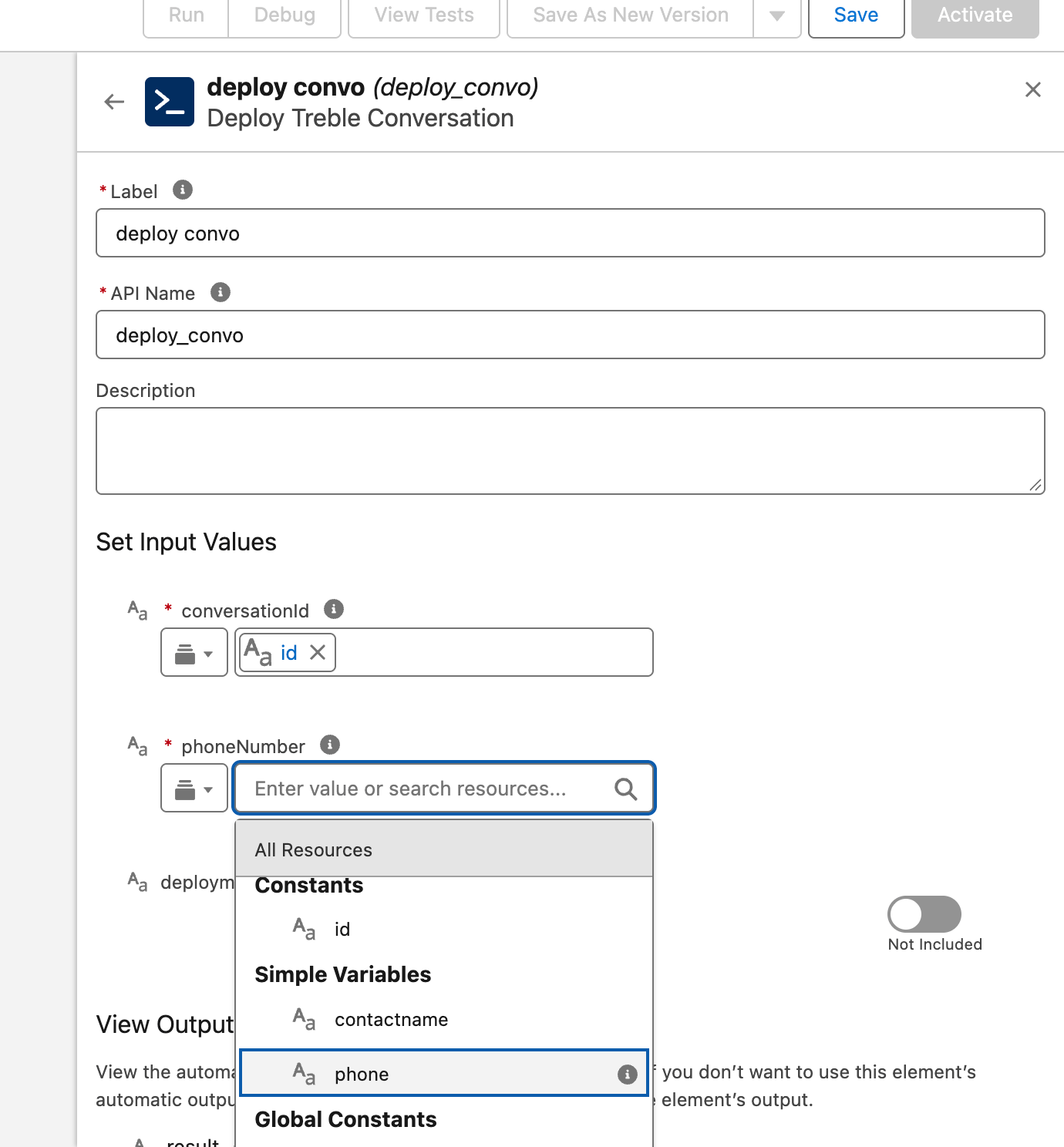
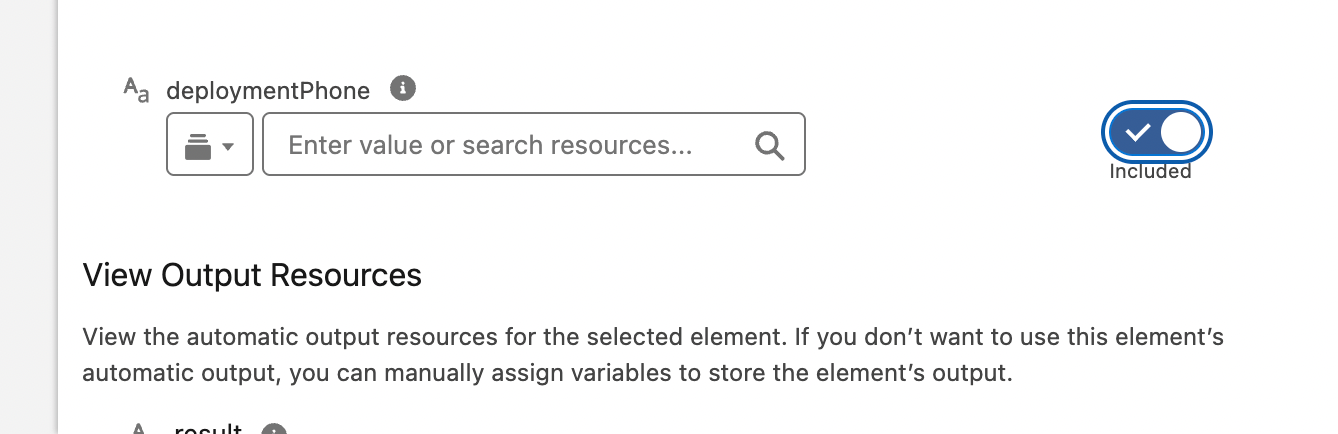
deploymentPhone comes disabled (“Not Included”). Enable it only if you’re going to use it.Save and activate
What the action does under the hood
Two things are worth knowing, because they define what can and can’t be done.The result is text, not a yes or no
The result is text, not a yes or no
result, with a text:Error. There’s no separate success or failure field.Template variables can't be sent from the flow
Template variables can't be sent from the flow
It works with several records at once
It works with several records at once
Deployment endpoint
Common issues
The deployment fails with a 401 error
The deployment fails with a 401 error
Authorization header or the permission set aren’t set up correctly.Our engineering team’s recommendation in these cases is to uninstall the package and reinstall it following this guide step by step, instead of trying to fix the existing configuration.I installed the package but the Treble credential doesn't appear
I installed the package but the Treble credential doesn't appear
treble_api_external_credential exists. If it’s not there, uninstall the package and reinstall it.The flow fails with an authentication or credential error
The flow fails with an authentication or credential error
- The
Authorizationheader hasn’t been created, or the API key is incomplete. - The user running the flow doesn’t have the
treble_api_permissionpermission set assigned.
I don't see the Treble action in Flow Builder
I don't see the Treble action in Flow Builder
treble in the action search box: Deploy Treble Conversation should appear, in the Treble category.If it’s not there, confirm that the package installation completed correctly and that your user is within the scope you chose when installing (admins, all users, or specific profiles).The flow can't be saved because the action makes an external call
The flow can't be saved because the action makes an external call
It works for me but not when the flow runs on its own
It works for me but not when the flow runs on its own