

When you need to sync
You created or modified a field
You created or modified a field
A new field doesn’t appear in Treble’s blocks until you sync.
You changed whether a field is required or gave it a default value
You changed whether a field is required or gave it a default value
Treble decides which fields to send when creating a record based on this information. If it’s outdated, it may send fields that are no longer needed, or omit others that now are.
You added or modified a validation rule
You added or modified a validation rule
Validation rules affect which values Salesforce accepts when creating or updating a record.
You created or changed a record type
You created or changed a record type
Record types define which picklist values and which lookups are valid on each record.
Record types
You added values to a picklist
You added values to a picklist
Treble shows the options it had stored at the last sync.
Field names appear in another language
Field names appear in another language
Treble shows field labels exactly as Salesforce returns them, and Salesforce translates them according to the language of the user the integration is connected with.If you want to see them in English instead of Spanish (or the other way around), you need to change that user’s language in Salesforce and sync again. It’s not a Treble setting.
Treble let you know it released an improvement
Treble let you know it released an improvement
Some integration improvements only become visible after syncing.
How to sync
1
Open any conversation
Go to your Treble platform and open any conversation flow. It doesn’t matter which one: the sync applies to the whole account, not to the flow you’re in.
2
Click the gear in the top bar
Inside the conversation builder, in the top-left bar, click the gear icon ⚙.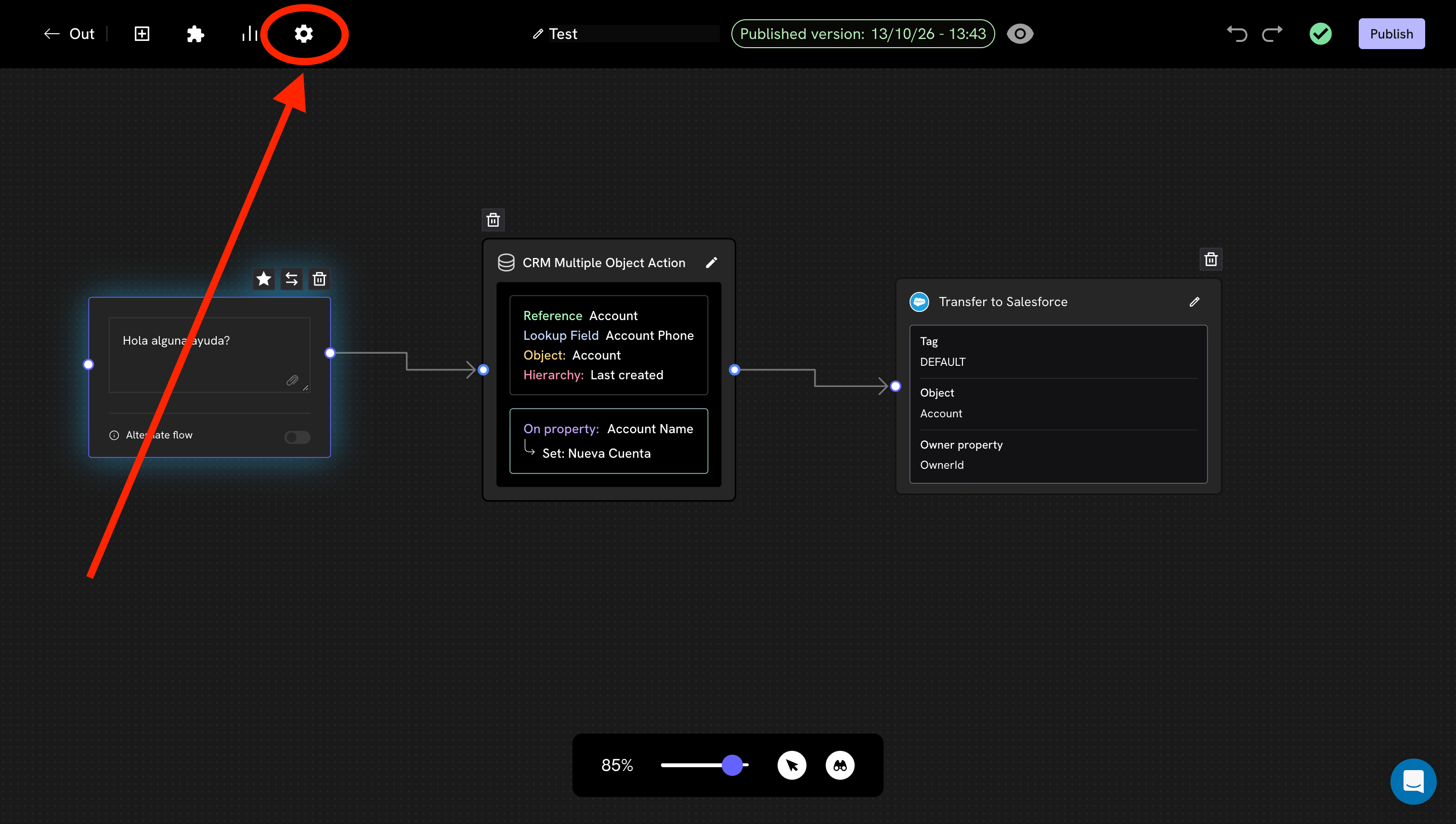
It’s the same gear for all flows. If you don’t see it, confirm that you’re inside the conversation builder and not in the campaign list.
3
Click Sync data
The Settings panel opens. At the very bottom is the CRM object block: data sync card, with the Sync data button.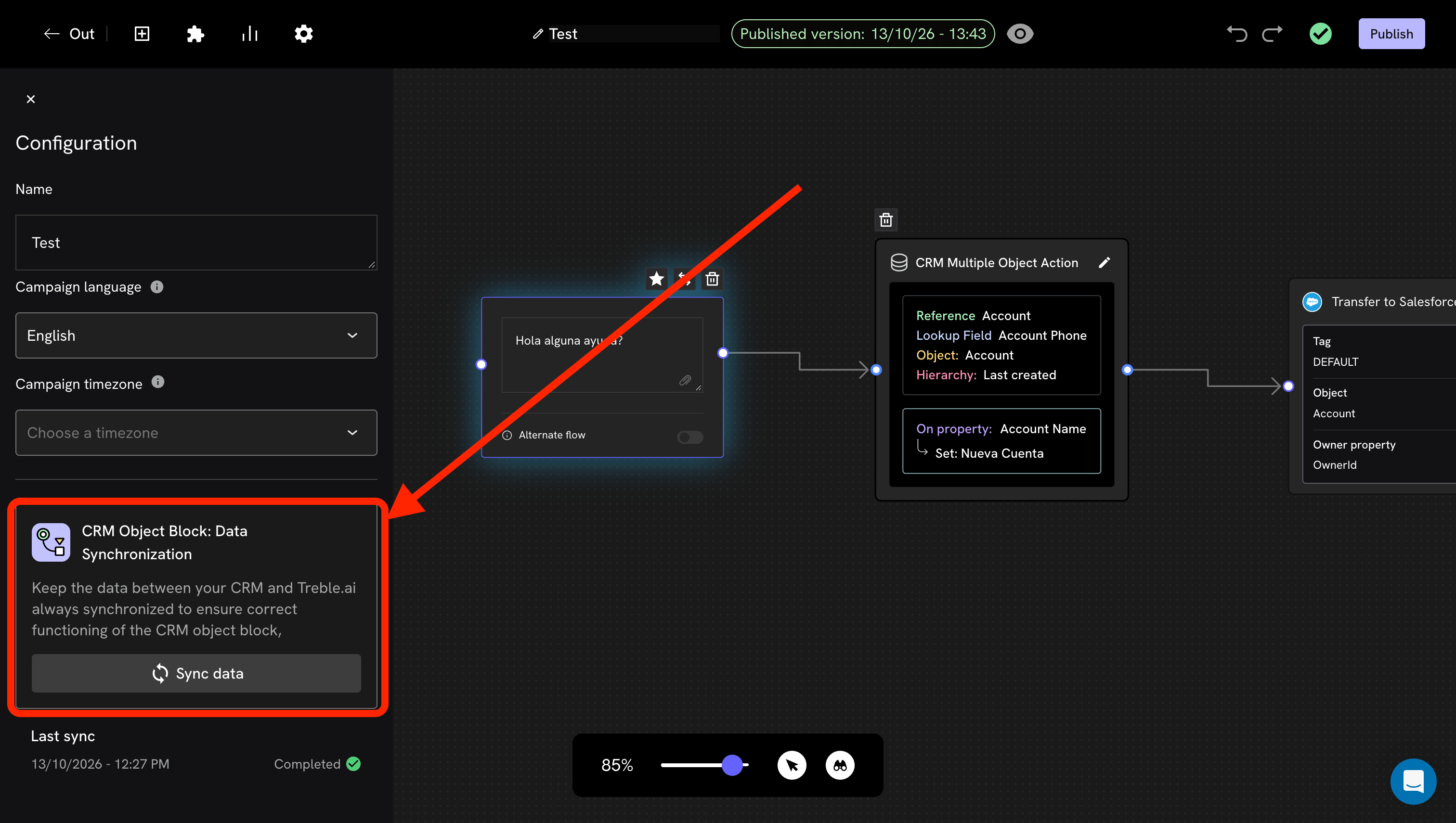
4
Wait for it to finish
While it runs, the button shows a loading indicator. Depending on the number of objects and fields in your org, it can take anywhere from a few seconds to a few minutes.
Below the button, Last sync shows the date, time and status. When it says Completed, Treble’s blocks are already showing the new structure.
That “last sync” line is the fastest way to resolve an “I already synced”: if the date is old, it wasn’t run; if it’s recent and the problem persists, the issue is something else.
There are three different syncs and they’re easily confused:
If someone tells you “I already synced” but the problem persists, it’s worth confirming which of the three.The quick rule: if a contact is missing, it’s about the first two and is checked in the Sales view. If a field or a picklist option is missing, it’s this one.
How to tell the problem is a missing sync
These signs usually point to an outdated structure:Next steps
Record types
Why a wrong record type produces errors on fields that seem unrelated.
Advanced settings
What can be customized and what limits it has.