

In multi-object the names are very similar and easy to mix up. The one that writes is CRM Multiple Object Action. The one that only reads is called CRM Multiple Object, without “Action”.
What to understand first
Each CRM Action block writes a single property. If you need to save three pieces of data, you will use three blocks. In addition, the block does two different things depending on the case:- If it finds the person’s record, it updates it.
- If it does not find it, it creates it.
Add the block
From the conversation builder, open the blocks panel and look for CRM Action under Advanced blocks.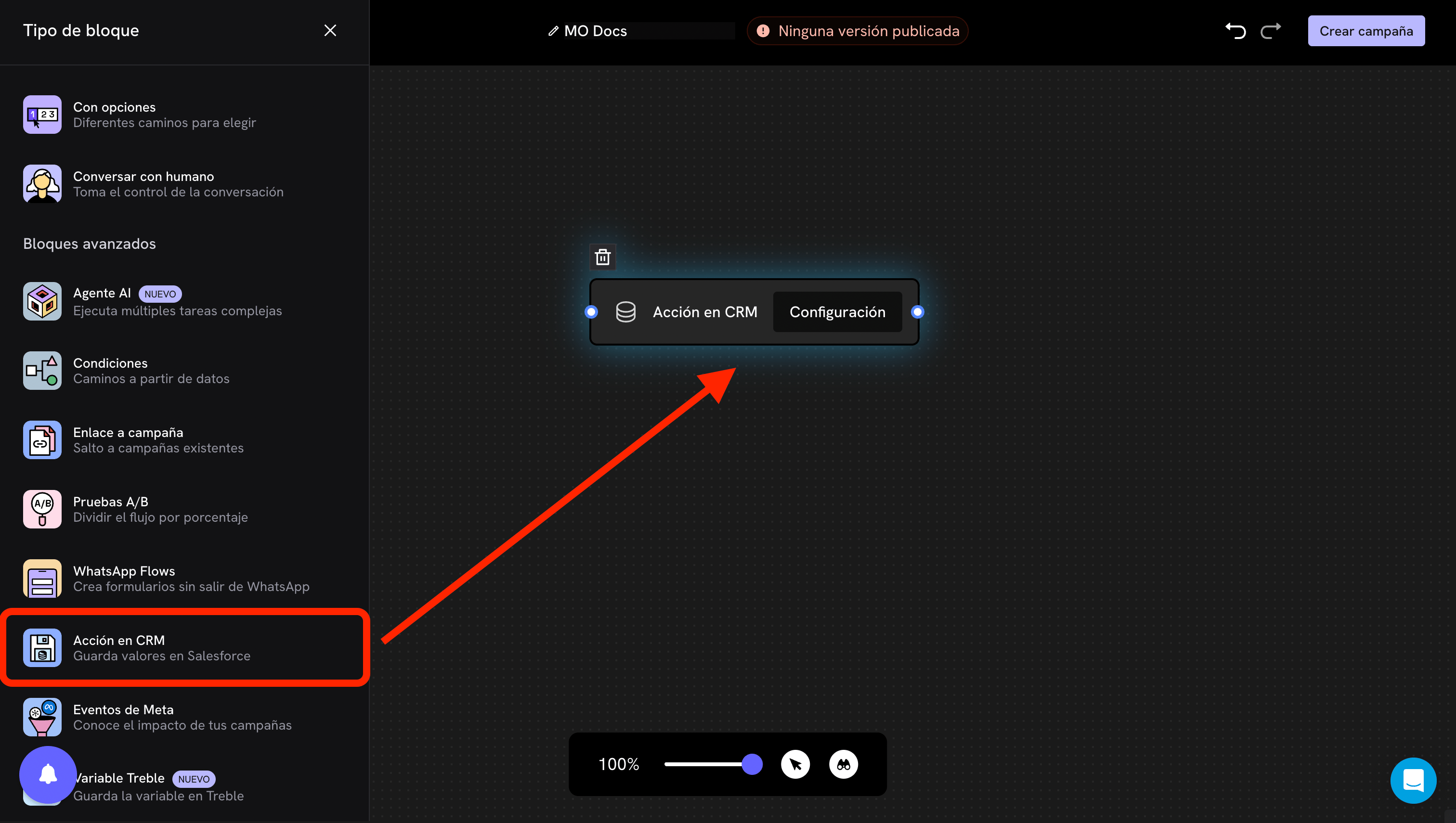
Configuration
- Single object
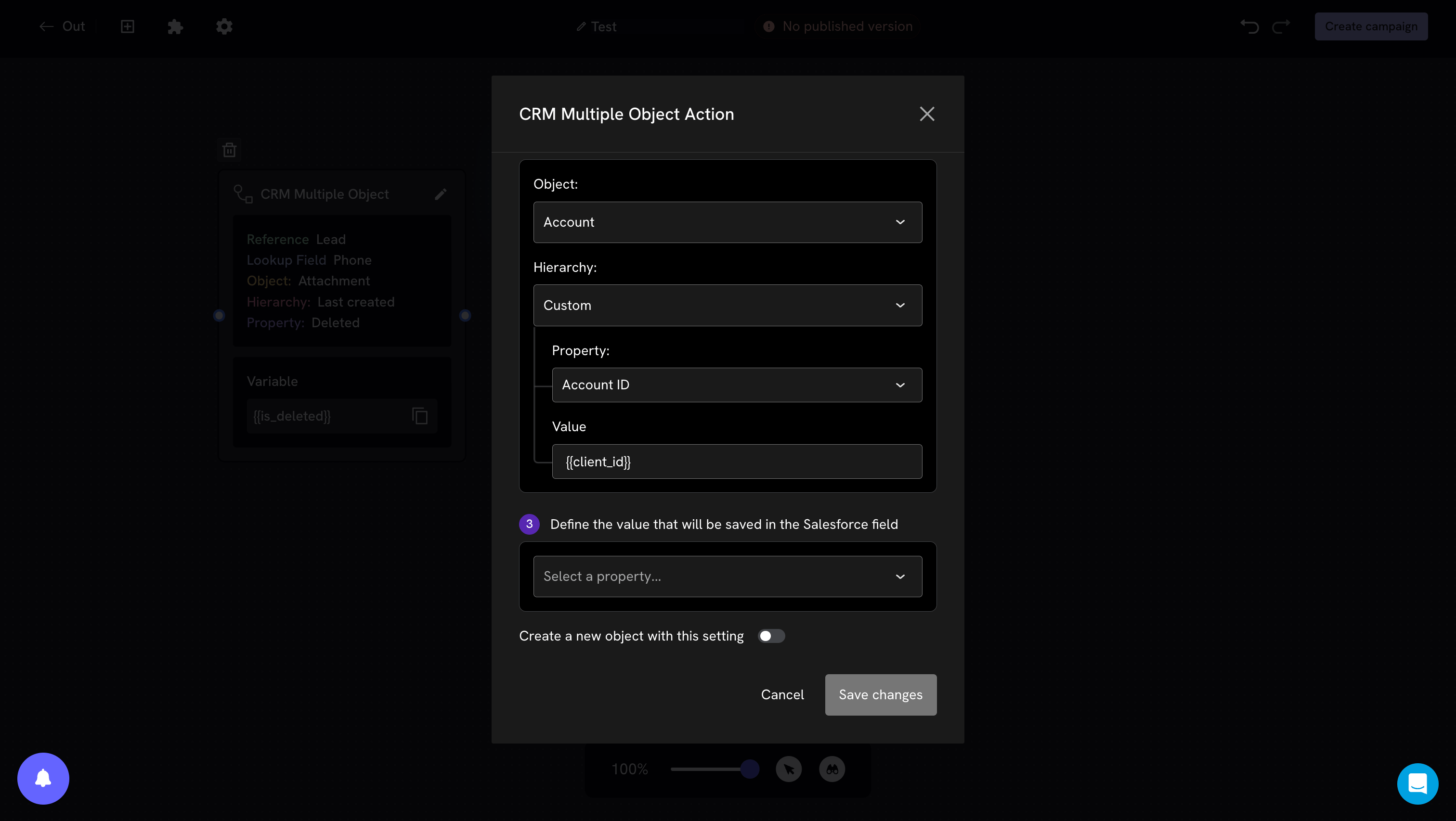
- Multi-object
1. Object and hierarchy
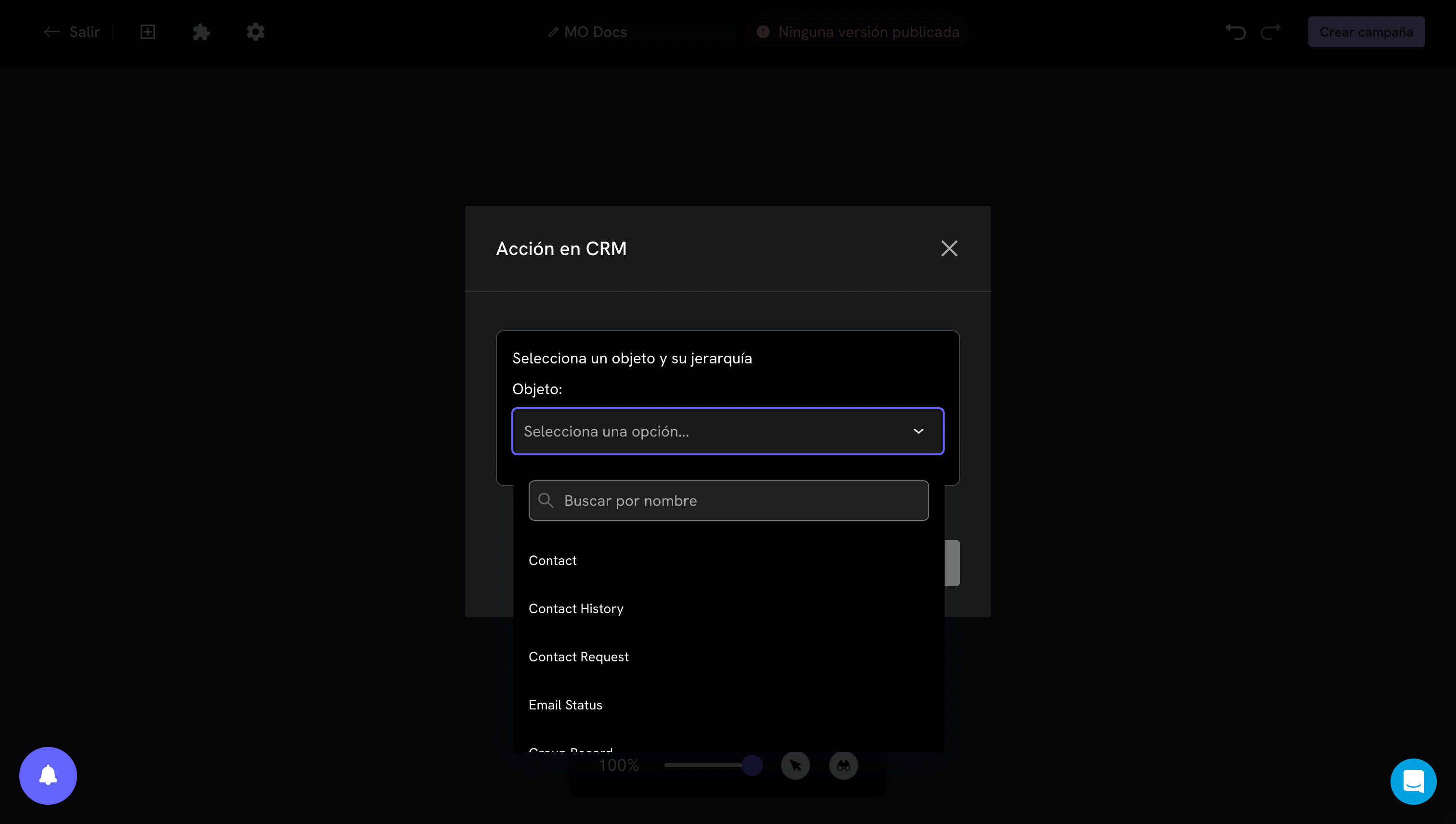
Contact) or one of its related objects.Hierarchy. Defines what happens when the person has more than one record of that object. It is an important decision and easy to overlook.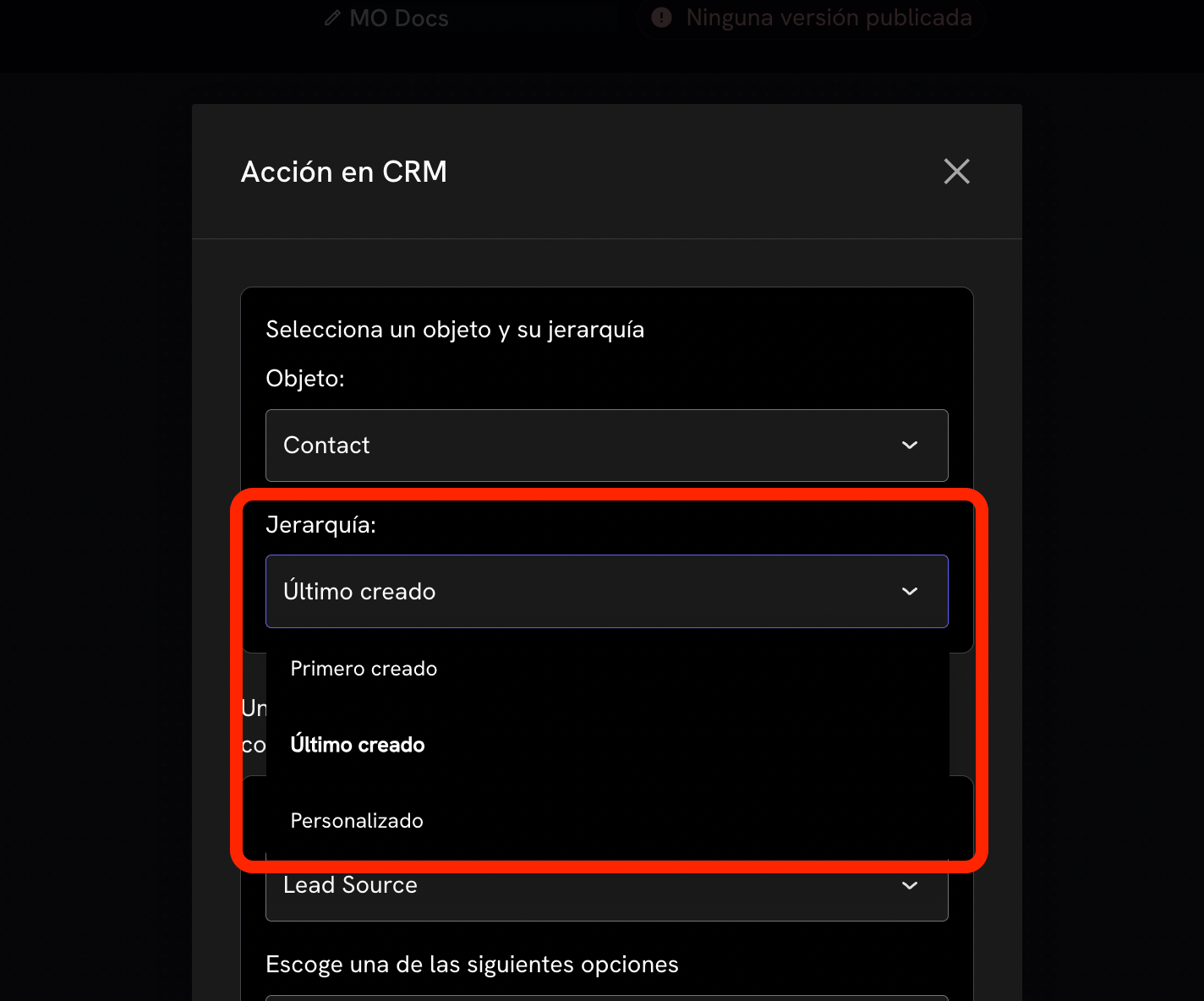
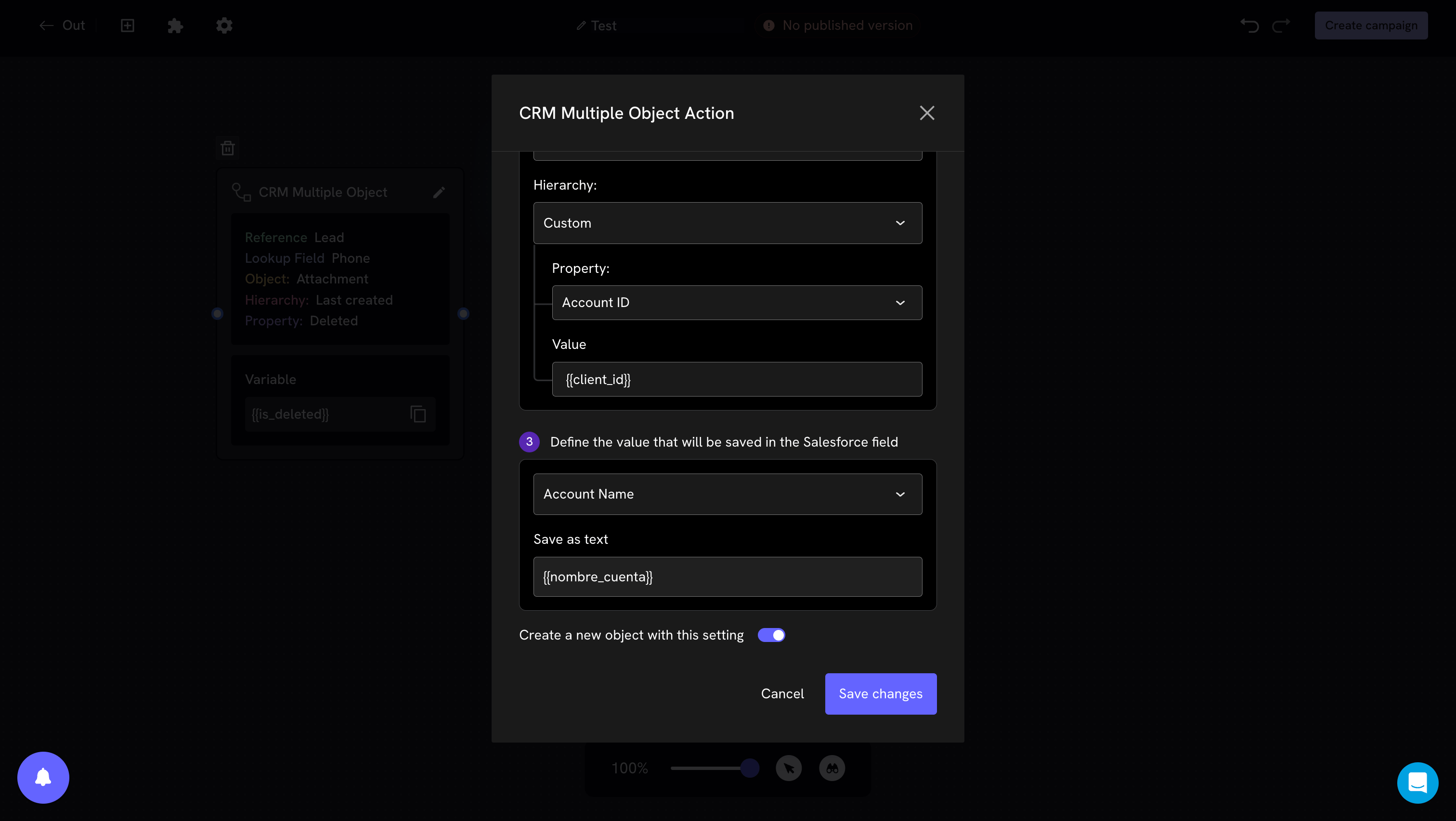
2. Property and value
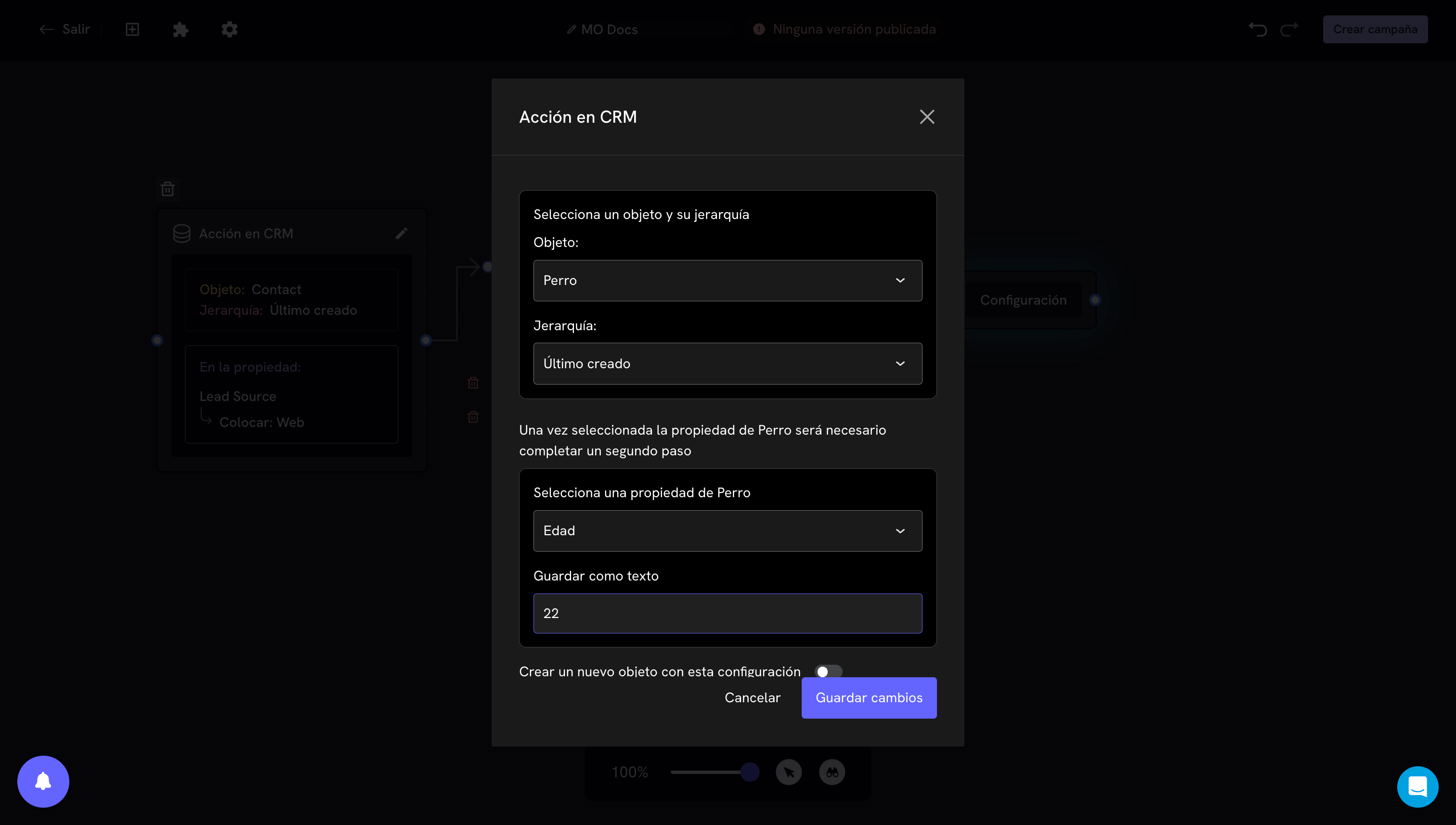
{{nombre}}.The field type changes how this part looks. If it is a picklist, you will see the available options instead of a text box. If the options you expect do not appear, you probably need to sync objects.
3. Create a new object
At the bottom of the modal there is a toggle: “Create a new object with this configuration”.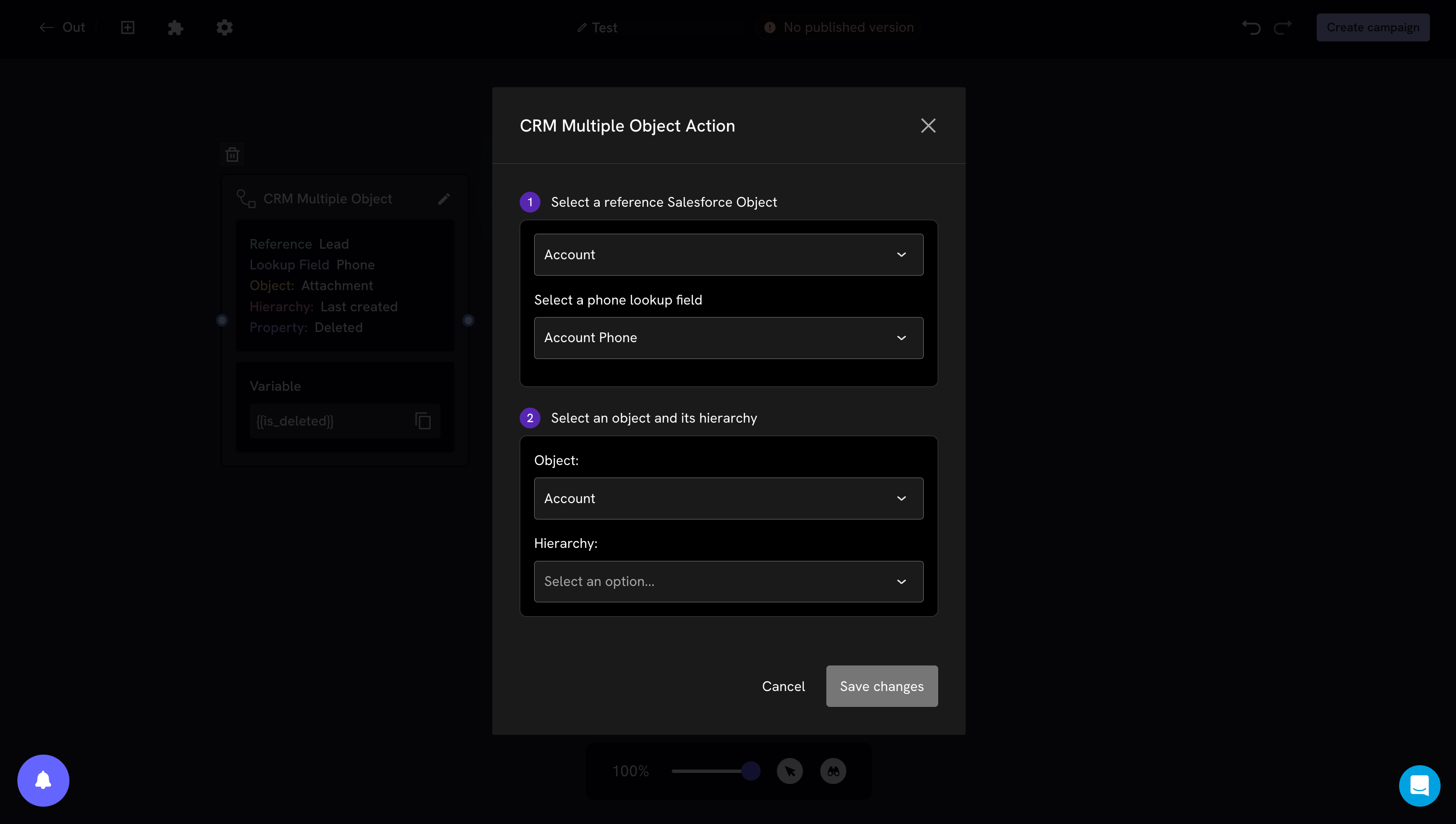
How it looks in the flow
Once configured, the block shows a summary of what it does, so you can read the flow without opening each one. In single object it looks like this: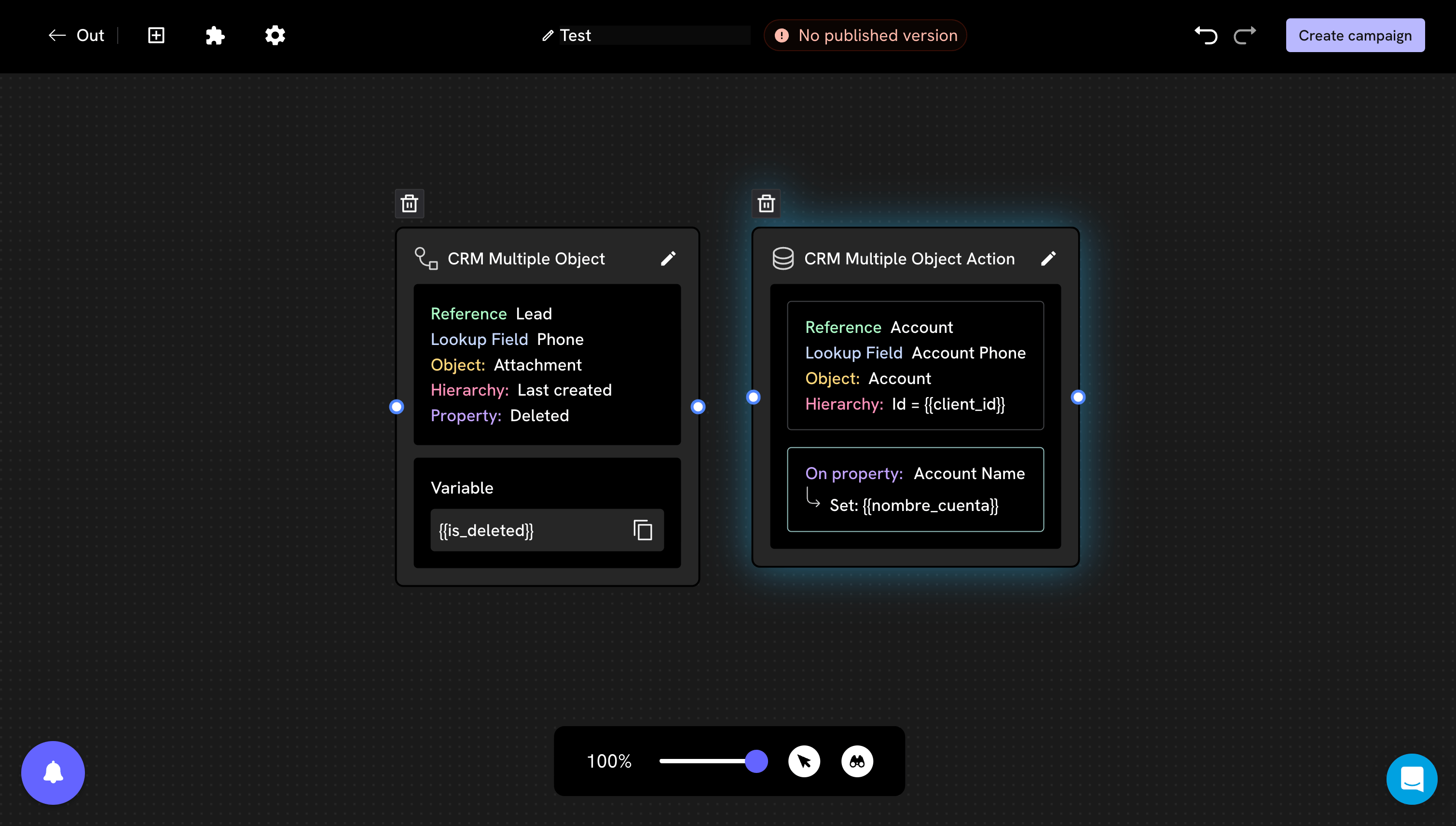
When it writes, and why the order matters
Each block writes to Salesforce at the exact moment the conversation passes through it. It does not wait for the end of the flow, and it is not undone if the person abandons the conversation afterwards.How to avoid partial data
Write at the end, not along the way
Write at the end, not along the way
Save the answers in conversation variables during the flow, and place all the action blocks together at the end, after the last question.That way only the information of those who completed the flow reaches the CRM.
How to save to variables
Mark who completed the flow
Mark who completed the flow
If you prefer to write along the way —for example so you don’t lose the data of those who drop off— add one last action block that marks a “flow completed” type of field. You can then filter by that field in Salesforce.
Do I need to connect another block after the action block?
Do I need to connect another block after the action block?
Not for the write to happen: the block writes when the flow passes through it, whether or not there is a next block.But yes for the flow to make sense: an action block does not say anything to the person. If it is the last step, the usual thing is to add a closing message after it.
Common issues
The field I want does not appear in the list
The field I want does not appear in the list
It is almost always a lack of sync. Run the object sync and open the block again.
Salesforce rejects a picklist value that does exist
Salesforce rejects a picklist value that does exist
It is usually the record type. Record types define which picklist values are valid on each record, so a value that is correct for one type can be invalid for another.
Record types
The data is saved to a different record than I expected
The data is saved to a different record than I expected
Check the hierarchy. If the person has several records and you chose Last created, the block writes to the most recent one, which may not be the one you have open in Salesforce.
The CRM name field ends up with the text of a message
The CRM name field ends up with the text of a message
For example, a contact whose name in Salesforce ended up as “Hi, I saw the ad and I want information”.It is almost always an action block writing the person’s answer to the name field. Check which property that block has configured: it is easy to point to
Name or FirstName when you actually wanted a custom field.Duplicate records are being created
Duplicate records are being created
Check whether the “Create a new object” toggle is turned on in a block where it shouldn’t be. Also check that the phone lookup field is the same one where the numbers of the existing records are stored.
Salesforce responds that it was saved, but the field stays empty
Salesforce responds that it was saved, but the field stays empty
There may be an automation in your Salesforce (a Flow, Process Builder or trigger) that clears or overwrites that field after the record is created.A quick way to confirm it: if the value is saved when writing to a record that already exists, but not when it is created, there is almost certainly an automation that runs on creation.
Next steps
Read data from Salesforce
Bring a value from Salesforce into a conversation variable.
Advanced settings
What to do when a field must be written at creation time.