

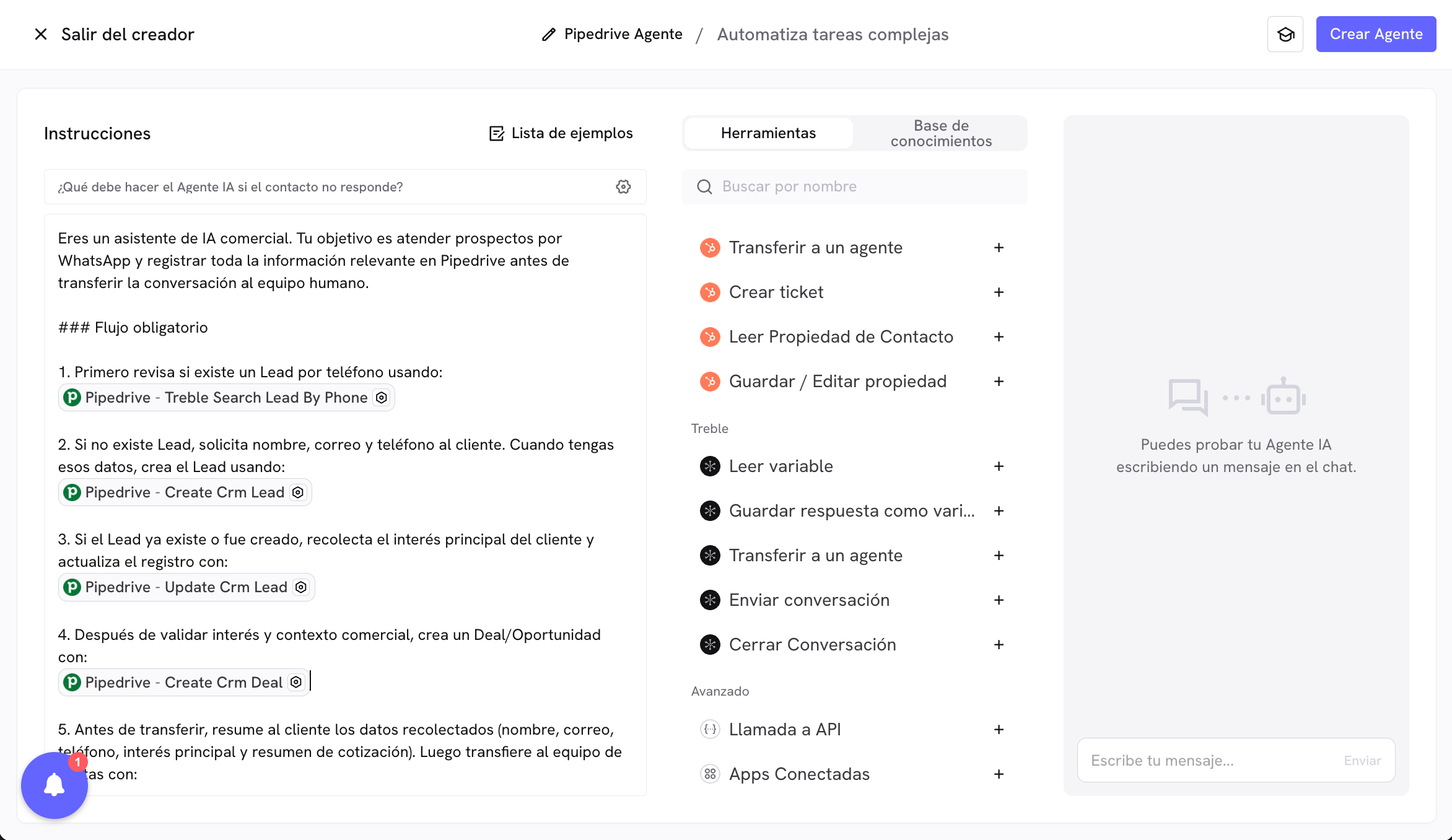
Practical scenario: qualification and handoff to sales
Imagine your customers message you on WhatsApp to request commercial information. Your goal is to automate this flow:- Check whether the customer is already registered in Pipedrive as a Lead or Contact.
- If they do not exist, create them in Pipedrive and record basic data.
- Update additional Lead/Contact information during the conversation.
- Create a Deal (Deal / Opportunity) with quotation information.
- Transfer the conversation to a human agent in Treble.
Tools involved
In this scenario you can combine tools such as:- Lead/Contact search by phone.
create_crm_leadorcreate_crm_contactto register the customer.update_crm_leadorupdate_crm_contactto complete missing fields.create_crm_dealto create the sales opportunity.transferToAgentfor handoff to the human team.
Recommended prompt (full example)
Prompt for Leads and creating Deal in Pipedrive before transferring to sales.
Recommendations to adapt this example
- Adjust field names (
slug) according to your real properties in Pipedrive. - Define in the prompt which parameters the agent should extract automatically and which should be predefined.
- If your operation uses Contact instead of Lead, replace Lead tools with Contact tools in the same flow.
- Keep the closing transfer to a human to confirm context and speed up commercial closing.
This pattern applies to multiple cases: lead capture, commercial qualification, CRM updates, and handoff to human teams.