

Introduction
The carousel template lets you send a sequence of interactive cards directly on WhatsApp. Each card includes its own image or video, text and action buttons, all within a single message. You can include between 2 and 10 cards in the same carousel, making it ideal for showcasing multiple products, highlighting different promotions, or driving users directly to an action: buy, call, or visit your website.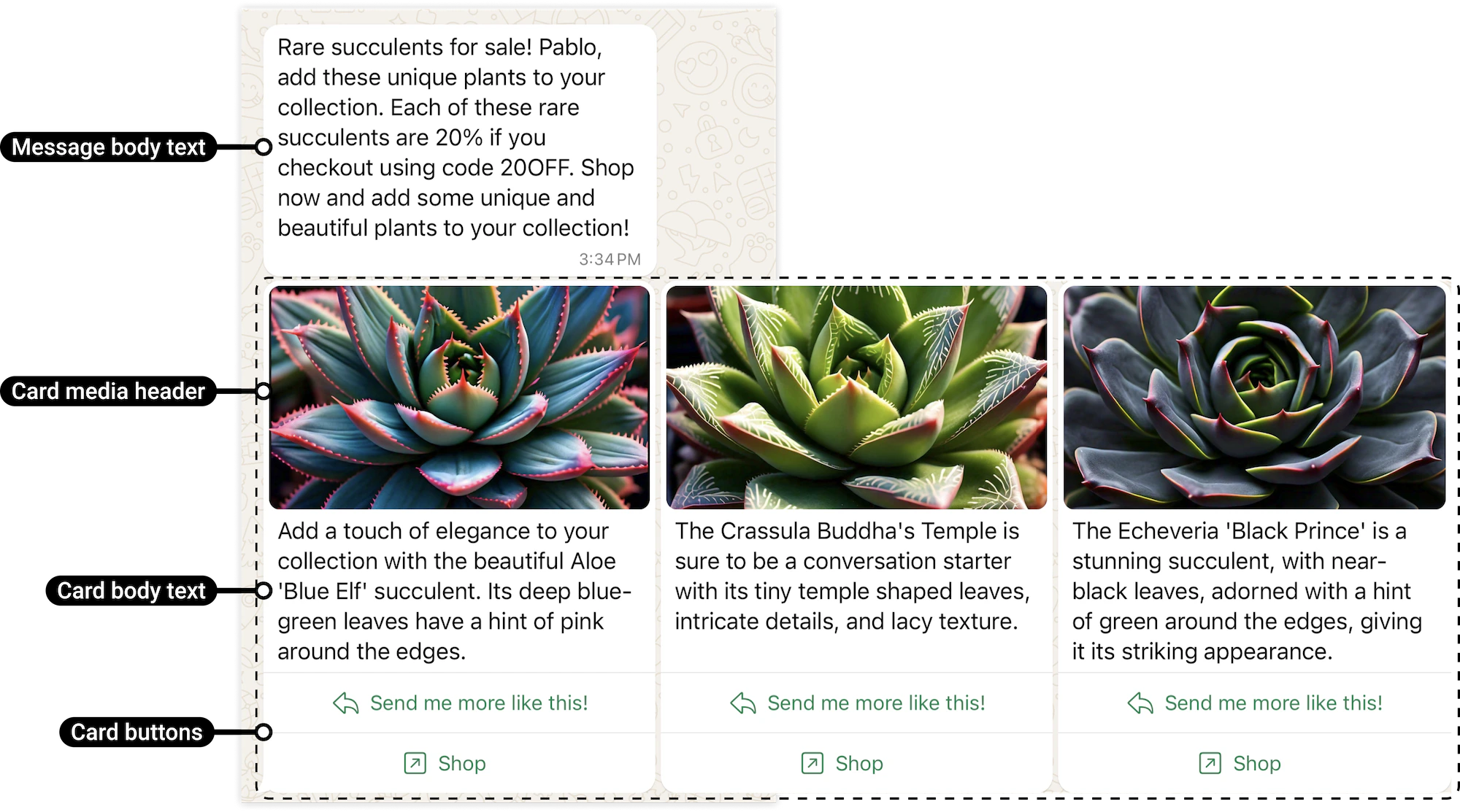
What does a carousel HSM include?
A carousel is made up of a main message and a series of cards:- Main message: text that appears above the carousel
- Cards (2 to 10):
- Image or video
- Descriptive text
- Action buttons
How to create a carousel template
To create an HSM template of the Carousel type, follow these steps: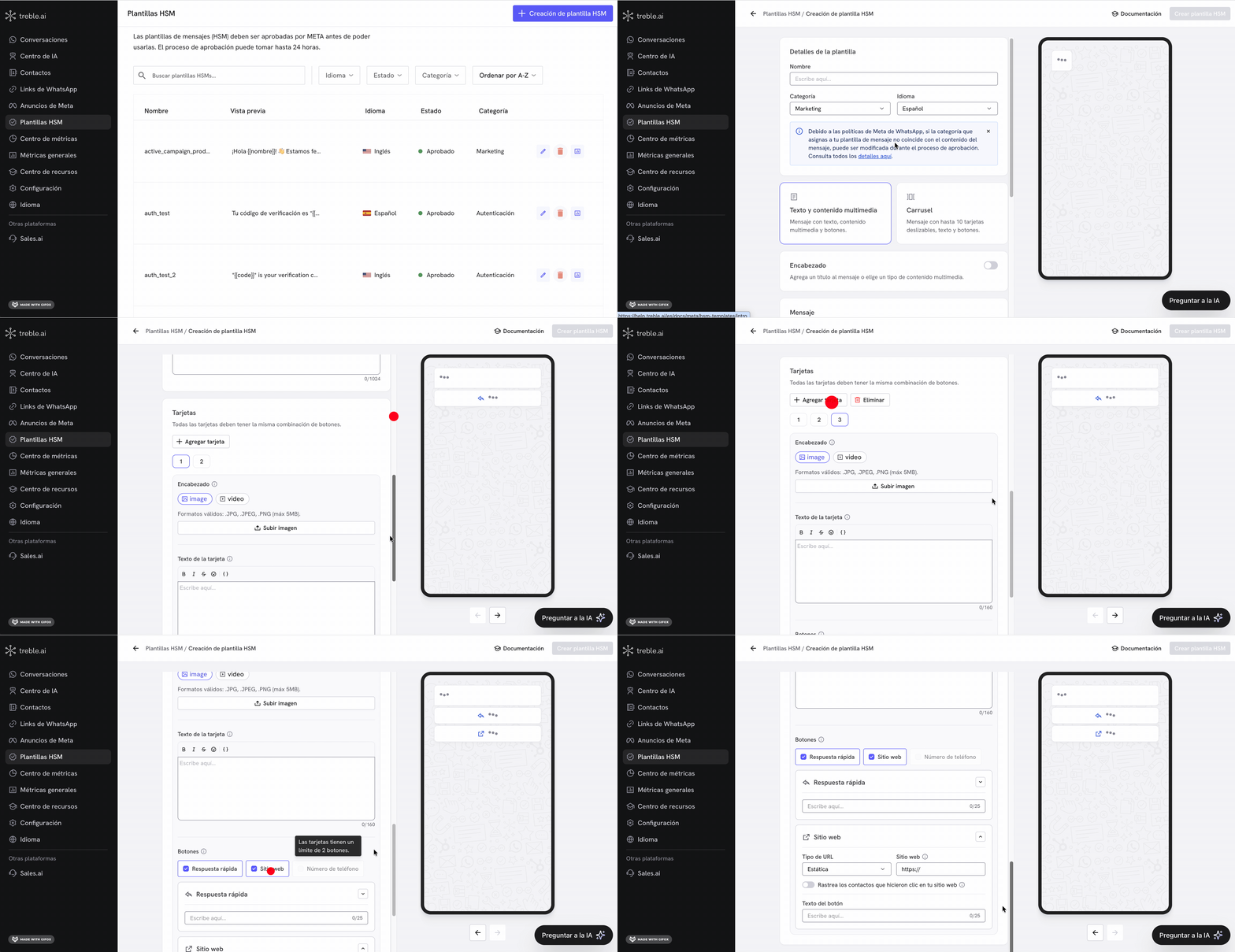
- Go to the HSM Templates section in Treble.
- Click on “HSM Template Creation”.
- Click the “Carousel” button inside the Marketing category.
- Configure the template:
- Enter the template name.
- Select the language.
- Write the main message (Body).
- Add between 2 and 10 cards, each with:
- Image or video
- Text
- Action buttons
- Click “Create HSM Template” to submit it for review.
Structure and rules
A carousel template has two levels:- Main message (body): text that appears above the carousel
- Cards: each with image or video, text and buttons
Limits
- Minimum 2 cards
- Maximum 10 cards
- Maximum 1024 characters in the main message
- Maximum 160 characters per card
- All cards in the same template must have the same components
Media
- Image: JPG, JPEG or PNG (max. 5 MB)
- Video: MP4 (max. 16 MB)
Buttons
- Minimum 1 and maximum 2 buttons per card
- All cards must have the same button type and order
- Quick reply: allows the user to send a predefined response and can connect to flows
- Website: opens a URL
- Phone number: initiates a call
Variables
You can use variables like{{customer_name}} in:
- The main message (body)
- The text of each card
- Website button URLs (dynamic)