

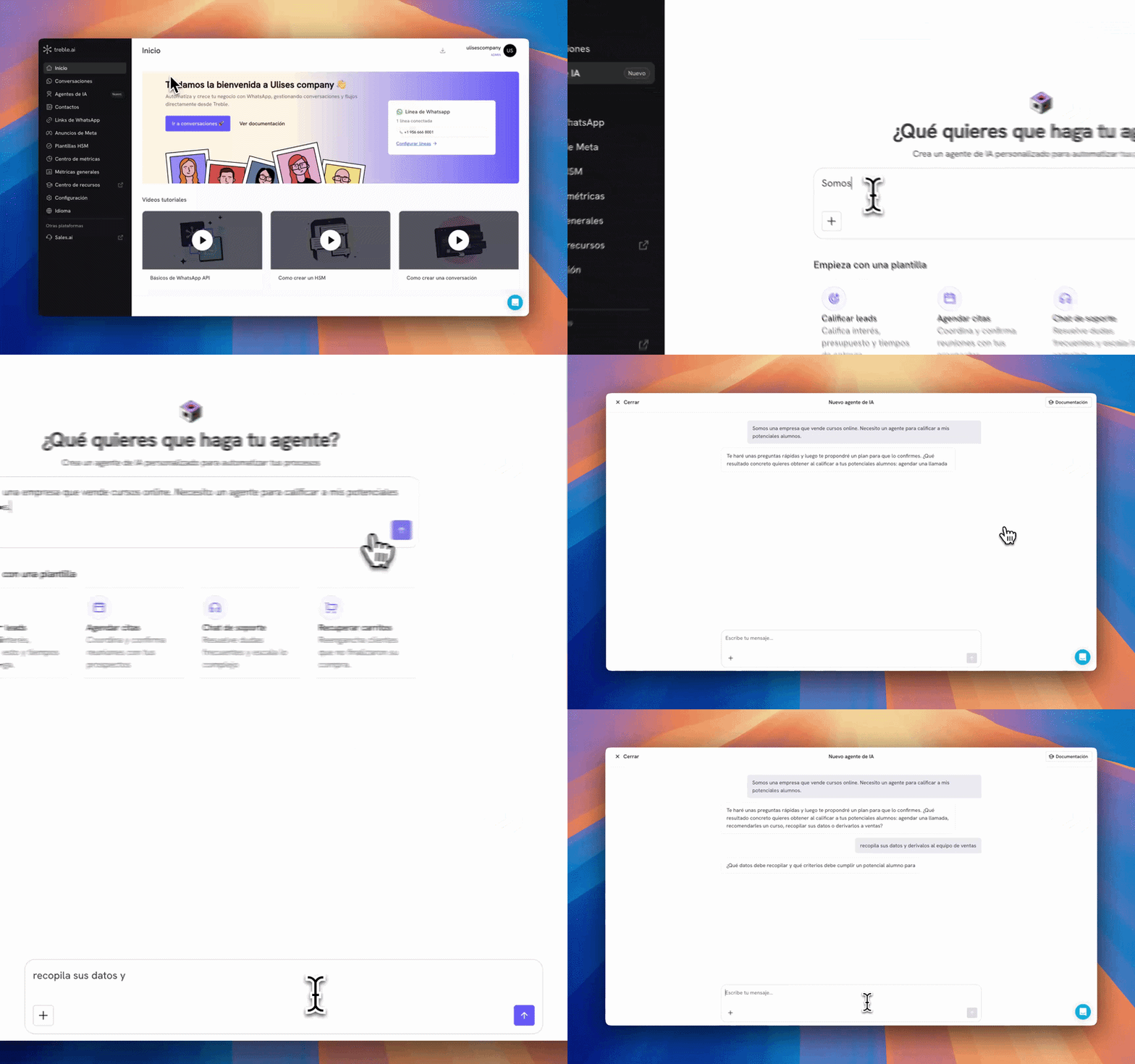
The generator writes a very solid first draft, but it is still a draft. Review it, adjust it and test it before connecting it to a real conversation.
Start with a description or a template
In the text box, write what you want your agent to do. The clearer you are, the fewer questions you’ll have to answer later. A good description includes:- The goal: what the agent has to achieve.
- Who it talks to: prospects, existing customers, students, patients.
- What information it needs to collect: name, email, budget, product of interest.
- Where the conversation ends: hand off to sales, book an appointment, close the case.
Below the text box you’ll find All your agents, the list of the agents you already created with their connected conversations and their last activity. From there you can search, edit or delete them.
Answer the chat’s questions
Once you send your description, the chat will ask you questions to close the remaining gaps: what concrete outcome you expect, what data it should collect, which team to hand off to, what to do when the contact goes off topic.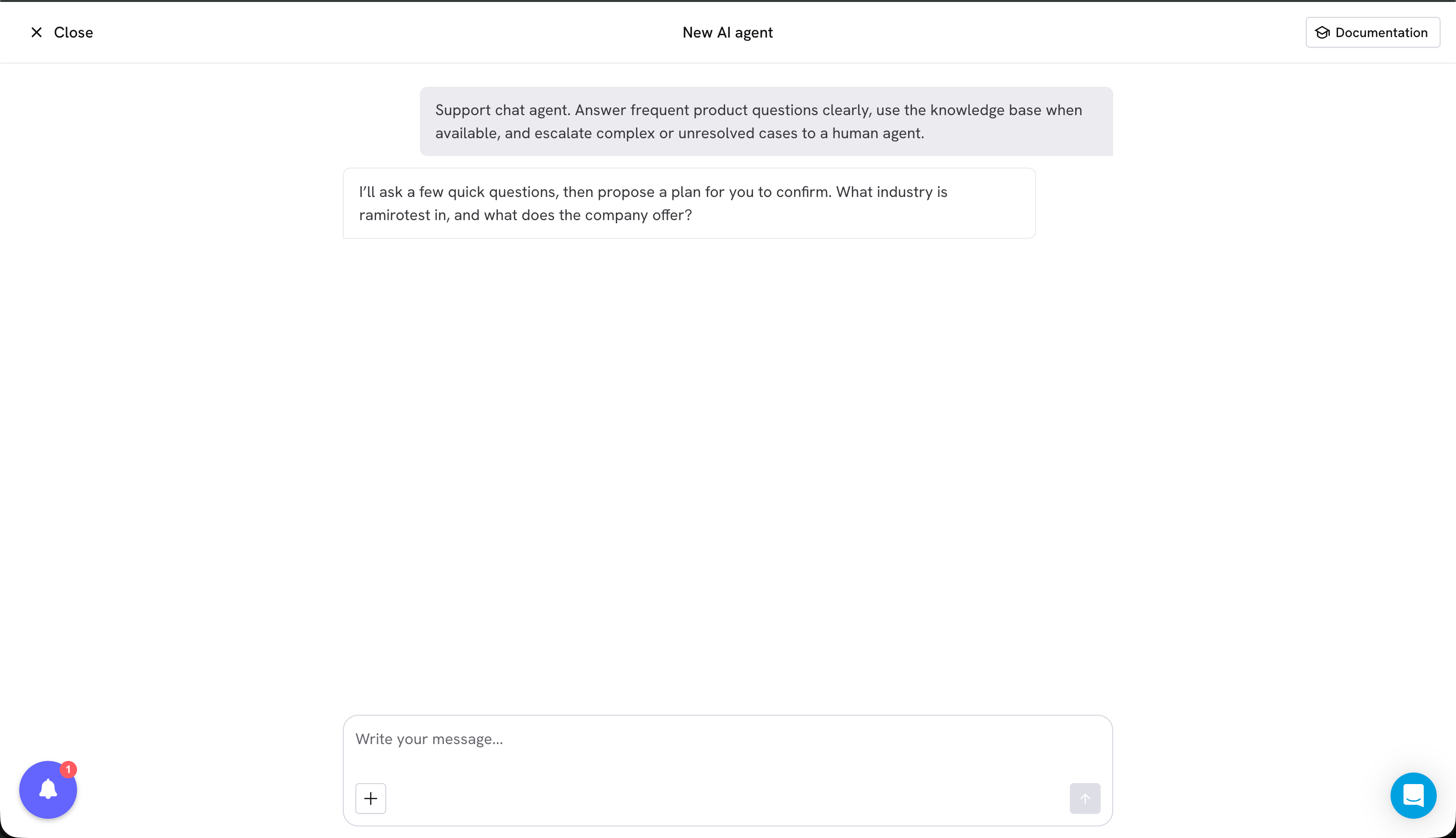
Attach your own files
During the conversation you can attach files with the + button: a PDF with your catalog, a price list, a support script or your team’s frequently asked questions.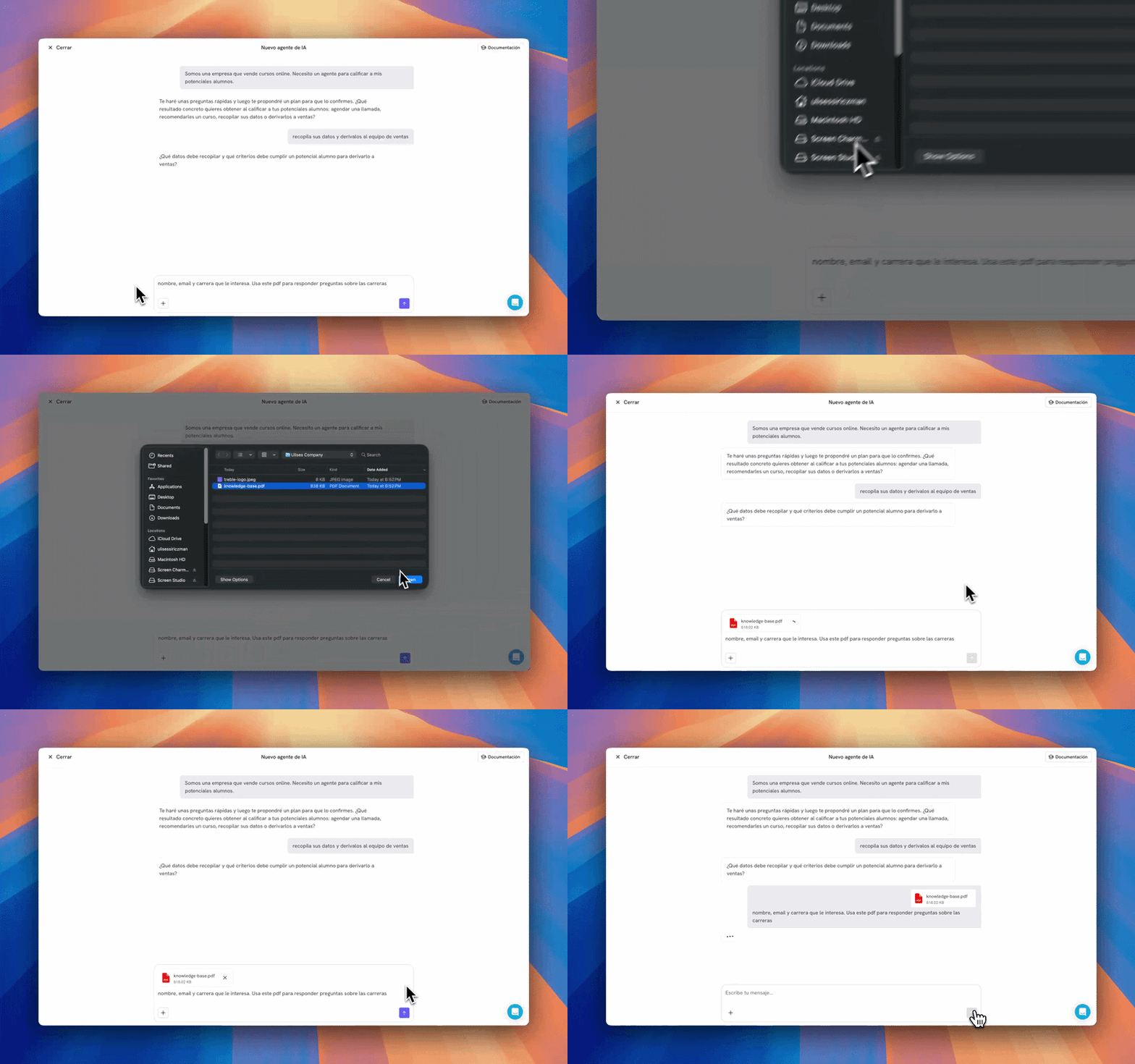
- Conversation context: helps the generator understand your business while it builds the agent, but is not available during conversations with your customers.
- Knowledge base: stays saved in the agent so it can answer questions about its content.
- Both: used to build the agent and also kept in the knowledge base.
Review the plan before generating
When the generator has everything it needs, it shows you a plan of what your agent will do: its purpose, the goal, the actions it will execute and the constraints it will respect.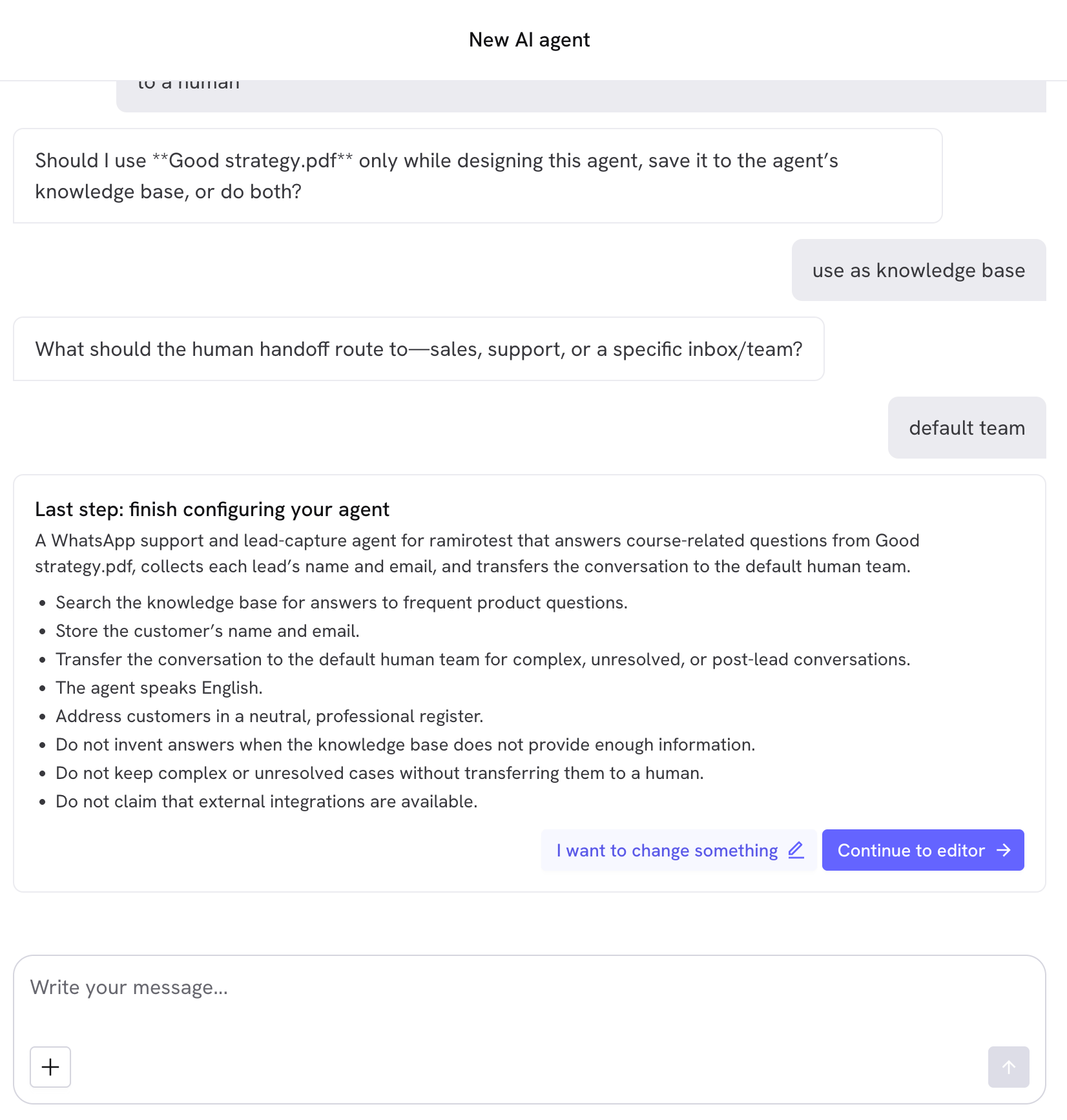
1
Continue to editor
You confirm the plan and the generator writes the agent. It takes about a minute: first it drafts the instructions, then it reviews their quality and finally it improves them.
2
I want to change something
You explain what to correct and the generator reworks the plan with your adjustments. You can repeat this as many times as you need: nothing is created until you confirm.
What you get at the end
When generation finishes you land in the editor with the agent already built:- Name and description proposed from what you asked for.
- Complete instructions, with the tone, the scope, the steps and the edge cases.
- Suggested tools based on what the agent has to do.
- Knowledge base with the files you marked for that use.
Next steps
Configure your agent
Adjust the instructions, complete the pending tools and define what to do if the contact doesn’t reply.
Test your agent
Validate the behavior in the playground and send yourself a test conversation on WhatsApp.