

Steps to install the Active Campaign integration in Treble
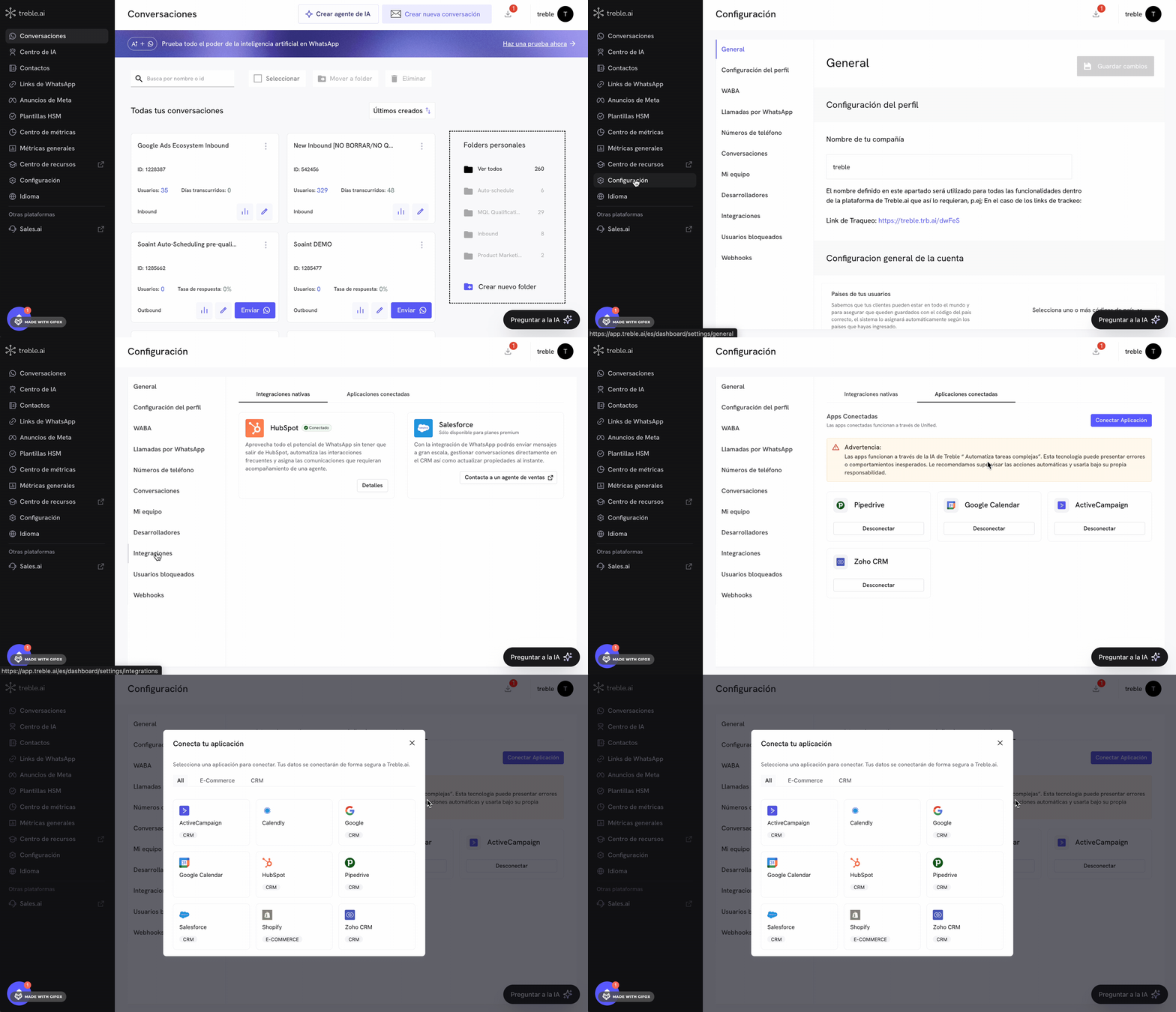
- Sign in to
app.treble.ai
- Go to Settings
- Go to Integrations
- Click the “Connected Apps” tab
1
Active Campaign installation flow in Treble
At this point, follow the instructions. Click the “Connect App” button and a modal will open with the connection options. Click “Active Campaign”.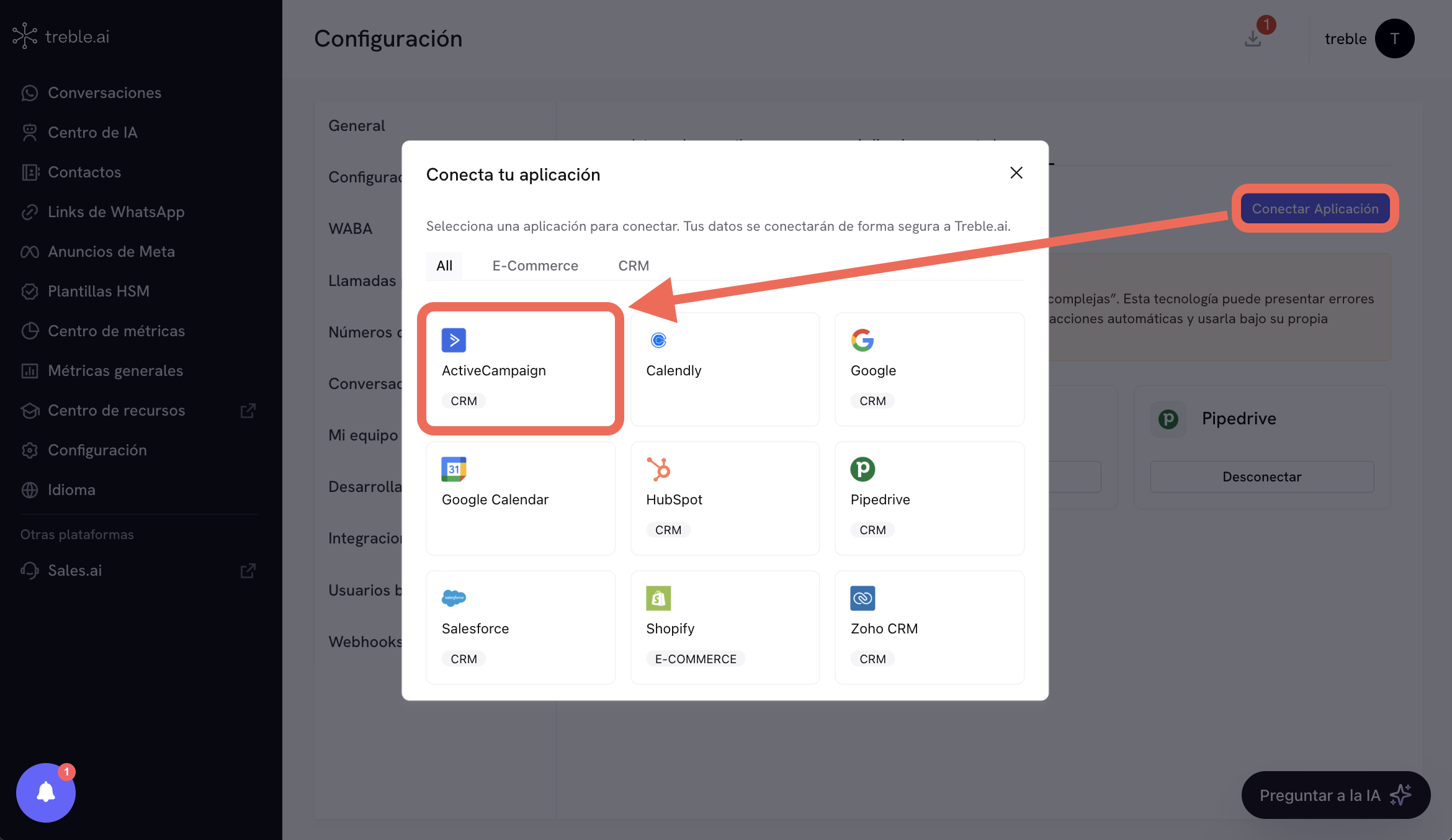
2
Sign in and authorize in Active Campaign
After clicking “Active Campaign”, the Sign in and authorize screen will open, where Treble.ai requests access to your Active Campaign account. Complete the following fields: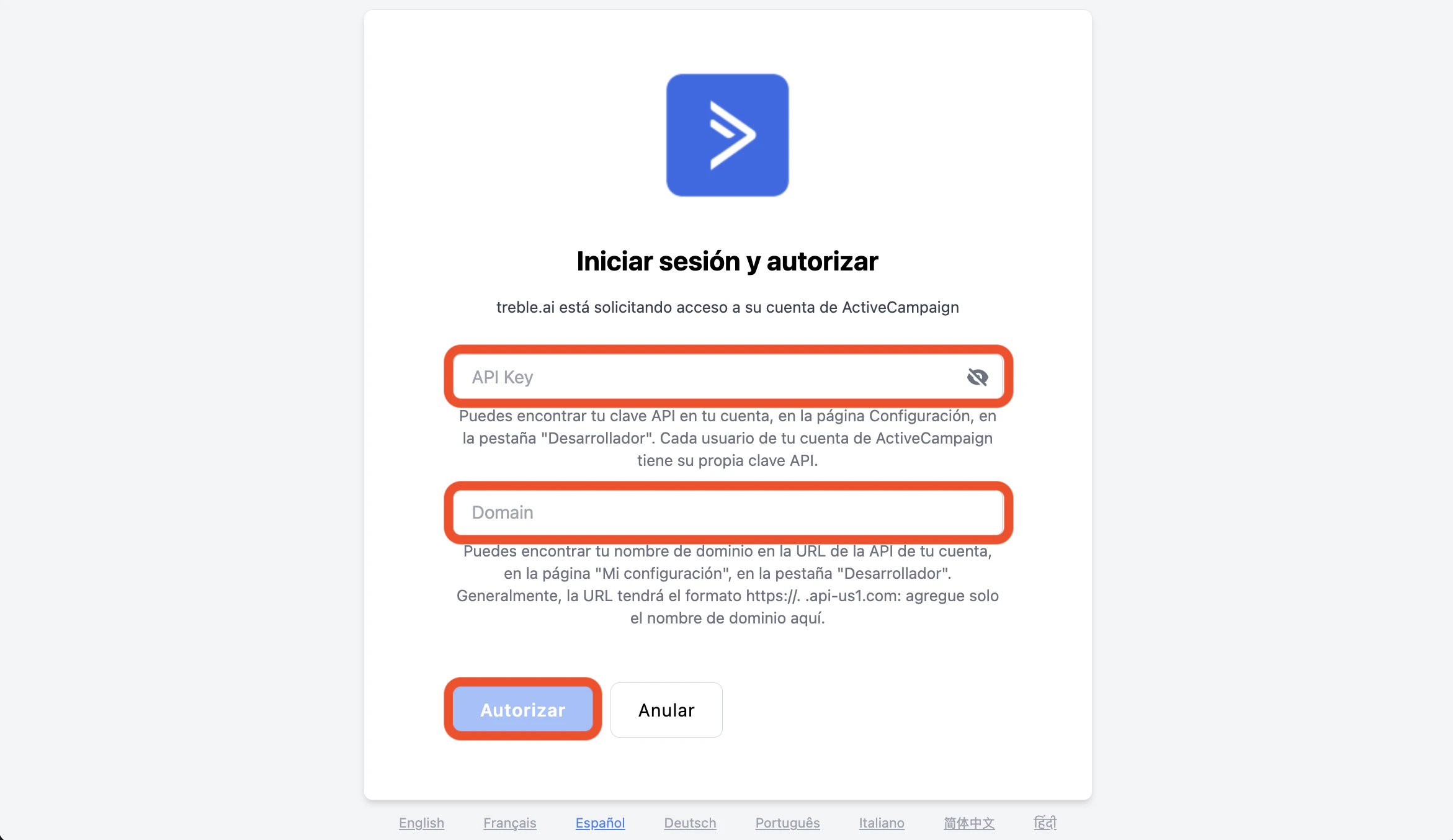
- API Key: enter your Active Campaign API key. You can find it in your account, in the developer settings section.
- Domain: enter the domain name of your account (just the name, without the full URL). It usually corresponds to the subdomain of your API endpoint.
3
Connected application
You have now connected the Active Campaign application in Treble.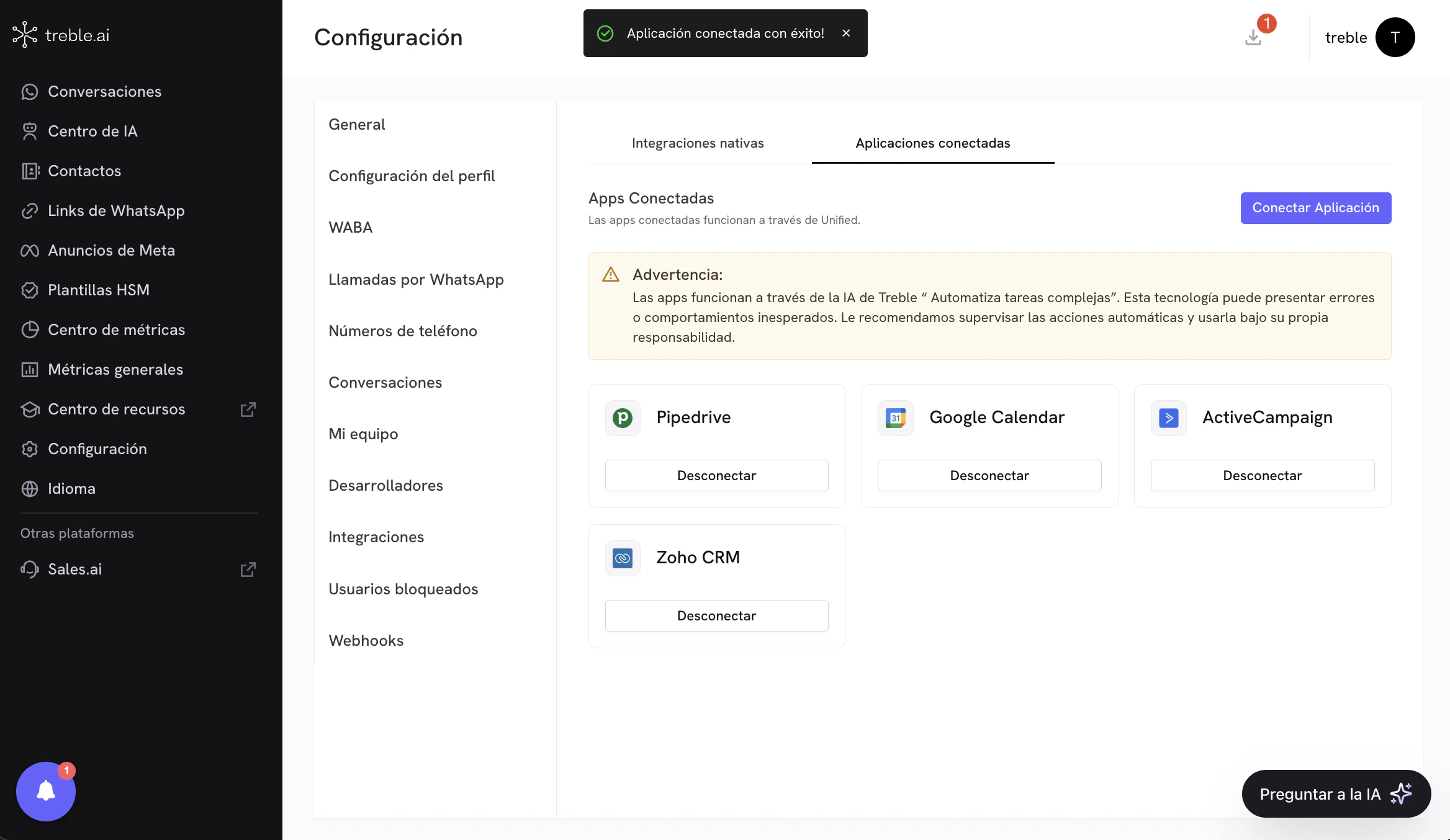
4
Use Active Campaign tools for AI in Treble
You can now use Active Campaign tools for AI in Treble. To do this, go to the “AI Agents” section and create a new AI agent. You must select the “Automate complex tasks” option. After creating the agent, go to the “Tools” section and select the “Connected Apps” option in the tools list. In this section, select the “Active Campaign” application and you will see the available tools to use in AI.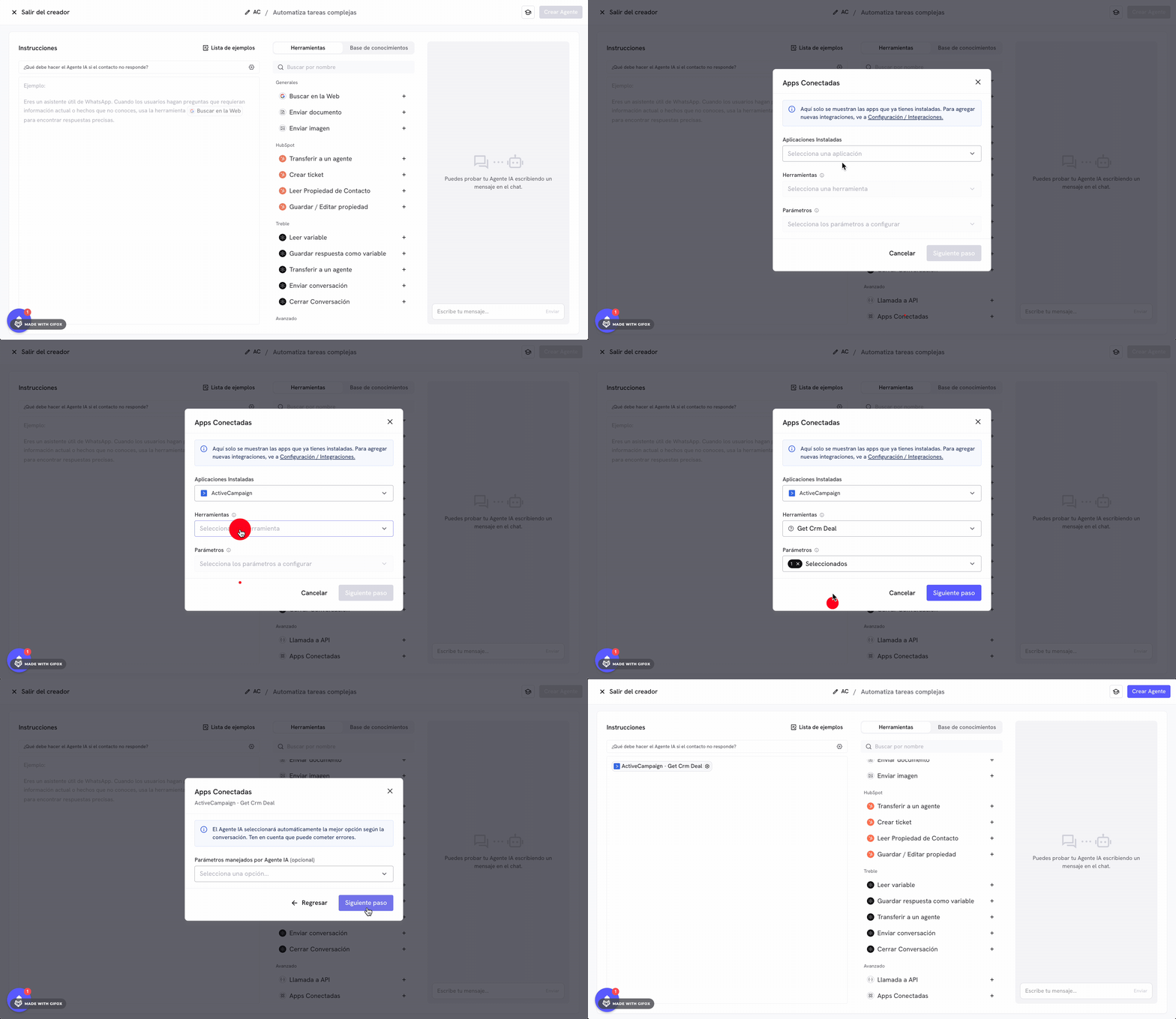
Congratulations! You have successfully installed the Active Campaign integration in Treble.