> ## Documentation Index
> Fetch the complete documentation index at: https://help.treble.ai/llms.txt
> Use this file to discover all available pages before exploring further.
# API Call Tool
> How to configure and use the API calling tool
The API call tool allows the agent to make API calls to external services during execution. Use it when you need to send information or perform actions in your system.
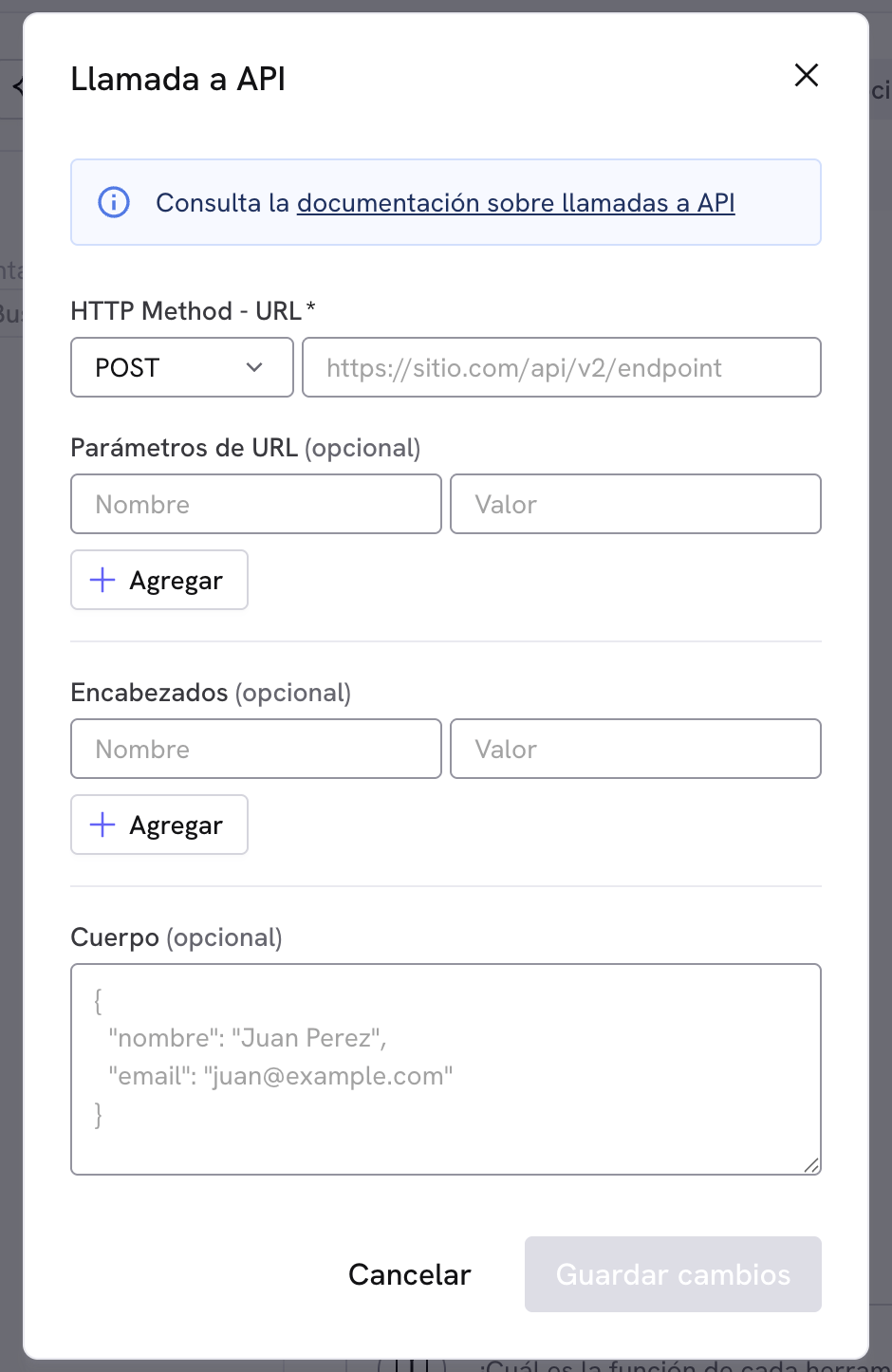
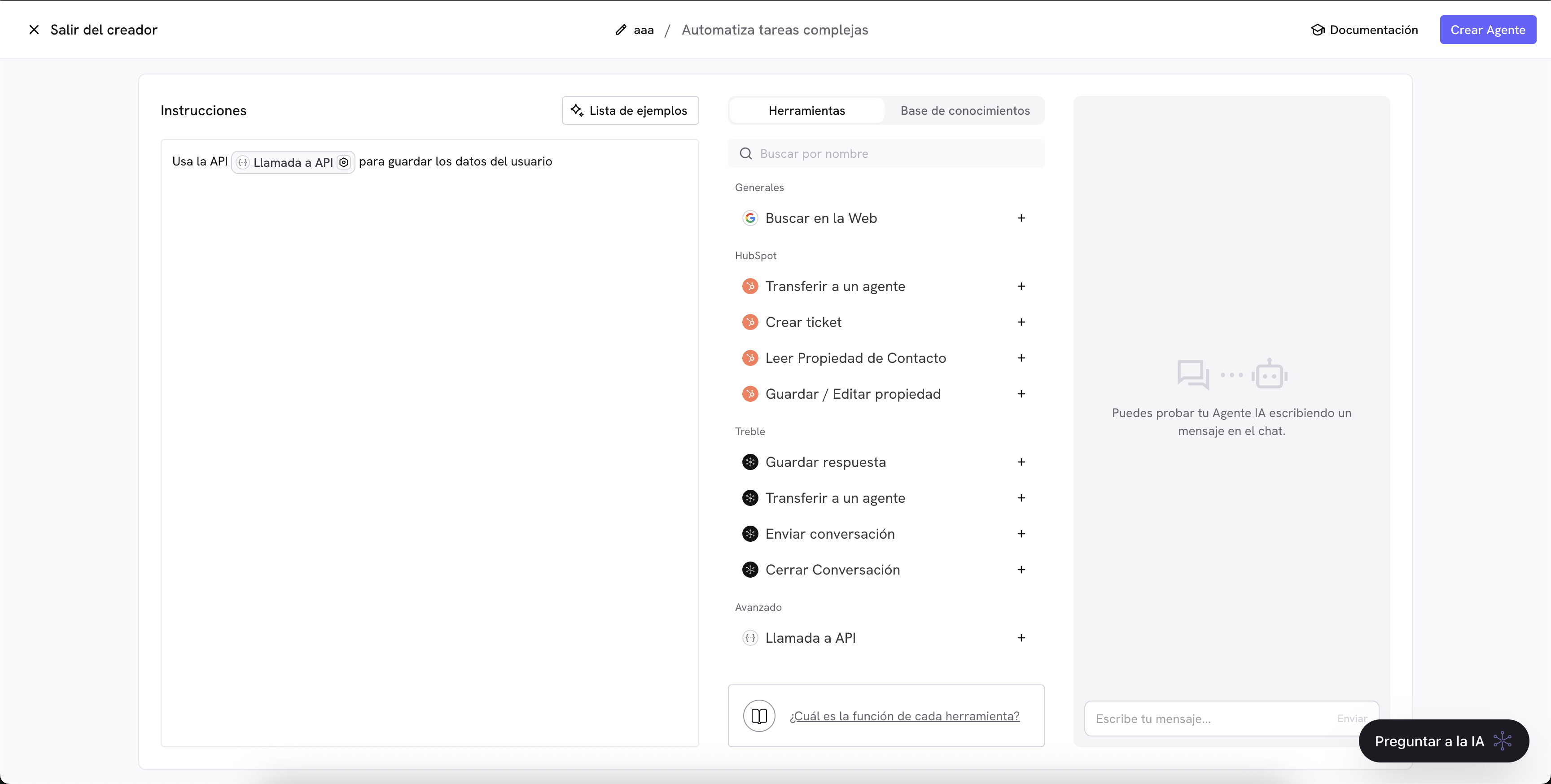 * **Configure the URL** with the full https protocol.
* **Define the body** that the agent should send if needed. The body must include all the relevant information so the service can respond without additional steps.
* **Limit the response time**: the service must reply in less than 10 seconds or the call will be considered failed.
* **Unprocessed outputs**: the agent does not transform the external service response. The endpoint must return a JSON response.
## Using variables in the API call
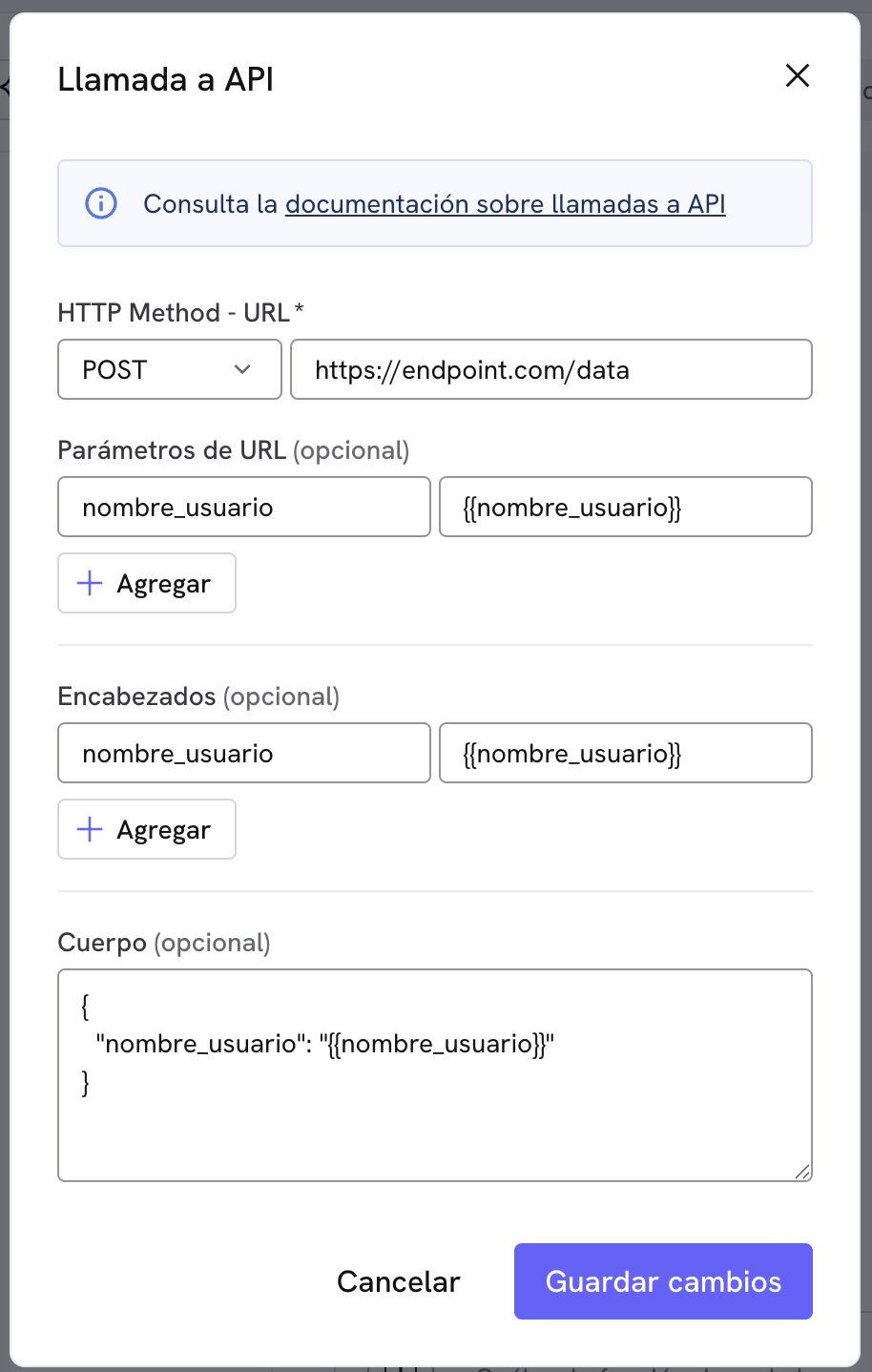
The API call tool lets you use variables within the agent context in the **headers**, **URL parameters**, or the **body** of the request. This is useful to personalize each call with data relevant to the user or the conversation.
### How to reference variables
Insert variables using double braces, for example: `{{variable_name}}`.
* **Configure the URL** with the full https protocol.
* **Define the body** that the agent should send if needed. The body must include all the relevant information so the service can respond without additional steps.
* **Limit the response time**: the service must reply in less than 10 seconds or the call will be considered failed.
* **Unprocessed outputs**: the agent does not transform the external service response. The endpoint must return a JSON response.
## Using variables in the API call
The API call tool lets you use variables within the agent context in the **headers**, **URL parameters**, or the **body** of the request. This is useful to personalize each call with data relevant to the user or the conversation.
### How to reference variables
Insert variables using double braces, for example: `{{variable_name}}`.
 ### Best practices
* **Verify that variables exist before using them:** Make sure the agent has gathered the necessary information before sending the call.
* **Use descriptive names:** Keep a standard for variable names to avoid confusion or replacement errors.
### Best practices
* **Verify that variables exist before using them:** Make sure the agent has gathered the necessary information before sending the call.
* **Use descriptive names:** Keep a standard for variable names to avoid confusion or replacement errors.
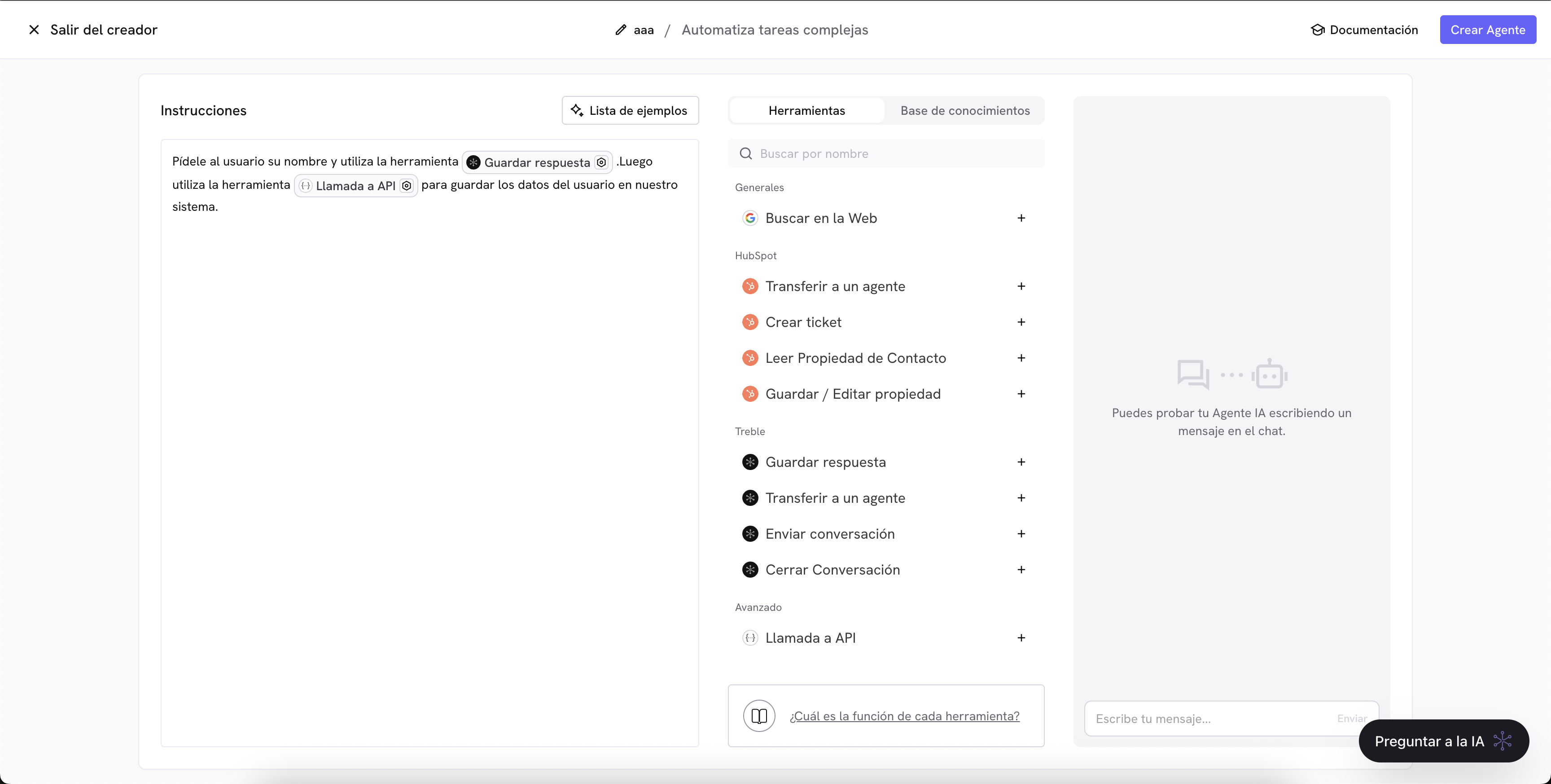 Before enabling the tool in production, test the flow with real data to confirm timings, formats, and error handling.