> ## Documentation Index
> Fetch the complete documentation index at: https://help.treble.ai/llms.txt
> Use this file to discover all available pages before exploring further.
# Installing the Salesforce AI Integration
> This guide shows you how to install the Treble integration with Salesforce.
To install the integration of your product with Salesforce, it is crucial that the user has administrator permissions on the Salesforce account.
# Steps to install the Salesforce integration in Treble
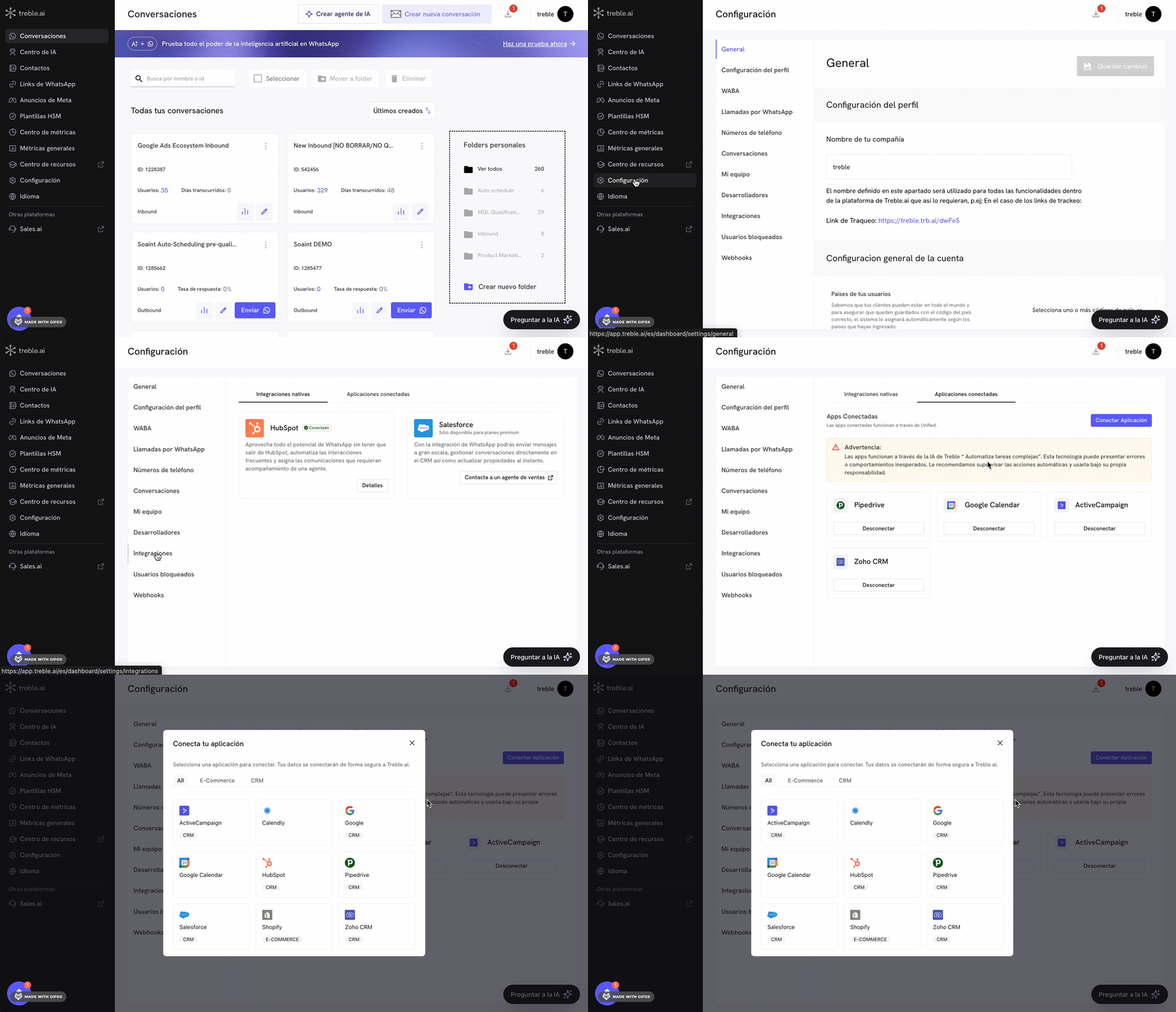
1. Log in to
2. Go to Settings
3. Go to Integrations
4. Click on the "Connected Applications" tab
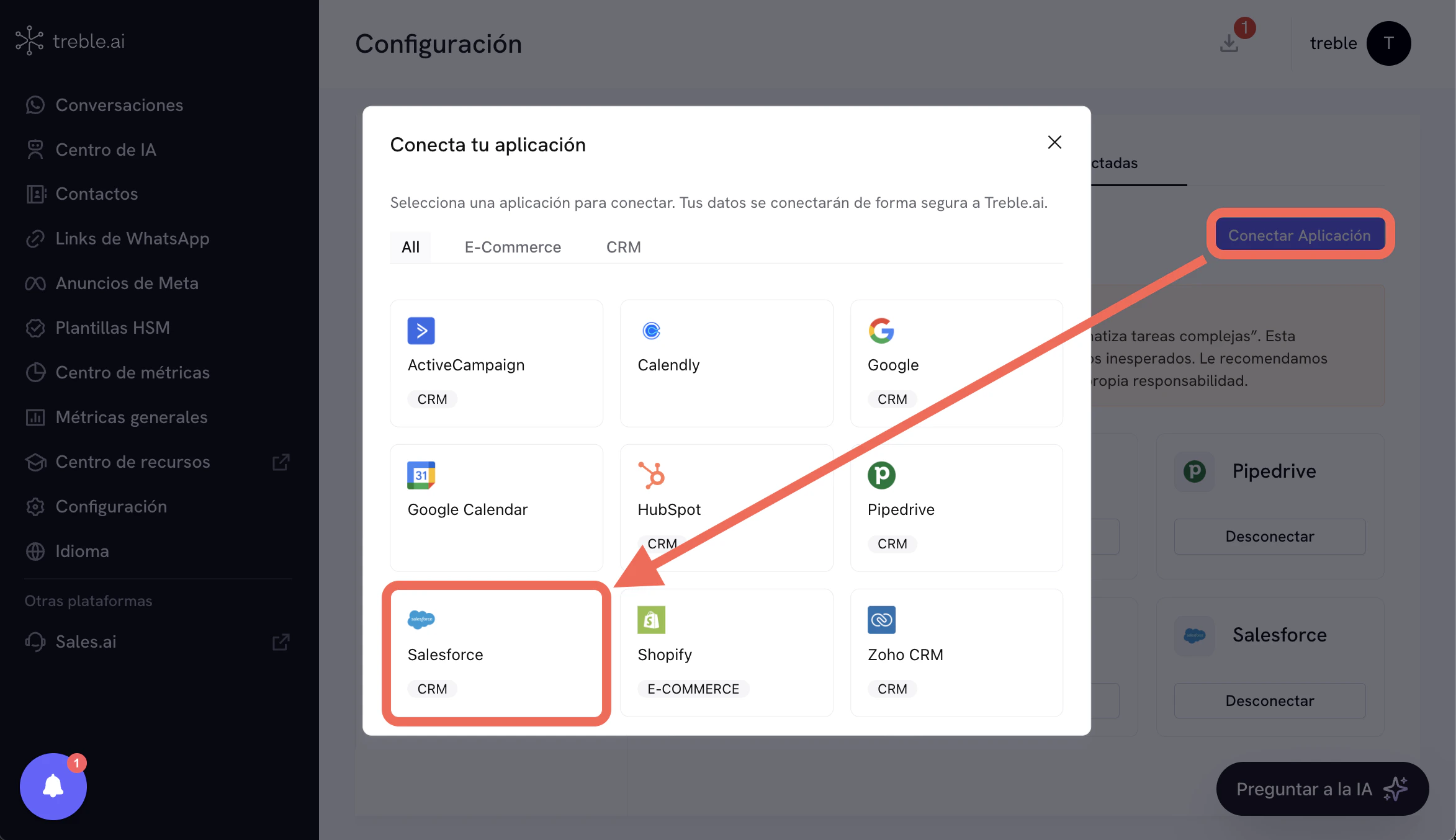
At this point we will follow the instructions. Click the "Connect Application" button and a modal will open with the connection options. Click on "Salesforce".
After clicking "Salesforce", you will be redirected to the Salesforce login screen. Enter your administrator credentials and authorize Treble's access to your Salesforce account.
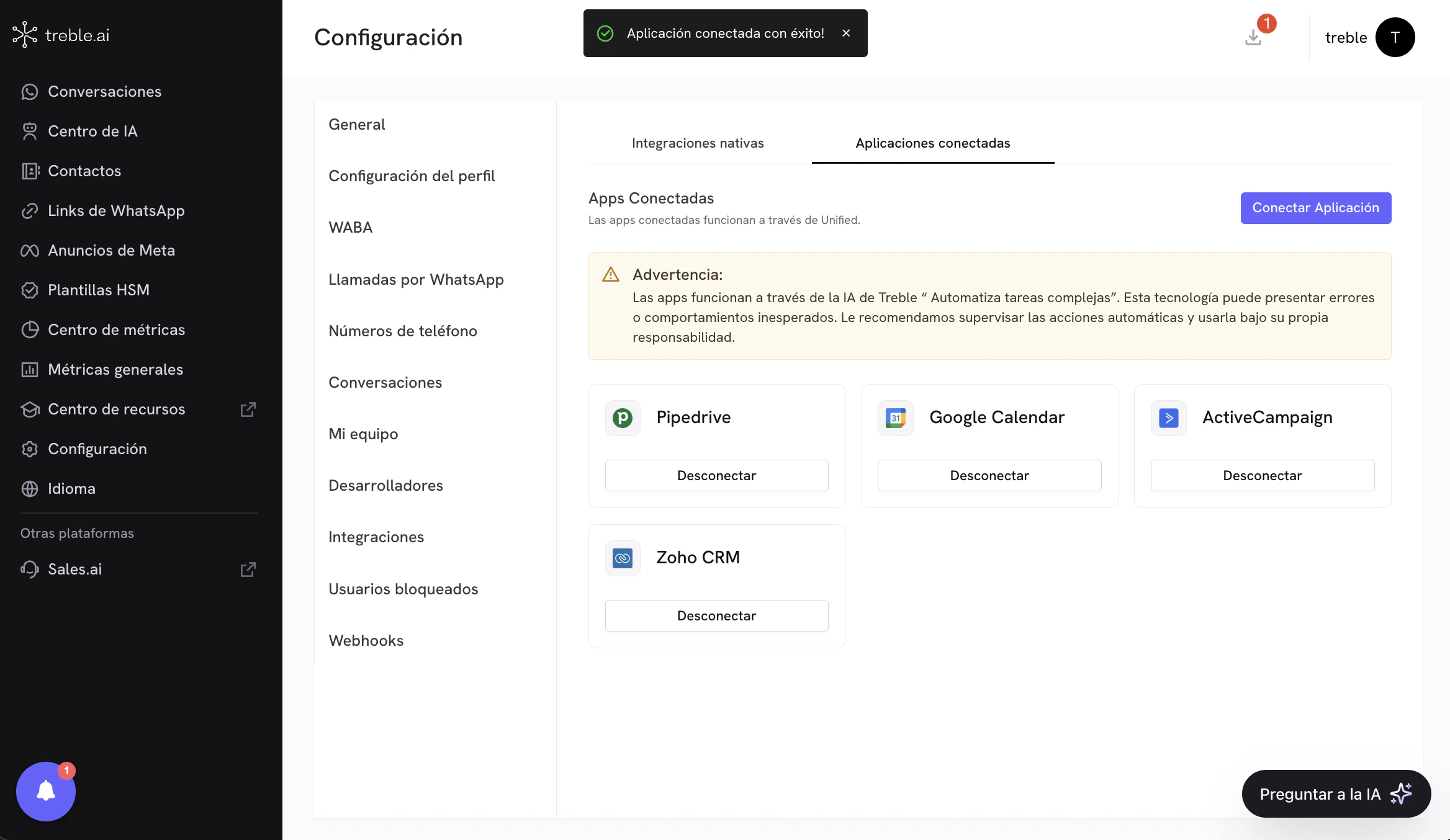
You have now connected the Salesforce application in Treble.
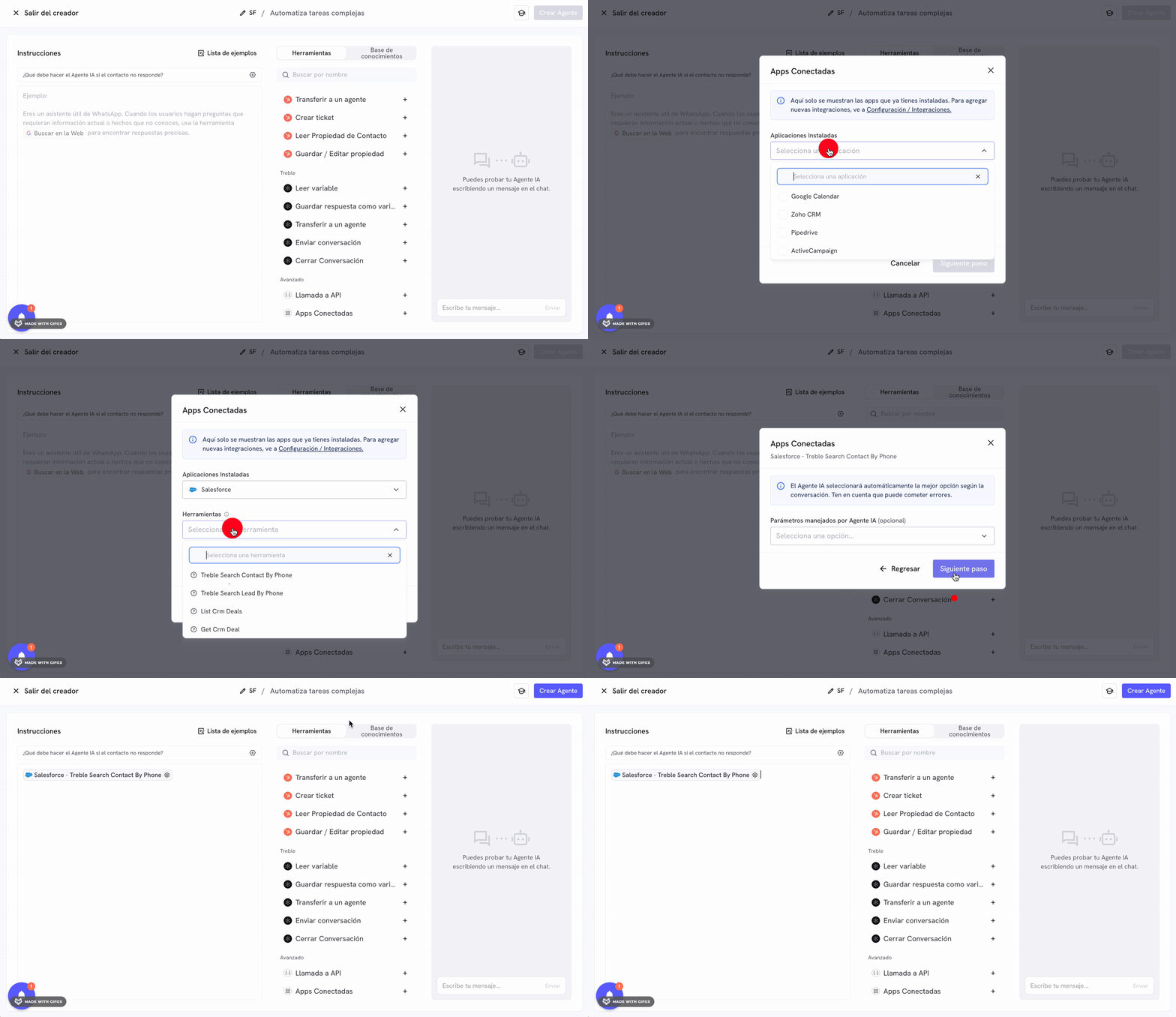
You can now use the Salesforce AI tools in Treble. To do this, go to the "AI Center" section and create a new AI agent. You must select the "Automate complex tasks" option. After creating the agent, go to the "Tools" section and select the "Connected Applications" option from the tools list. In this section, select the "Salesforce" application and you will see the tools available to use in the AI.
Congratulations! You have successfully installed the Salesforce integration in Treble.
In the next section, we explain how to use the Salesforce AI tools in Treble.