> ## Documentation Index
> Fetch the complete documentation index at: https://help.treble.ai/llms.txt
> Use this file to discover all available pages before exploring further.
# HSM Status Updates as Timeline Activities
> HSMs sent to customers with a HubSpot contact now create timeline activities flagging when they are sent, delivered, or fail.
# HSM Status Updates as Timeline Activities
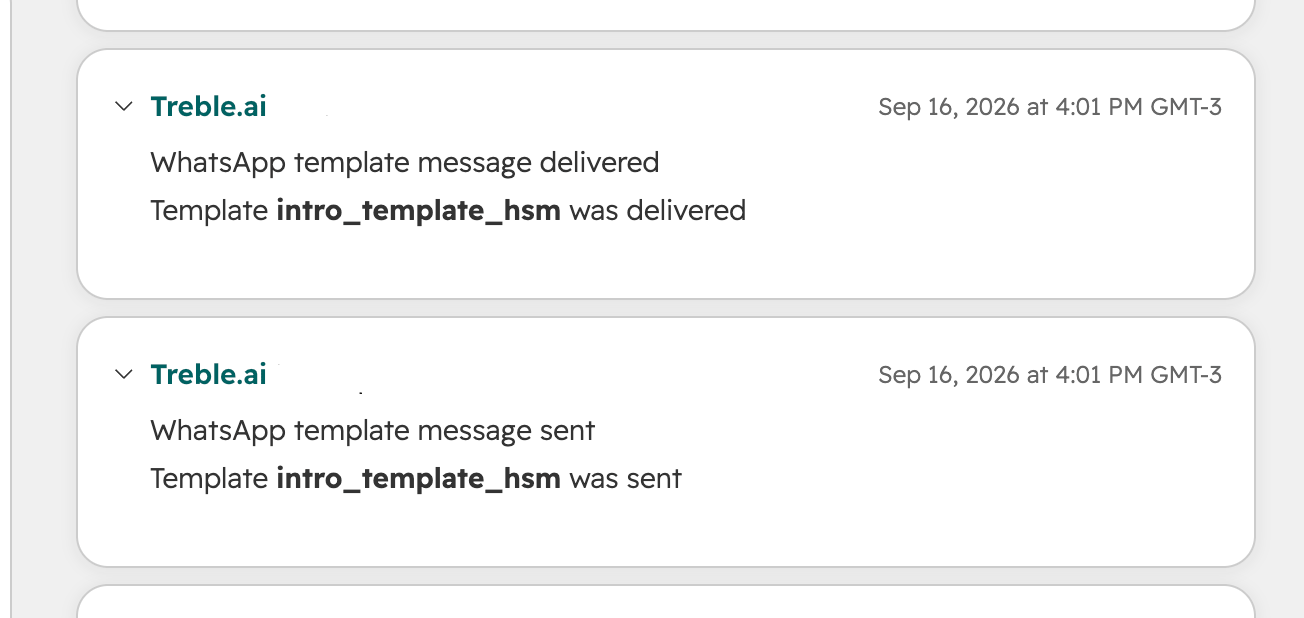
Now, when sending HSMs from anywhere in Treble to customers who have a HubSpot contact, those customers get new timeline activities flagging the status of that HSM.
 ## Statuses tracked
| Activity | What it means |
| ----------------- | ------------------------------------------------------------------- |
| **HSM sent** | Treble successfully sent the HSM to Meta. |
| **HSM delivered** | Meta has received and delivered the HSM to the customer's WhatsApp. |
| **HSM failed** | An error from Treble or Meta occurred while sending the HSM. |
This applies to HSMs sent from any source, campaigns, conversation blocks, or the API, as long as the customer has a matching HubSpot contact.
## Frequently asked questions
Only HSMs. Session messages are not reflected as timeline activities.
No timeline activity is created. The customer needs a matching HubSpot contact for the activity to be recorded.
No. This works automatically for any account with the HubSpot integration connected.
## Statuses tracked
| Activity | What it means |
| ----------------- | ------------------------------------------------------------------- |
| **HSM sent** | Treble successfully sent the HSM to Meta. |
| **HSM delivered** | Meta has received and delivered the HSM to the customer's WhatsApp. |
| **HSM failed** | An error from Treble or Meta occurred while sending the HSM. |
This applies to HSMs sent from any source, campaigns, conversation blocks, or the API, as long as the customer has a matching HubSpot contact.
## Frequently asked questions
Only HSMs. Session messages are not reflected as timeline activities.
No timeline activity is created. The customer needs a matching HubSpot contact for the activity to be recorded.
No. This works automatically for any account with the HubSpot integration connected.