> ## Documentation Index
> Fetch the complete documentation index at: https://help.treble.ai/llms.txt
> Use this file to discover all available pages before exploring further.
# Chat History in HubSpot as Notes
> Conversations with your customers are now recorded as Notes on their HubSpot contact, so the full chat history is visible without leaving HubSpot.
# Chat History in HubSpot as Notes
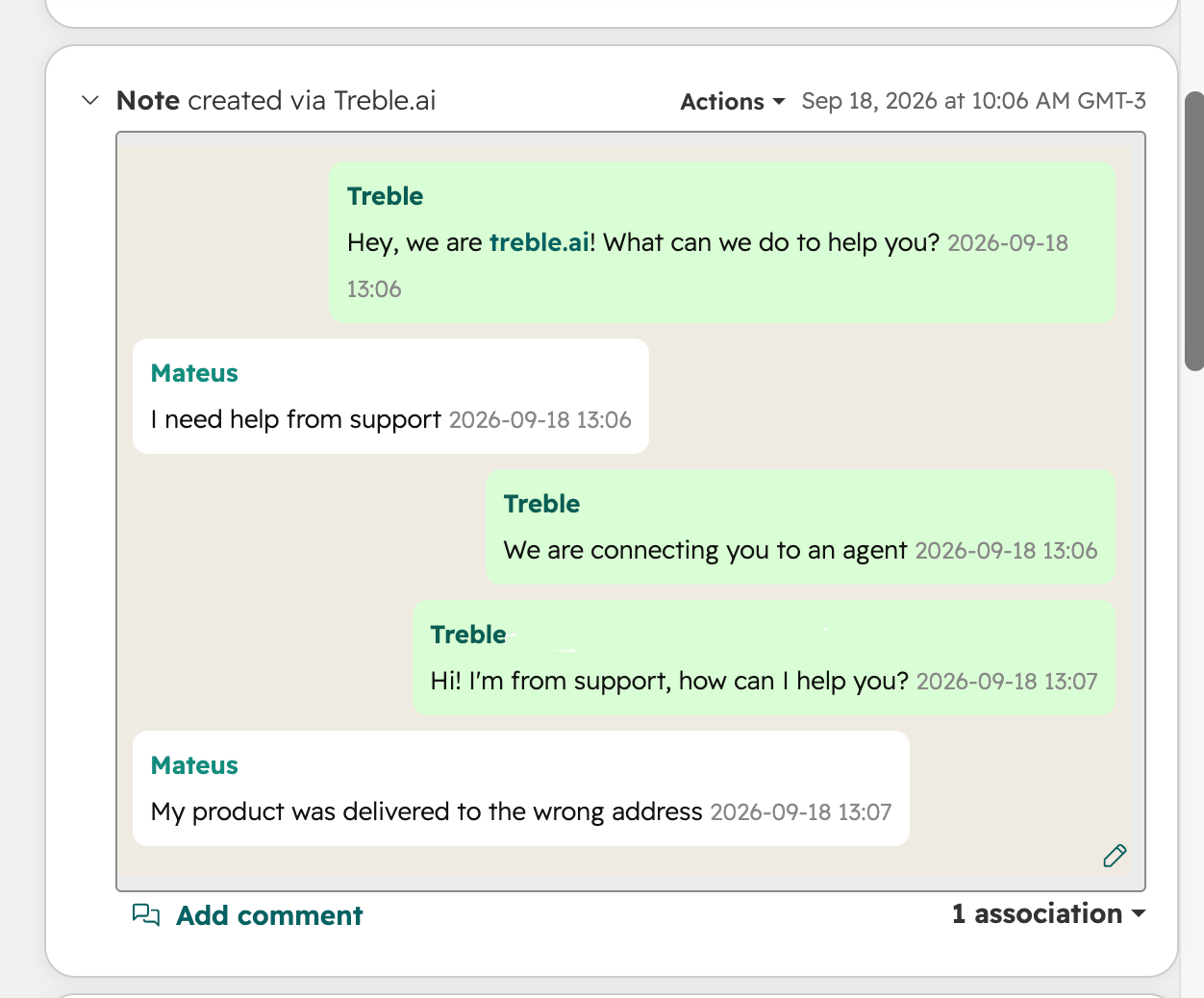
Conversations started with your customers can now create a unique Note for them on their HubSpot contact. This gives your sales and support teams the full chat history right inside HubSpot, without switching tools.
 ## How it works
* When a new conversation starts, whether from a campaign or from the agent, one Note is created for that ongoing conversation.
* The Note is updated as the conversation continues, on both the customer's side and the agent's or AI's side.
* If the customer already has an open ongoing conversation, a new Note is not created. The existing Note keeps being updated instead.
This applies to any conversation that has a matching HubSpot contact, regardless of whether it started from a campaign, an inbound message, or the AI agent.
## Frequently asked questions
No. All the messages of the same ongoing conversation are recorded in a single Note, which keeps getting updated as the conversation moves forward.
Once the ongoing conversation ends, the next conversation with that customer creates a new Note.
No. This works automatically for any account with the HubSpot integration connected.
## How it works
* When a new conversation starts, whether from a campaign or from the agent, one Note is created for that ongoing conversation.
* The Note is updated as the conversation continues, on both the customer's side and the agent's or AI's side.
* If the customer already has an open ongoing conversation, a new Note is not created. The existing Note keeps being updated instead.
This applies to any conversation that has a matching HubSpot contact, regardless of whether it started from a campaign, an inbound message, or the AI agent.
## Frequently asked questions
No. All the messages of the same ongoing conversation are recorded in a single Note, which keeps getting updated as the conversation moves forward.
Once the ongoing conversation ends, the next conversation with that customer creates a new Note.
No. This works automatically for any account with the HubSpot integration connected.