> ## Documentation Index
> Fetch the complete documentation index at: https://help.treble.ai/llms.txt
> Use this file to discover all available pages before exploring further.
# HubSpot Methods
> Assign the conversation to the contact's owner agent in HubSpot —immediately, with a wait time limit, or only if they're connected— or to a team, and sync the assignment with your HubSpot workflows.
With the **HubSpot** destination, the conversation is assigned using your CRM's information. There are two methods available.
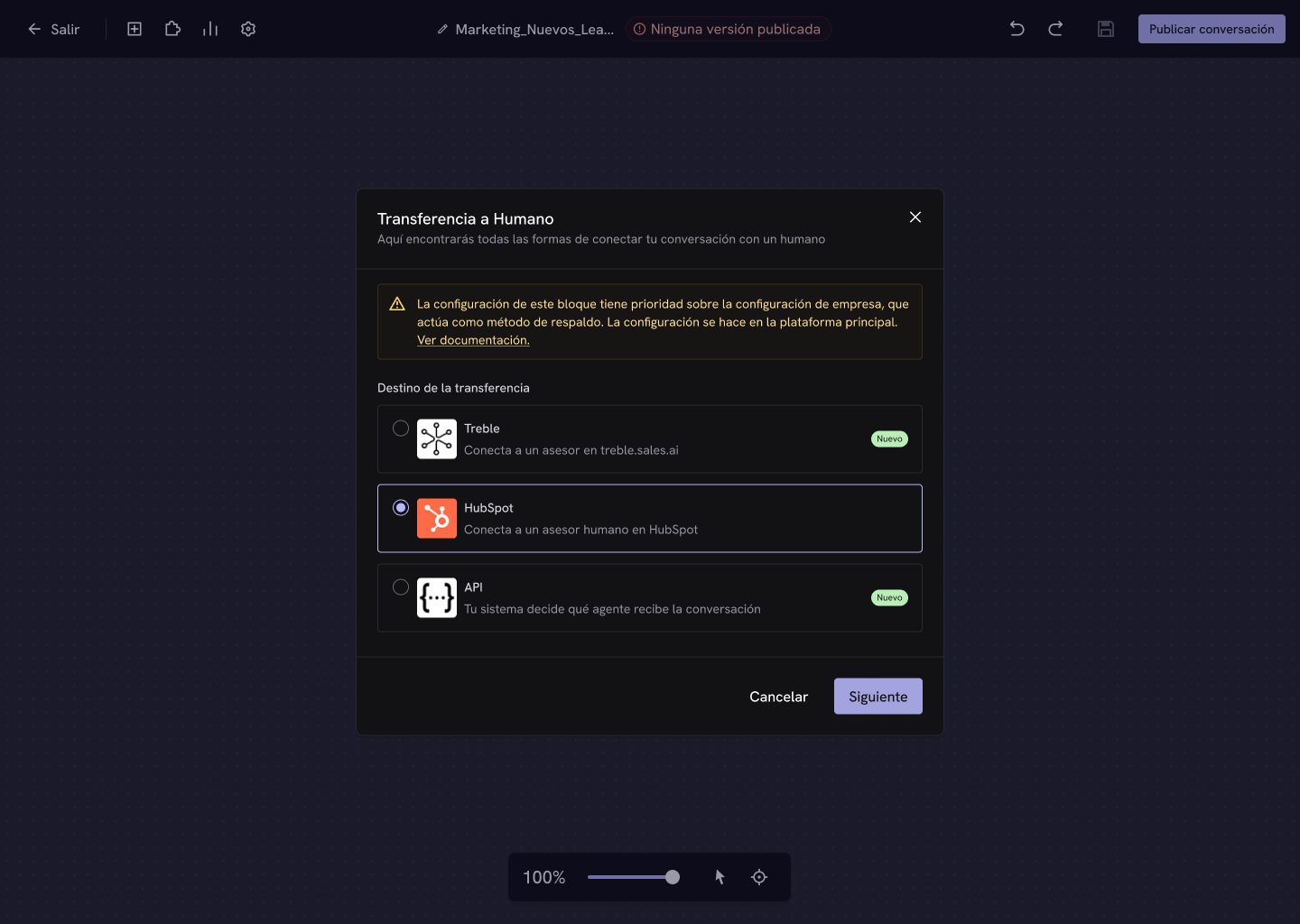 ## Assign to owner agent
Treble assigns the chat to the **contact's owner agent in HubSpot**. When you select it, you also choose *when* that assignment happens.
## Assign to owner agent
Treble assigns the chat to the **contact's owner agent in HubSpot**. When you select it, you also choose *when* that assignment happens.
 Treble immediately assigns the chat to the owner agent in HubSpot, **even if they aren't connected**. It's the fastest and most direct option.
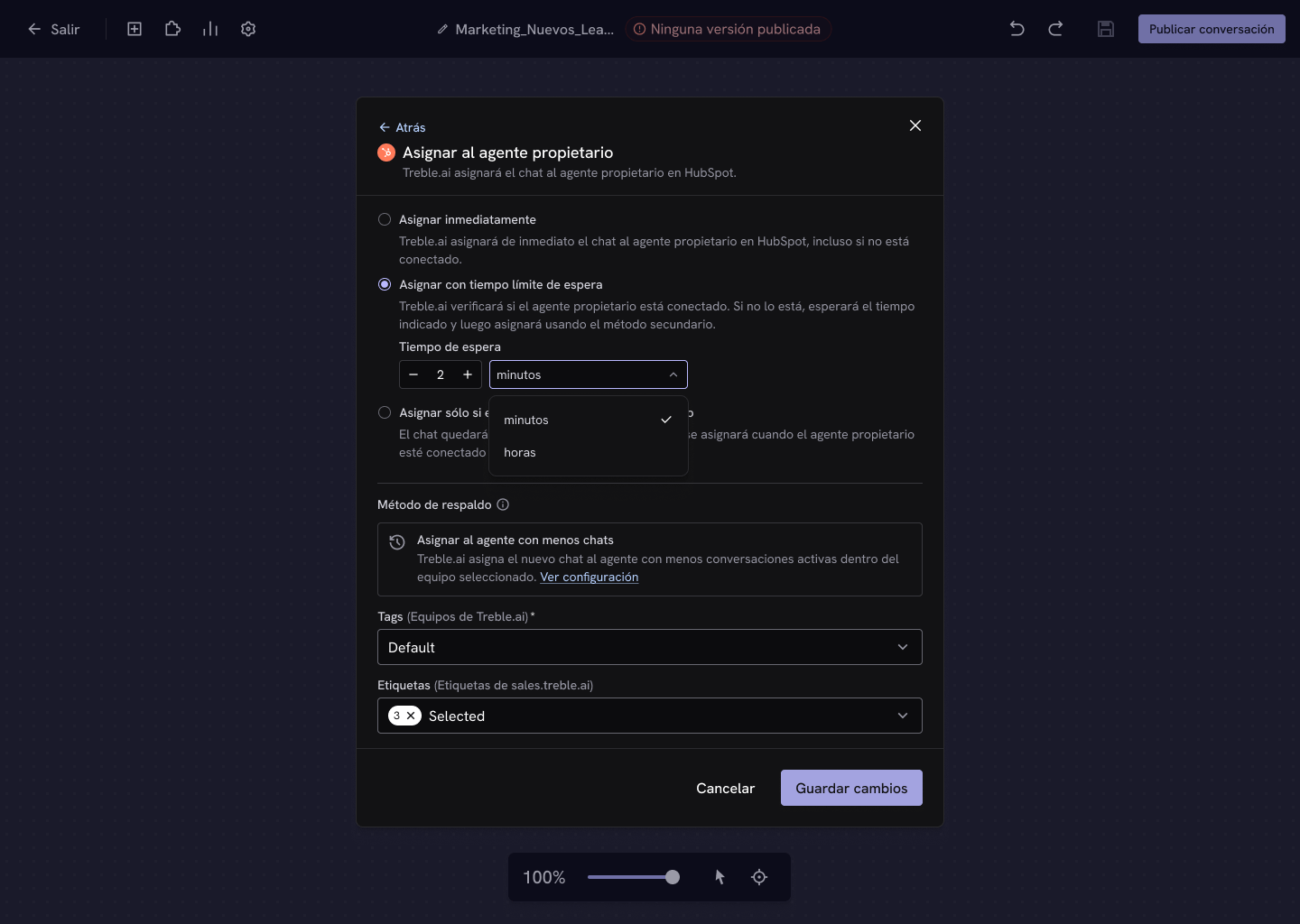
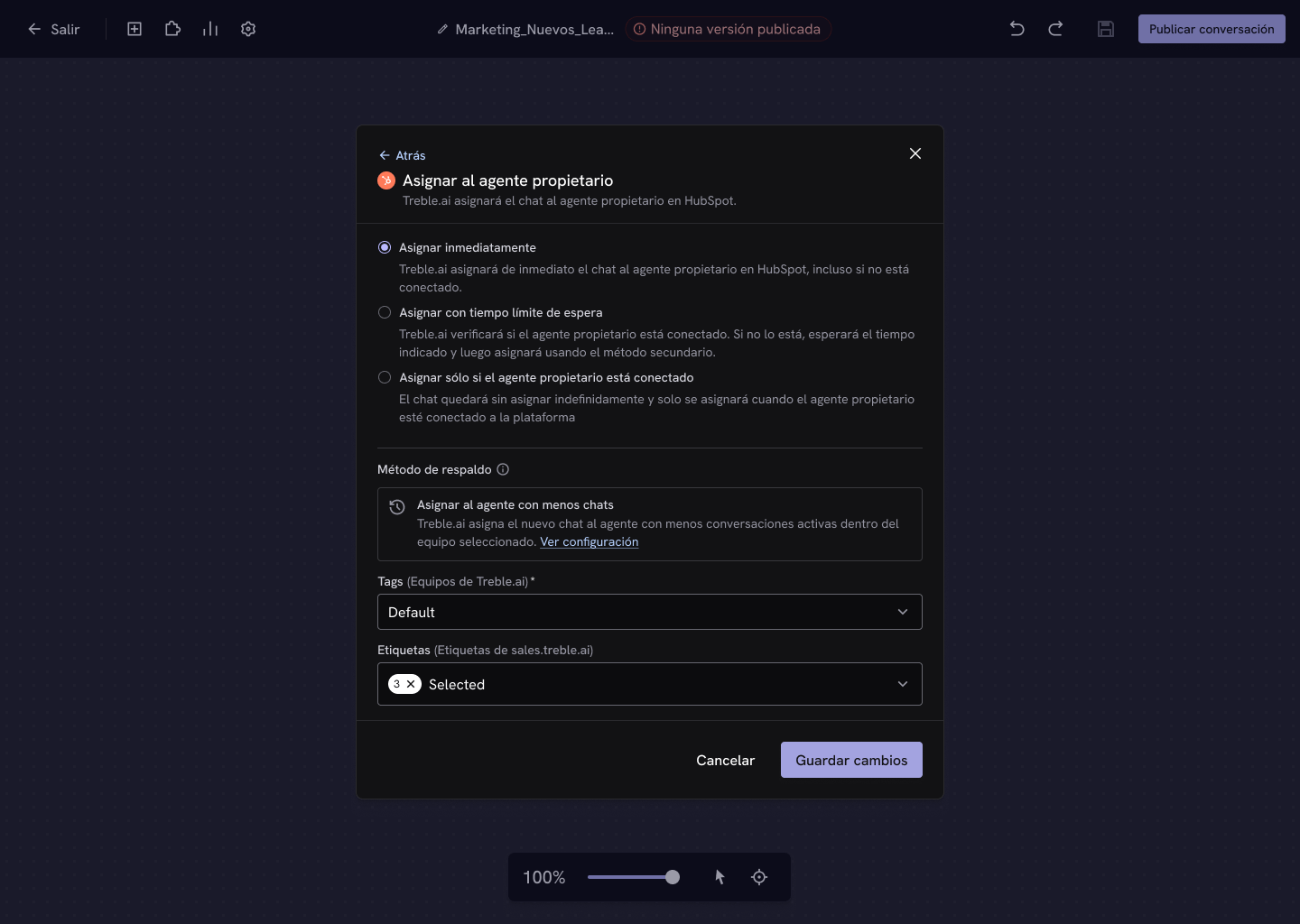 Treble checks whether the owner agent is connected. If they aren't, it **waits the indicated time** and then assigns using the fallback method.
The wait time is defined in **minutes** or **hours**.
Treble checks whether the owner agent is connected. If they aren't, it **waits the indicated time** and then assigns using the fallback method.
The wait time is defined in **minutes** or **hours**.
 The chat stays **unassigned indefinitely** and is only assigned when the owner agent connects to the platform.
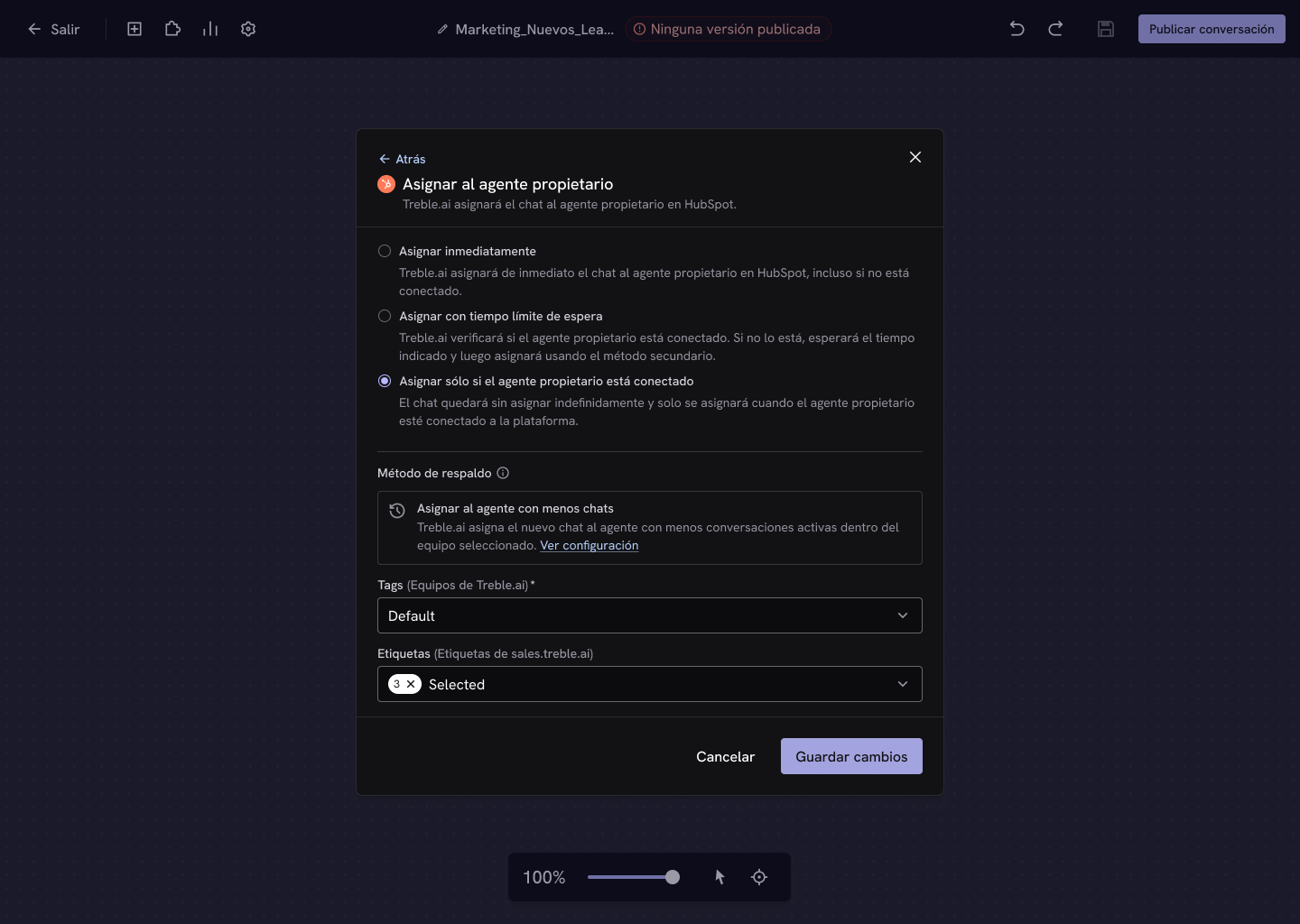 With this option the conversation can go unattended indefinitely if the owner never connects. Use it only when being attended to by that specific person matters more than how fast the response is.
## Assign to a team
Treble assigns the chat to a **team** instead of to a person, regardless of who the contact's owner is.
With this option the conversation can go unattended indefinitely if the owner never connects. Use it only when being attended to by that specific person matters more than how fast the response is.
## Assign to a team
Treble assigns the chat to a **team** instead of to a person, regardless of who the contact's owner is.
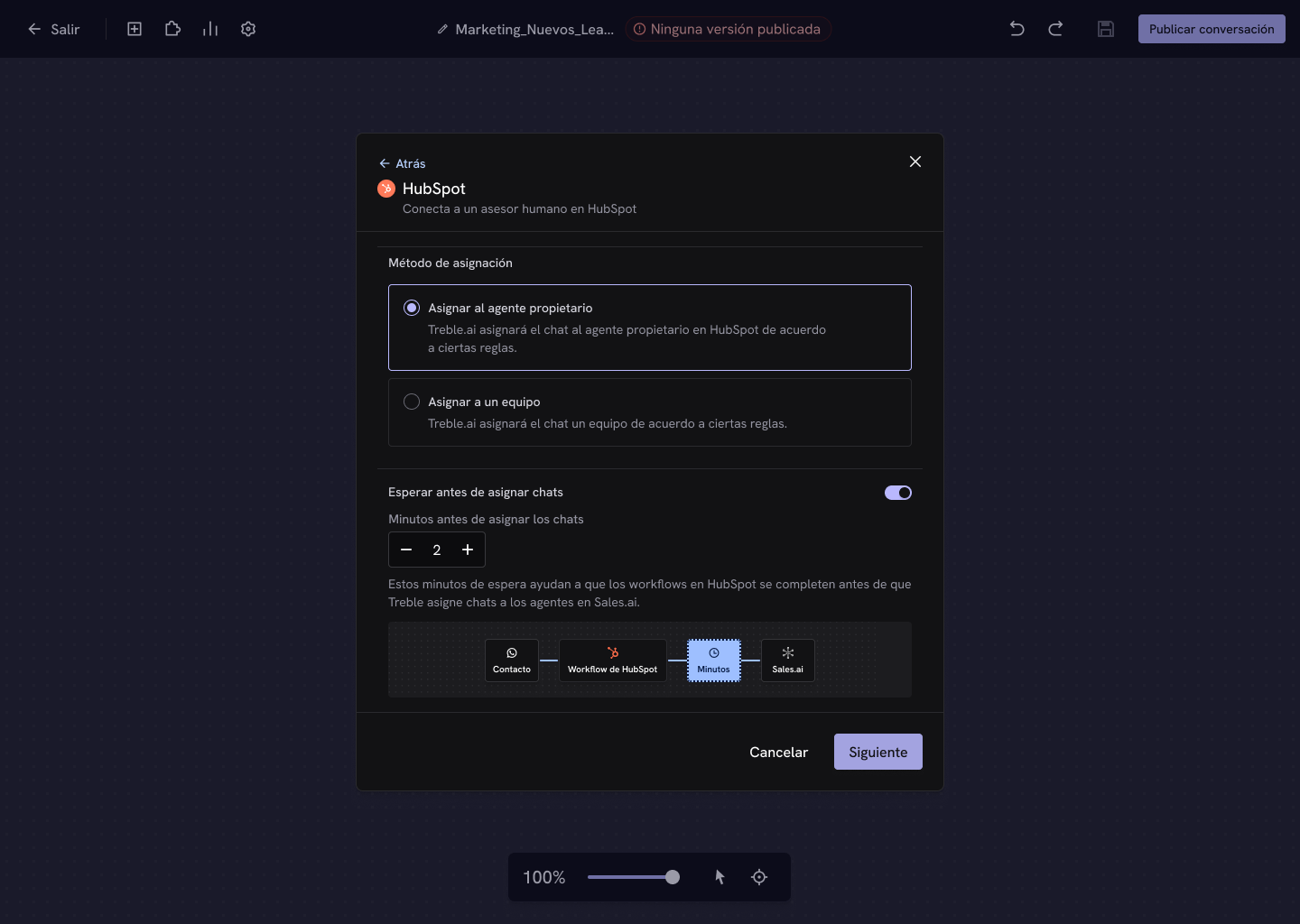
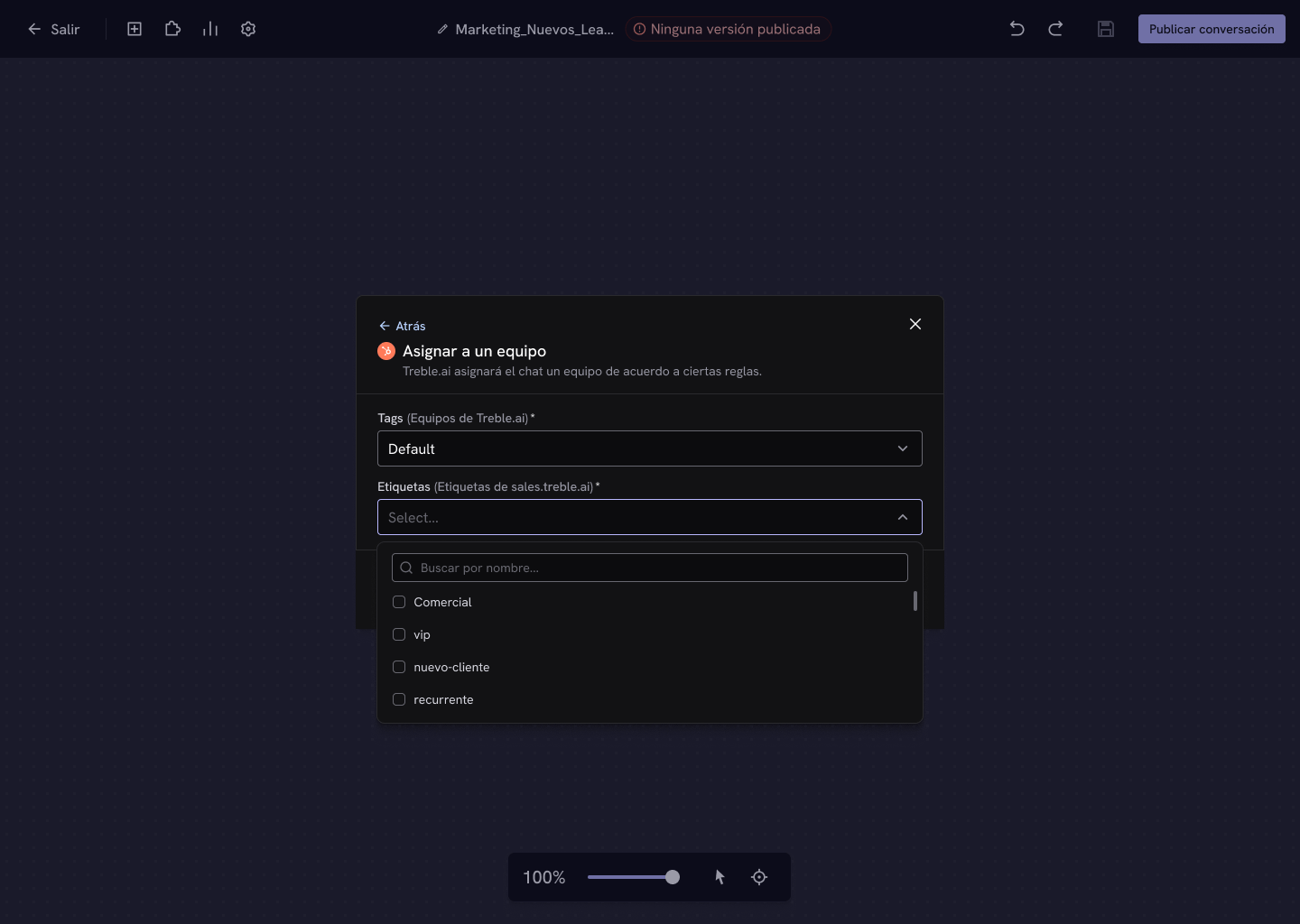
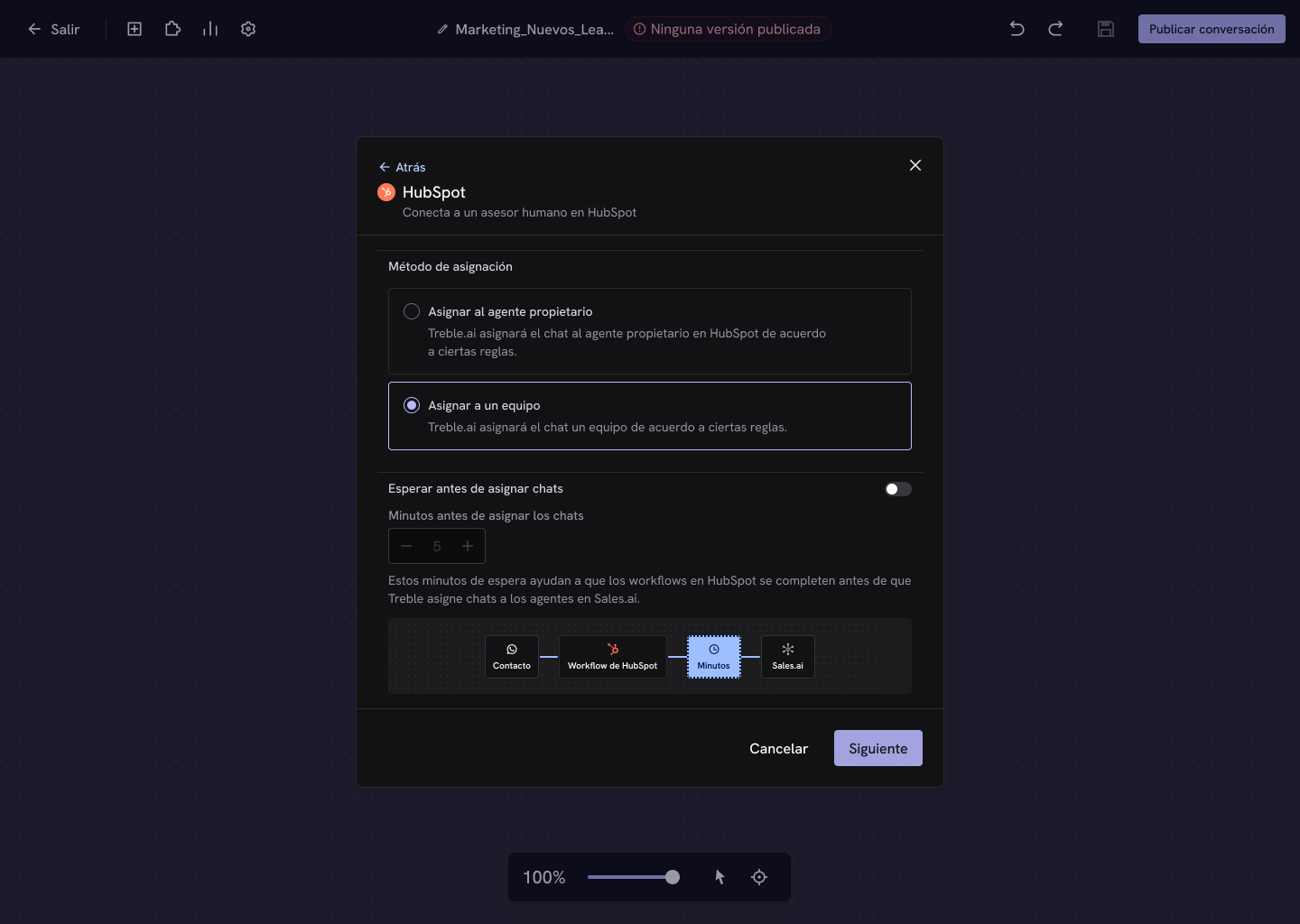 With this method, **Tags** and **Labels** are required: they define the team that receives the conversation and how it's classified.
 ## Wait before assigning chats
If you use **HubSpot workflows** to assign owners or tag properties, enable this option so Treble waits a few minutes before assigning.
HubSpot workflows can take time to process. Without that wait, Treble could assign the conversation **before** HubSpot has defined the owner, and the chat would end up with the wrong agent.
```mermaid theme={null}
flowchart LR
A[Contact] --> B[HubSpot workflow]
B --> C[Minutes of waiting]
C --> D[Sales.ai assigns the chat]
```
We recommend between **2 and 5 minutes**. That's enough for most workflows, and you can adjust it based on their complexity.
This wait is configured **per block**, not globally. That way you can keep immediate attention in the flows where no workflows are involved and apply the wait only where you actually need it.
### Use cases it enables
* **Round robin distribution** — use the contact rotation feature of HubSpot workflows.
* **Property-based assignment** — assign based on industry, company size, or any custom property.
The wait doesn't affect the customer's experience: they can keep interacting with the chatbot normally while Treble waits to make the correct assignment.
## Next steps
Configure HubSpot workflows to work with Treble.
Let your own system decide which agent receives the chat.
## Wait before assigning chats
If you use **HubSpot workflows** to assign owners or tag properties, enable this option so Treble waits a few minutes before assigning.
HubSpot workflows can take time to process. Without that wait, Treble could assign the conversation **before** HubSpot has defined the owner, and the chat would end up with the wrong agent.
```mermaid theme={null}
flowchart LR
A[Contact] --> B[HubSpot workflow]
B --> C[Minutes of waiting]
C --> D[Sales.ai assigns the chat]
```
We recommend between **2 and 5 minutes**. That's enough for most workflows, and you can adjust it based on their complexity.
This wait is configured **per block**, not globally. That way you can keep immediate attention in the flows where no workflows are involved and apply the wait only where you actually need it.
### Use cases it enables
* **Round robin distribution** — use the contact rotation feature of HubSpot workflows.
* **Property-based assignment** — assign based on industry, company size, or any custom property.
The wait doesn't affect the customer's experience: they can keep interacting with the chatbot normally while Treble waits to make the correct assignment.
## Next steps
Configure HubSpot workflows to work with Treble.
Let your own system decide which agent receives the chat.