> ## Documentation Index
> Fetch the complete documentation index at: https://help.treble.ai/llms.txt
> Use this file to discover all available pages before exploring further.
# API Assignment
> Let your own system decide which agent receives each conversation. Treble calls the endpoint you configure with the chat's context and assigns the conversation to the agent you return.
If your team already has its own routing logic, with the **API** destination you don't have to replicate it in Treble. Treble calls **your endpoint** with the chat's context and respects the agent you return.
 ```mermaid theme={null}
sequenceDiagram
participant C as Customer
participant T as Treble
participant S as Your server
C->>T: The conversation reaches the block
T->>S: POST with the chat's context
S->>S: Decides which agent should attend
S->>T: Responds with the agent
T->>C: Assigns the conversation to that agent
```
## Configuration
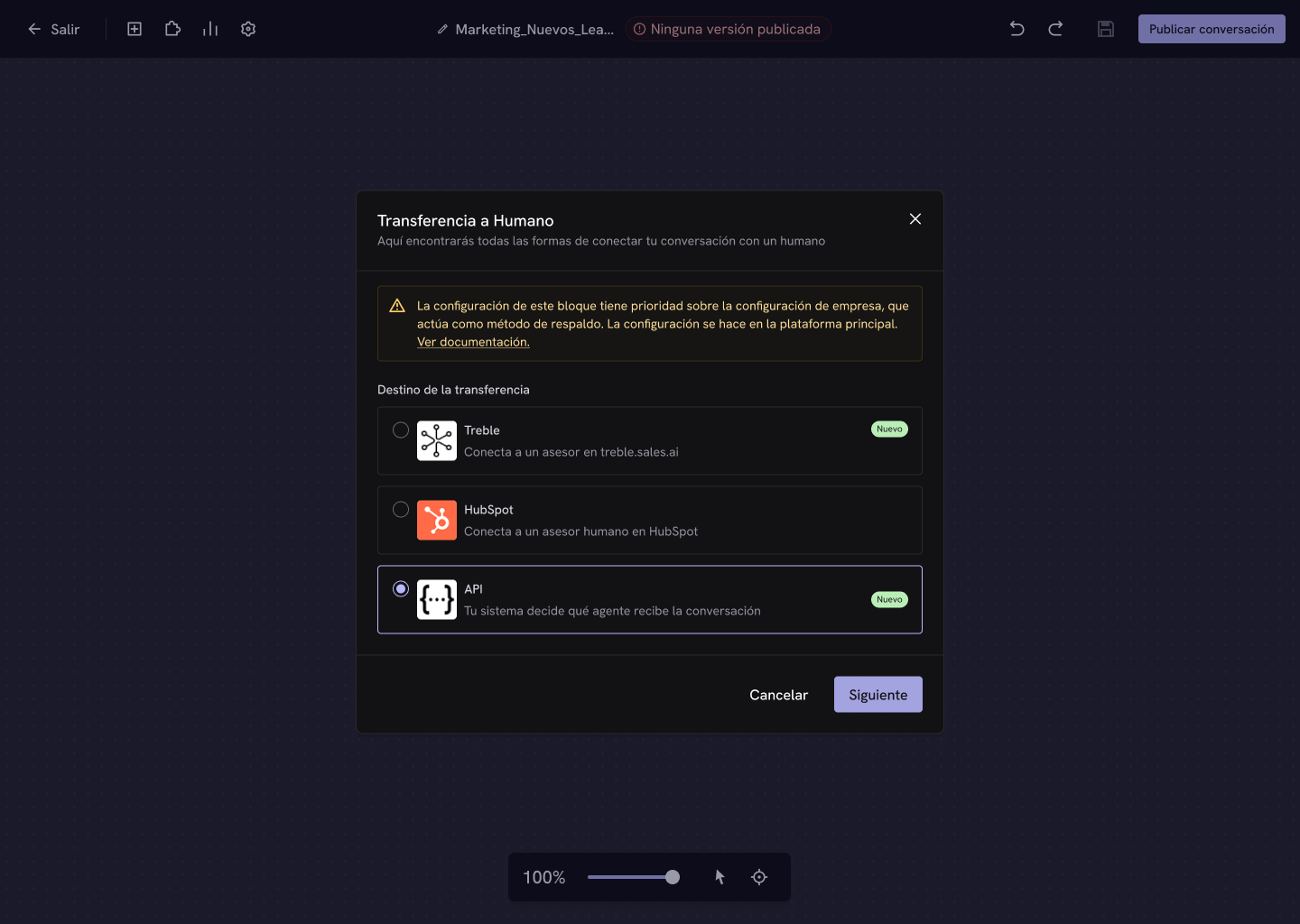
In the block configuration, choose **API** and click **Next**.
Write the URL Treble will make the `POST` request to when the conversation reaches the block.
```mermaid theme={null}
sequenceDiagram
participant C as Customer
participant T as Treble
participant S as Your server
C->>T: The conversation reaches the block
T->>S: POST with the chat's context
S->>S: Decides which agent should attend
S->>T: Responds with the agent
T->>C: Assigns the conversation to that agent
```
## Configuration
In the block configuration, choose **API** and click **Next**.
Write the URL Treble will make the `POST` request to when the conversation reaches the block.
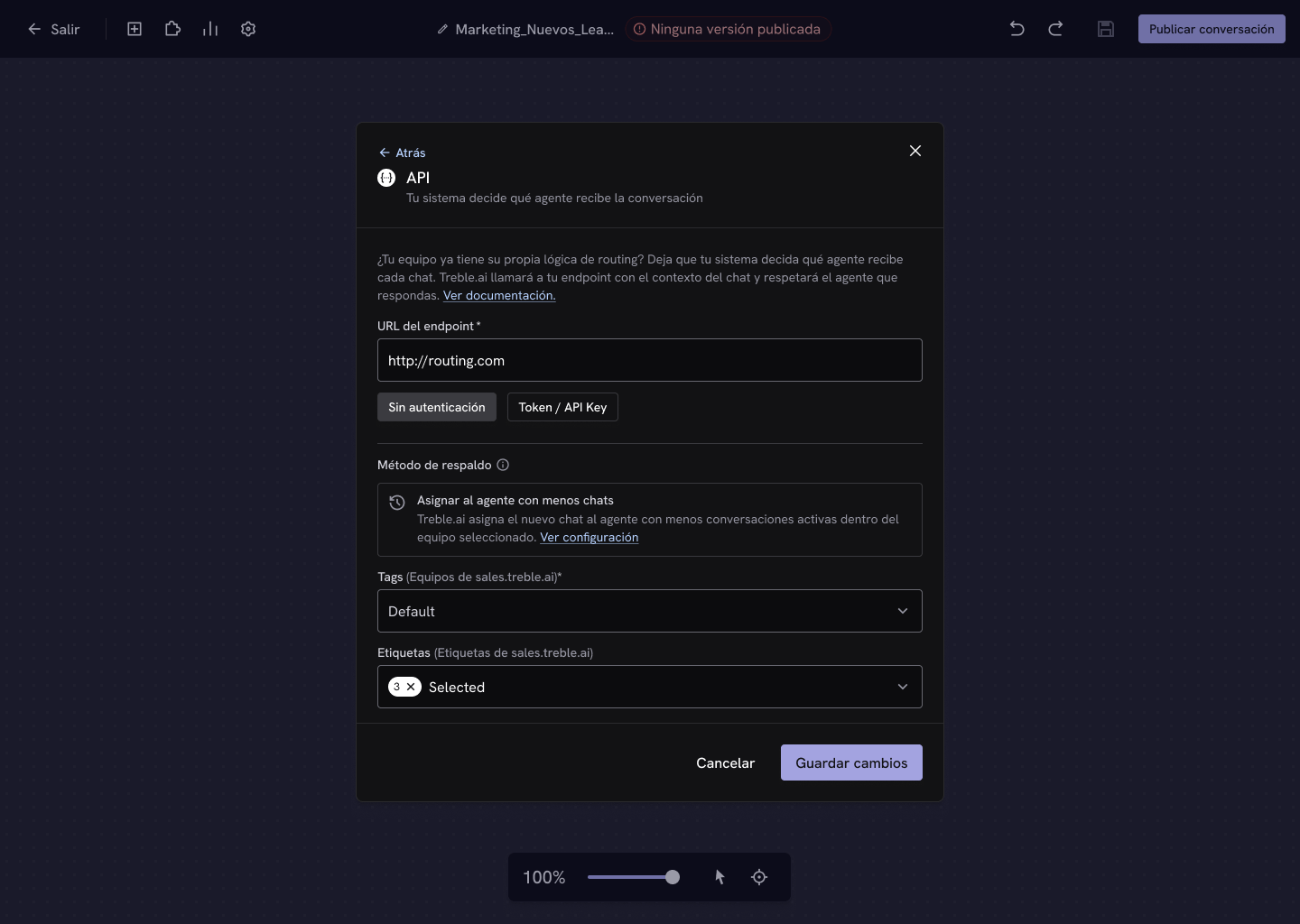 * **No authentication** — Treble calls your endpoint without credentials.
* **Token / API Key** — enter a token that Treble will send in the `Authorization` header with the format `Bearer YOUR_TOKEN`, so your endpoint can verify the call comes from Treble.
* **No authentication** — Treble calls your endpoint without credentials.
* **Token / API Key** — enter a token that Treble will send in the `Authorization` header with the format `Bearer YOUR_TOKEN`, so your endpoint can verify the call comes from Treble.
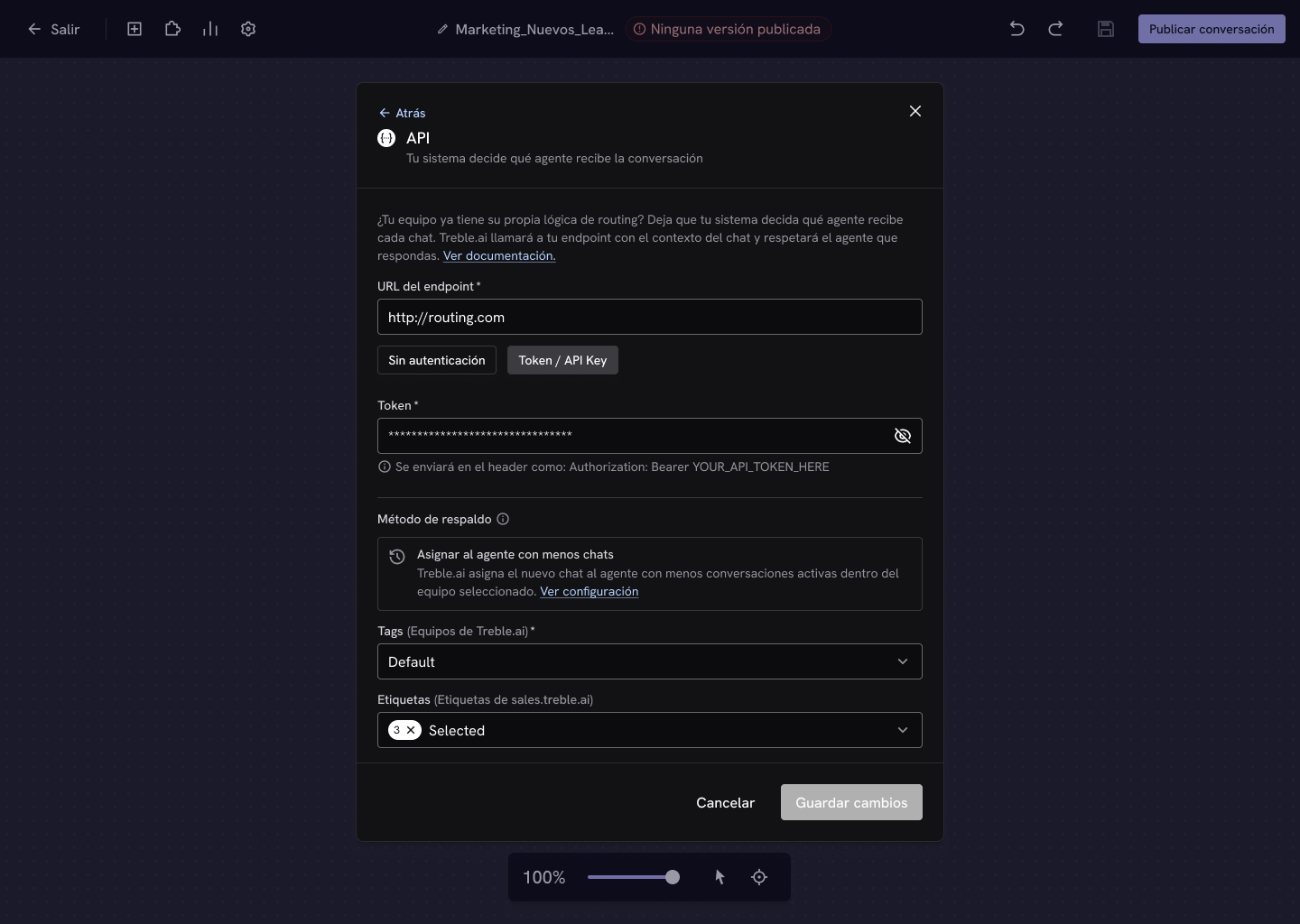 Select the team in **Tags**, add **Labels** if you need them, and click **Save changes**.
Done! When a conversation reaches the block, Treble will call your endpoint to resolve the agent.
## The contract
Your endpoint receives the contact's and the conversation's context, and must respond with the agent who will attend to it:
```json theme={null}
{
"agent_email": "andrea.soto@yourcompany.com"
}
```
Your endpoint must respond in **less than 10 seconds**. If it exceeds that, returns a status code other than `200`, or returns an agent that can't receive the conversation, Treble applies the [fallback method](/en/docs/build-with-treble/blocks/transfer-methods/overview#priority-and-fallback-method) configured in the main platform.
The full reference —the exact body Treble sends, the two ways to identify the agent, and an implementation example— is in the API reference.
The body Treble sends and the response you must return.
Look up the agents in your account to know which email or id to return.
Select the team in **Tags**, add **Labels** if you need them, and click **Save changes**.
Done! When a conversation reaches the block, Treble will call your endpoint to resolve the agent.
## The contract
Your endpoint receives the contact's and the conversation's context, and must respond with the agent who will attend to it:
```json theme={null}
{
"agent_email": "andrea.soto@yourcompany.com"
}
```
Your endpoint must respond in **less than 10 seconds**. If it exceeds that, returns a status code other than `200`, or returns an agent that can't receive the conversation, Treble applies the [fallback method](/en/docs/build-with-treble/blocks/transfer-methods/overview#priority-and-fallback-method) configured in the main platform.
The full reference —the exact body Treble sends, the two ways to identify the agent, and an implementation example— is in the API reference.
The body Treble sends and the response you must return.
Look up the agents in your account to know which email or id to return.