> ## Documentation Index
> Fetch the complete documentation index at: https://help.treble.ai/llms.txt
> Use this file to discover all available pages before exploring further.
# API Key and Webhook Headers
> To interact with the Treble API, you will need an API key. This key will allow you to authenticate your requests to the API and access the available endpoints. Learn how to obtain your API key in this article.
## What is an API Key?
An API key is a unique identifier used to authenticate and authorize requests to the Treble API. Each API key is associated with a specific account and has a set of associated permissions.
The API key you will obtain is a global key for the entire Treble account.
## How to Obtain an API Key?
To obtain an API key, follow these steps:
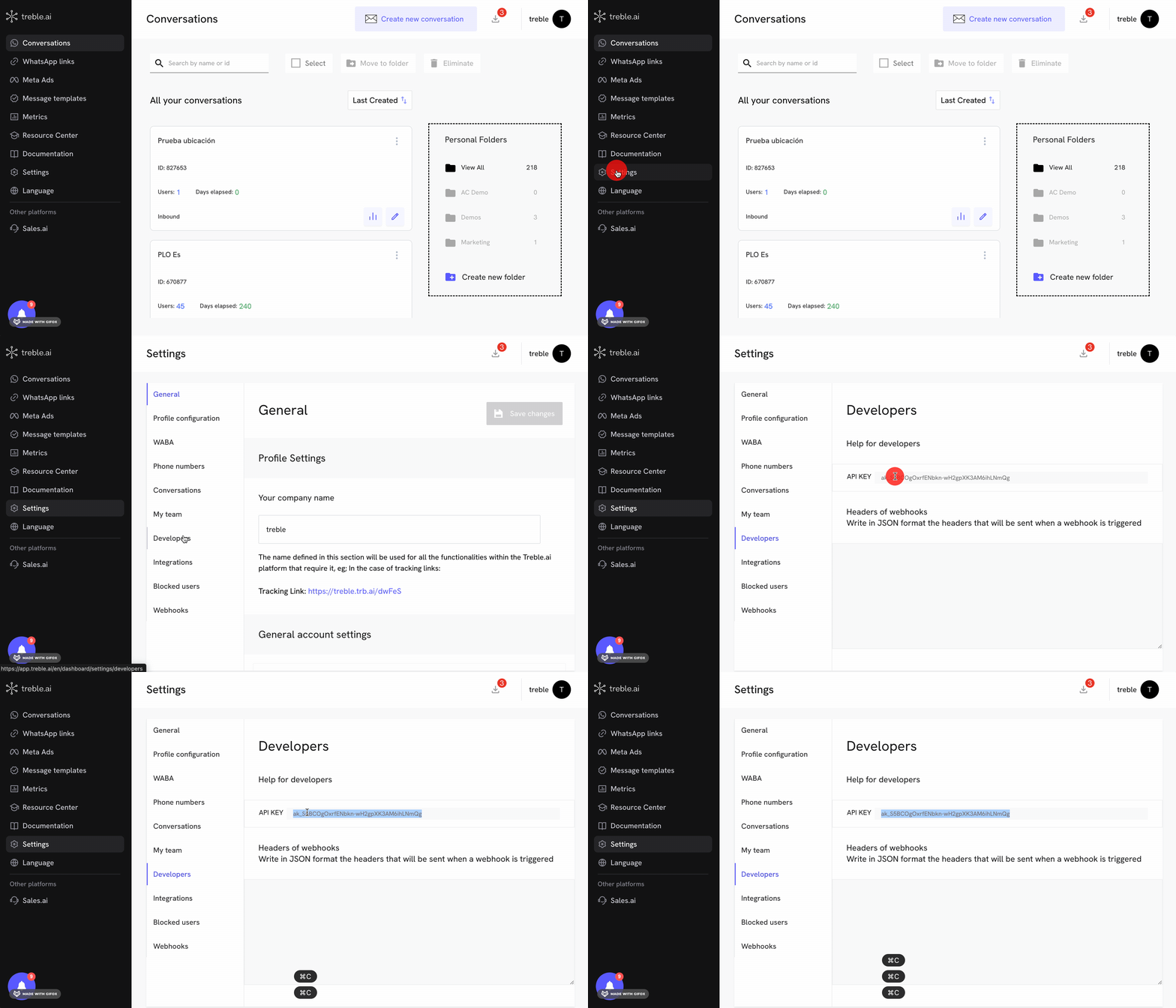
1. Log in to your Treble account Log in to Treble
2. In the navigation bar, click on **Settings** .
3. Then click on **Developers**
4. You will find a field called **API Key**
5. Copy the API key and store it in a secure place.
 Example:
```
ak_S5BCOgOxrfENbkn-wH2gpPK3AM8ihLNmQg
```
With this key, you will be able to authenticate your requests to the Treble API. To use it, you must add it in the request header as an authentication token.
Example:
```
Authorization: ak_S5BCOgOxrfENbkn-wH2gpPK3AM8ihLNmQg
```
## Advanced Configurations
### Authentication Headers for Webhooks
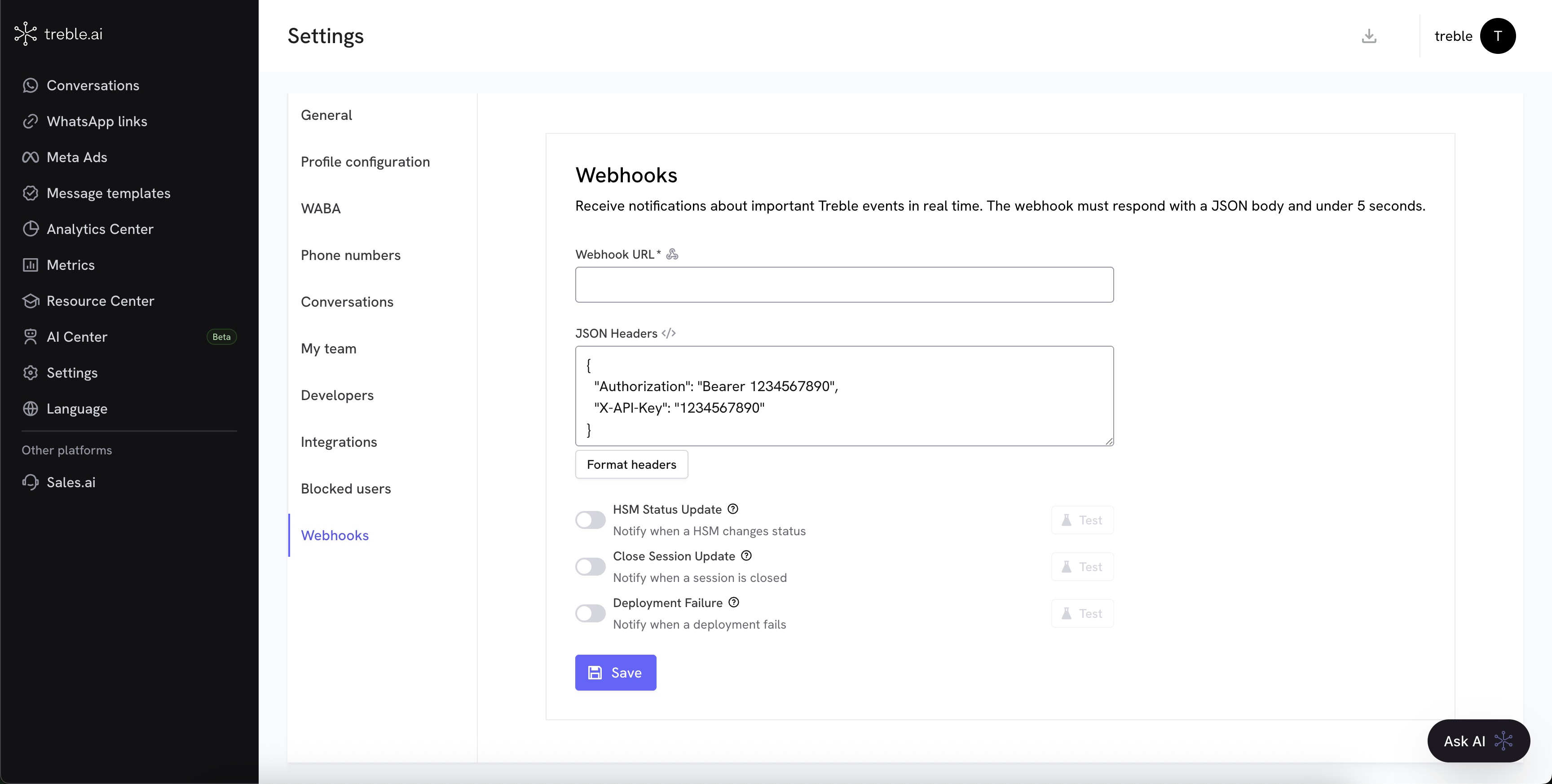
If you configure any webhook from Treble to your information system, you can add a list of authentication headers so that the request can be authenticated. These headers will be added to each request made to your webhook and are defined in JSON format.
Example:
```json theme={null}
{
"Authorization": "Bearer 1234567890",
"X-API-Key": "1234567890"
}
```
From now on, every time you make a request to your webhook, Treble will add these headers to the request.
To configure them, go to the **Webhooks** section and add the headers you need. Add them and then click on **Save**.
Example:
```
ak_S5BCOgOxrfENbkn-wH2gpPK3AM8ihLNmQg
```
With this key, you will be able to authenticate your requests to the Treble API. To use it, you must add it in the request header as an authentication token.
Example:
```
Authorization: ak_S5BCOgOxrfENbkn-wH2gpPK3AM8ihLNmQg
```
## Advanced Configurations
### Authentication Headers for Webhooks
If you configure any webhook from Treble to your information system, you can add a list of authentication headers so that the request can be authenticated. These headers will be added to each request made to your webhook and are defined in JSON format.
Example:
```json theme={null}
{
"Authorization": "Bearer 1234567890",
"X-API-Key": "1234567890"
}
```
From now on, every time you make a request to your webhook, Treble will add these headers to the request.
To configure them, go to the **Webhooks** section and add the headers you need. Add them and then click on **Save**.